

Screen time control-Flux
Sahar Kanias Productivity iPhoneiPadiPod touch
Screen time control-Flux is a free Productivity app for iPhone and iPad by Sahar Kanias. Rated 4.8/5 from 10 ratings. Requires iOS 18.0.
- Rating
- 4.8
- 10 ratings
- Price
- Free
- on the App Store
- Size
- 117 MB
- Age 4+
- Updated
- Sep 17
- 2026 · v1.7.22
Screenshots

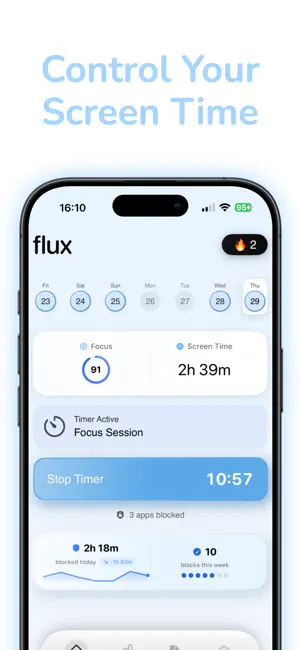
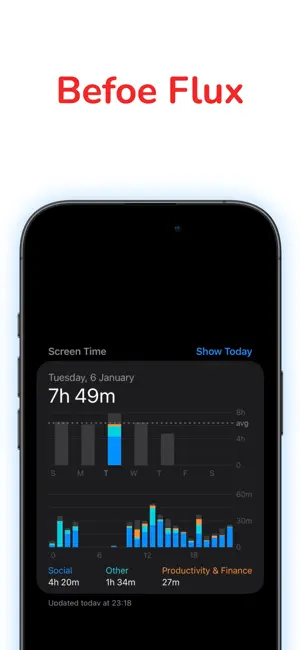
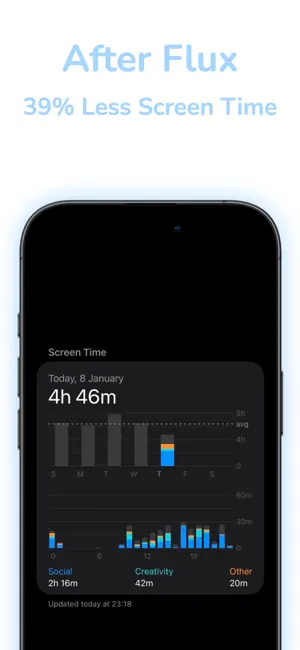
About Screen time control-Flux
Take back your time. Block distracting apps and focus on what matters. Tired of endless scrolling? Flux helps you break free from social media addiction and build healthier digital habits. HOW IT WORKS Simply select the apps you want to block, set a timer or schedule, and Flux does the rest. No willpower required - blocked apps stay blocked until your focus session ends. KEY FEATURES SMART APP BLOCKING Block Instagram, TikTok, X, YouTube, and any other distracting apps during focus time. FLEXIBLE SCHEDULING Create custom block schedules for morning focus, work hours, or bedtime routines. STREAK SYSTEM Build momentum with daily streaks. Watch your progress grow as you develop better habits. PROGRESS TRACKING See exactly how much time you've saved with detailed weekly stats and insights. HOME SCREEN WIDGETS Track your active blocks and streaks right from your home screen. QUICK TIMER Need to focus right now? Start a block session with just one tap. WHY FLUX? Built on Apple's Screen Time technology Your app usage stays on your device - we never see which apps you open or for how long No complicated setup - works in minutes Zero willpower required NOTE: Full access to Flux requires a subscription available via in-app purchase. Subscription renews automatically unless cancelled. Download Flux today and start your journey to a more focused life. Questions? Visit fluxscreentime.com or contact us anytime. Terms of Use: https://saharkanyas.github.io/Flux-legal1/ Privacy Policy: https://www.termsfeed.com/live/719a62c9-5647-4883-b5dc-2b1245bcff92
Ratings & reviews
4.8
10 ratings
What’s new
Version 1.7.22 · Updated September 17, 2026
Bug fixes and performance improvements
App privacy
The developer, Sahar Kanias, reported these privacy practices to Apple.
Data Used to Track You
The following data may be used to track you across apps and websites owned by other companies:
- Identifiers: Device ID
Data Linked to You
The following data, which may be collected and linked to your identity, may be used for the following purposes:
- Purchases: Purchase History
- Contact Info: Email Address, Name
- Identifiers: User ID
Used for: App Functionality
Data Not Linked to You
The following data, which may be collected but is not linked to your identity, may be used for the following purposes:
- Identifiers: Device ID
- Usage Data: Product Interaction
- Diagnostics: Crash Data, Performance Data
Used for: App Functionality
Alternatives to Screen time control-Flux
Looking for apps like Screen time control-Flux? Here are 6 similar apps on the App Store. The highest rated is log off - unrot your brain (4.8/5), and all 6 are free to download.
-
 Arc: Screen Time Control
4.4
Arc: Screen Time Control
4.4
-
 BlockRot: Screen Time Control
4.7
BlockRot: Screen Time Control
4.7
-
 Reset: Screen Time Control
4.4
Reset: Screen Time Control
4.4
-
 log off - unrot your brain
4.8
log off - unrot your brain
4.8
-
 breakfree: screen time control
4.5
breakfree: screen time control
4.5
-
 No Scroll - Limit Screen Time
4.5
No Scroll - Limit Screen Time
4.5
| App | Rating | Price | Last updated | Compare |
|---|---|---|---|---|
| Screen time control-Flux | 4.8 / 5 (10 ratings) | Free | September 17, 2026 | |
| Arc: Screen Time Control | 4.4 / 5 (26) | Free | Aug 3, 2026 | Compare |
| BlockRot: Screen Time Control | 4.7 / 5 (473) | Free | Jul 7, 2026 | Compare |
| Reset: Screen Time Control | 4.4 / 5 (94) | Free | Sep 29, 2026 | Compare |
| log off - unrot your brain | 4.8 / 5 (354) | Free | Aug 24, 2026 | Compare |
| breakfree: screen time control | 4.5 / 5 (116) | Free | Aug 14, 2026 | Compare |
| No Scroll - Limit Screen Time | 4.5 / 5 (690) | Free | Sep 17, 2026 | Compare |