

Elemental Calculator
Chrystian Gerardo Lozada Coral Utilities iPhoneiPadiPod touch
Elemental Calculator is a free Utilities app for iPhone and iPad by Chrystian Gerardo Lozada Coral. Requires iOS 18.2. Updated October 20, 2026.
- Price
- Free
- on the App Store
- Size
- 12 MB
- Age 4+
- Updated
- Oct 20
- 2026 · v1.2.4
Screenshots
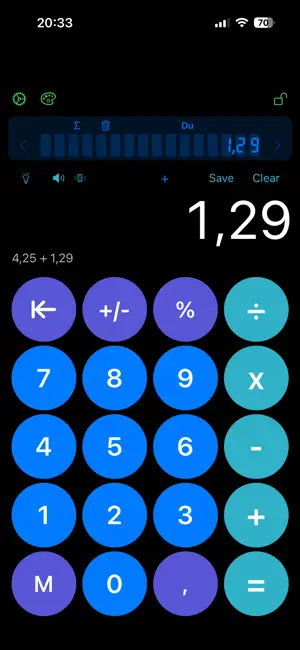
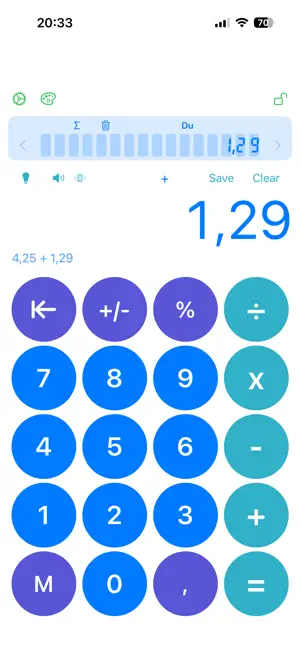


About Elemental Calculator
Elemental Calculator is a simple and easy-to-use calculator designed for everyday calculations. In addition to basic arithmetic operations such as addition, subtraction, multiplication, and division, the app offers useful features that go beyond a standard calculator. Key features: • Basic arithmetic operations • Light and Dark mode support • A growing collection of color themes, with new ones added regularly, no app update needed • Store numbers and perform operations using saved values • Clean and minimal design • Fast and responsive performance • Optimized for iPhone • Interface lock Elemental Calculator is ideal for users who want a straightforward calculator with practical extra features and a customizable appearance.
What’s new
Version 1.2.4 · Updated October 20, 2026
This is our biggest update so far: a smarter display, themes that keep growing, a new look for memory and many fixes. NEW THEMES, ALWAYS UP TO DATE • A growing collection of themes that arrives without updating the app. Just open the theme selector to see the latest ones. • Themes can include background artwork, a logo and a brand mark, painted in the theme's colors or shown in full color. • Some themes are designed for Light or Dark mode: the app switches automatically, so they always look their best. • Your theme is remembered and applied instantly, even offline. • New theme selector: every theme is shown as a mini calculator with its real colors. Tap one to apply it. SMARTER DISPLAY • The font adapts to the number: it shrinks step by step so up to 11 digits fit on screen, then you can scroll. • Arrows show when there are more digits to the left or right. • Very large or very small results are shown in scientif.99778e23), while the calculator keeps the full value for the next operation. • Numbers that only look whole after rounding now show t MEMORY • Values are saved with their full precision. • Scientific notation is displayed correctly in the memont highlighted. • The sum function (Σ) adds up your stored values precisely. EASIER TO USE • A new, shorter tutorial: 3 cards with a "snap" animati • The delete key now has a backspace icon and removes exactly one digit per tap. Hold it down to keep deleting. • Save and Clear buttons are easier to read. • The history always shows your latest operation. • Share App now includes the App Store link. • Settings shows the current version and build. FIXES • Fixed a crash when pressing delete right after opening • Fixed large multiplications showing a wrong result. • Fixed delete sometimes removing two digits at once. Thanks for using Elemental Calculator! If you enjoy it, Store.
App privacy
The developer, Chrystian Gerardo Lozada Coral, reported these privacy practices to Apple.
Data Not Collected
The developer does not collect any data from this app.
Alternatives to Elemental Calculator
Looking for apps like Elemental Calculator? Here are 6 similar apps on the App Store. The highest rated is Nova Calc: History Calculator (5.0/5), and all 6 are free to download.
-
 PureCalc - Calculator
-
 Chain Calculator
-
 Calc - Minimalist
-
 Nova Calc: History Calculator
5.0
-
 AlphaCalc - Simple Calculator
-
 AlarmCrew: Wake Up Together
| App | Rating | Price | Last updated | Compare |
|---|---|---|---|---|
| Elemental Calculator | – | Free | October 20, 2026 | |
| PureCalc - Calculator | – | Free | Jun 1, 2026 | Compare |
| Chain Calculator | – | Free | Jun 11, 2026 | Compare |
| Calc - Minimalist | – | Free | May 26, 2026 | Compare |
| Nova Calc: History Calculator | 5.0 / 5 (1) | Free | Oct 1, 2026 | Compare |
| AlphaCalc - Simple Calculator | – | Free | Sep 28, 2025 | Compare |
| AlarmCrew: Wake Up Together | – | Free | Oct 10, 2026 | Compare |