

Universal TV Remote :Control
Severyn Plyska Utilities iPhoneiPadiPod touch
Universal TV Remote :Control is a free Utilities app for iPhone and iPad by Severyn Plyska. Rated 4.6/5 from 11 ratings. Requires iOS 18.0.
- Rating
- 4.6
- 11 ratings
- Price
- Free
- on the App Store
- Size
- 24 MB
- Age 4+
- Updated
- Jul 3
- 2026 · v2.0.1
Screenshots
About Universal TV Remote :Control
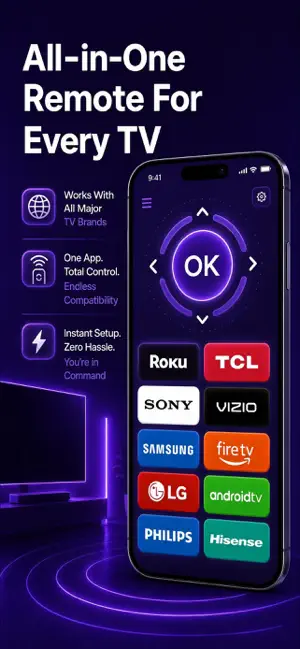
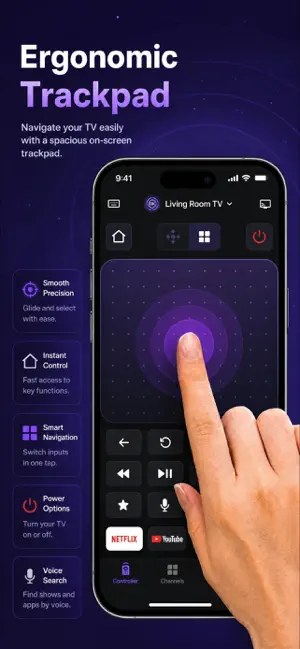
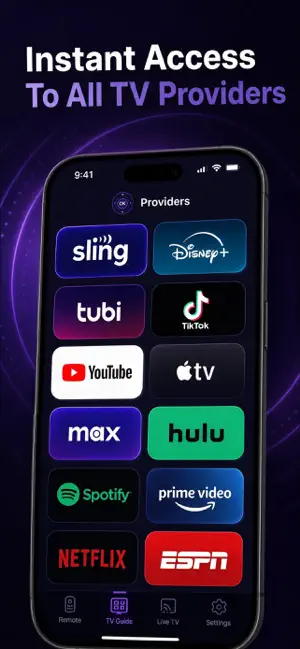
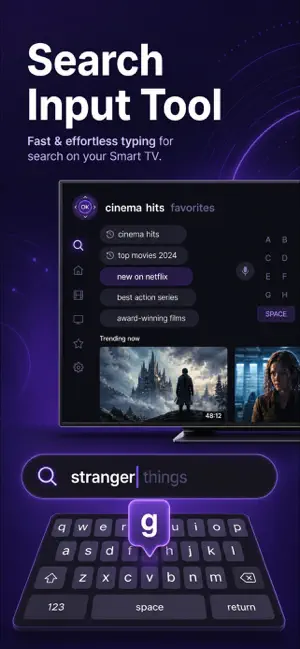
Universal TV Remote: Control is a smart remote and casting app for iPhone and iPad users who want to manage their Smart TV from one place — without hunting for a physical remote or switching between multiple apps. BEFORE THIS APP * You search the couch cushions for the remote every time you sit down * Typing on the TV with directional buttons takes forever * Your phone and your TV work separately, not together WITH UNIVERSAL TV REMOTE: CONTROL * Your phone becomes a full Smart TV remote in seconds * A swipe on the touchpad or a few taps on the keyboard gets you anywhere faster * Cast photos, videos and music directly to the big screen without cables HOW IT WORKS 1. Open the app and let it find your Smart TV on the same Wi-Fi network 2. Tap to connect — no manual setup or IP address required 3. Use the touchpad, keyboard or voice search to navigate your TV 4. Cast content from your phone to the screen whenever you need it WHAT'S INSIDE Smart TV Remote — full button layout, touchpad and D-pad for complete TV control Auto-Detection — the app finds compatible devices on your Wi-Fi network automatically Fast Keyboard Input — type search queries and passwords without clicking letter by letter Voice Search — speak to find shows, apps and channels hands-free Screen Mirroring and Cast — share your phone screen or stream media to your Smart TV over Wi-Fi App Launcher — jump to Netflix, YouTube and other streaming services directly from the remote Wide Compatibility — works with popular Smart TV brands including Samsung, LG, Sony, Roku, Philips and more SUBSCRIPTION & ACCESS Important: Subscription required; no free content. Payment upon subscription confirmation. Universal TV Remote: Control offers an auto-renewable subscription that unlocks full access to all remote control features, casting tools and content in the app, including: * Full Smart TV remote with touchpad and keyboard * Screen mirroring and cast to TV over Wi-Fi * Voice search and direct app launcher You can start with a free trial period. After the trial ends, your subscription will begin and renew automatically unless auto-renew is turned off at least 24 hours before the end of the current period. Payment will be charged to your Apple ID account upon subscription confirmation. You can manage your subscription and turn off auto-renewal at any time in your Account Settings on the App Store after purchase. DISCLAIMER This is an independent app, compatible with the mentioned TV brands and platforms, but not affiliated with, endorsed by, or sponsored by Samsung, LG, Sony, Roku, Philips or any of their partners. All brand names and trademarks belong to their respective owners. Please note: There are no free features available; a subscription is required to access all content and tools.To access all features and content, a subscription is required as the app does not offer any free content. - At the time of purchase confirmation, payments will be charged to your iTunes Account. - Subscriptions will auto-renew unless auto-renewal is disabled at least 24 hours before the current period ends. - Your account will be charged for renewal within 24 hours prior to the end of the current period. - You can manage subscriptions and disable auto-renewal in your Account Settings after purchase. - If a free trial period is not fully used and a premium subscription is purchased, the remaining trial period will be forfeited. For more information, please refer to our Privacy Policy and Terms of Use: - Privacy Policy: https://docs.google.com/document/d/165xBcWAIwKUPsncYAZW6HU9AKcQX7ZxaM58BY7K6ryY/edit?usp=sharing - Terms of Use: https://docs.google.com/document/d/1DASobGv4wmn9gTN87xa26huGg2NVgTveszitypDPuz8/edit?usp=sharing
Ratings & reviews
4.6
11 ratings
What’s new
Version 2.0.1 · Updated July 3, 2026
This update brings bug fixes, stability improvements, and small interface refinements throughout the app.
App privacy
The developer, Severyn Plyska, reported these privacy practices to Apple.
Data Used to Track You
The following data may be used to track you across apps and websites owned by other companies:
- Identifiers: User ID
Data Not Linked to You
The following data, which may be collected but is not linked to your identity, may be used for the following purposes:
- Identifiers: User ID, Device ID
- Usage Data: Product Interaction
Used for: Analytics
Alternatives to Universal TV Remote :Control
Looking for apps like Universal TV Remote :Control? Here are 6 similar apps on the App Store. The highest rated is Universal TV Remote: Cast TV (4.6/5), and all 6 are free to download.
-
 Universal TV Remote: Cast TV
4.6
Universal TV Remote: Cast TV
4.6
-
 TV Remote Control via WiFi
-
 Ldbux
1.6
Ldbux
1.6
-
 Remote Control for All TV
4.6
Remote Control for All TV
4.6
-
 Universal TV Remote - All TVs
4.5
Universal TV Remote - All TVs
4.5
-
 Anti Theft Alert For Phone
4.6
Anti Theft Alert For Phone
4.6
| App | Rating | Price | Last updated | Compare |
|---|---|---|---|---|
| Universal TV Remote :Control | 4.6 / 5 (11 ratings) | Free | July 3, 2026 | |
| Universal TV Remote: Cast TV | 4.6 / 5 (14) | Free | Jun 17, 2026 | Compare |
| TV Remote Control via WiFi | – | Free | Oct 23, 2026 | Compare |
| Ldbux | 1.6 / 5 (18) | Free | Mar 29, 2026 | Compare |
| Remote Control for All TV | 4.6 / 5 (81) | Free | Sep 5, 2026 | Compare |
| Universal TV Remote - All TVs | 4.5 / 5 (280) | Free | Sep 17, 2026 | Compare |
| Anti Theft Alert For Phone | 4.6 / 5 (408) | Free | Oct 27, 2026 | Compare |