

PDF Editor: Merge & Sign PDF
Ishrak khan Productivity iPhoneiPadiPod touch
PDF Editor: Merge & Sign PDF is a free Productivity app for iPhone and iPad by Ishrak khan. Rated 5.0/5 from 1 ratings. Requires iOS 13.0.
- Rating
- 5.0
- 1 ratings
- Price
- Free
- on the App Store
- Size
- 91 MB
- Age 4+
- Updated
- Sep 15
- 2026 · v1.0.11
Screenshots

About PDF Editor: Merge & Sign PDF
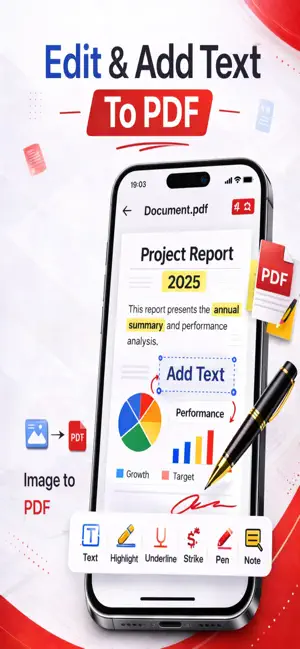
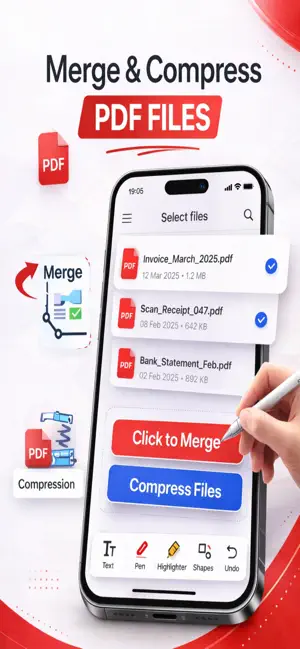
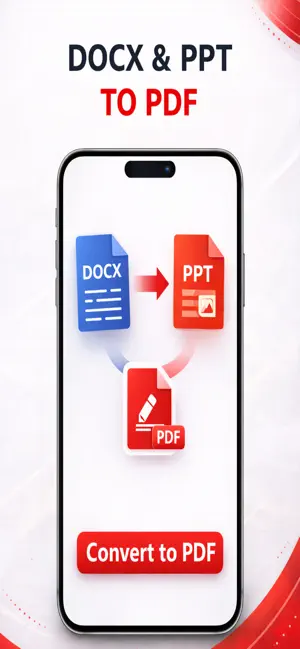
PDF Editor is a Complete PDF toolkit for iPhone that lets you edit, sign, fill, annotate, merge, and create PDF documents wherever you go. Whether you're working with business documents, school assignments, applications, contracts, receipts, or everyday paperwork, PDF Editor gives you the tools to work with your PDFs from one convenient place. Powerful PDF Editing Tools Add text to your PDF documents and customize your files directly from your iPhone. - Add information wherever you need it - Customize your PDF documents - Work with your documents without printing Sign PDF Documents Sign important documents directly from your iPhone. - Create your digital signature - Add signatures to PDF documents - Sign contracts, applications, and paperwork - Complete documents without printing Fill PDF Forms Complete PDF forms quickly and conveniently. - Type into PDF forms - Fill out form fields - Add information to documents - Sign forms when required - Save completed documents Annotate PDFs Review documents and highlight the information that matters. - Highlight important content - Add annotations and notes - Mark up PDF documents - Review and work with PDFs on your iPhone Image to PDF Turn your photos and images into professional PDF documents. - Convert images to PDF - Create PDFs from photos - Select images from your device - Create PDF documents from your images Merge PDFs Bring multiple PDF documents together in one file. - Merge multiple PDF files - Combine documents into a single PDF - Keep related documents together Your Complete PDF Toolkit From editing and signing documents to filling forms, annotating files, merging PDFs, and converting images to PDF, PDF Editor gives you powerful tools for working with documents wherever you are. Whether you're a student, professional, business owner, or simply managing everyday paperwork, PDF Editor helps you handle your PDF documents from one convenient place. Download PDF Editor and take your PDF workflow with you wherever you go. Terms of Use (EULA): https://www.apple.com/legal/internet-services/itunes/dev/stdeula/ Privacy Policy : https://sites.google.com/view/privacypolicy-image-to-pdf-ios/home
What’s new
Version 1.0.11 · Updated September 15, 2026
This update improves scanning reliability, fixes scan issues, and enhances app stability for a smoother experience.
App privacy
The developer, Ishrak khan, reported these privacy practices to Apple.
Data Linked to You
The following data, which may be collected and linked to your identity, may be used for the following purposes:
- Identifiers: Device ID
- Diagnostics: Crash Data, Other Diagnostic Data
- Purchases: Purchase History
- User Content: Other User Content
Used for: Analytics, App Functionality
Data Not Linked to You
The following data, which may be collected but is not linked to your identity, may be used for the following purposes:
- Usage Data: Product Interaction
- Diagnostics: Performance Data
Used for: Analytics
Alternatives to PDF Editor: Merge & Sign PDF
Looking for apps like PDF Editor: Merge & Sign PDF? Here are 6 similar apps on the App Store. The highest rated is Nodal: AI, Offline & Private (5.0/5), and all 6 are free to download.
-
 PDF Scanner App - ProScan
1.0
PDF Scanner App - ProScan
1.0
-
 DoneSnap: Photo Task Planner
4.8
DoneSnap: Photo Task Planner
4.8
-
 ScanIQ - AI Document Scanner
4.9
ScanIQ - AI Document Scanner
4.9
-
 IEPDesk: IEP & 504 Tracker
-
 Nodal: AI, Offline & Private
5.0
Nodal: AI, Offline & Private
5.0
-
 Handwritten Digital Notes
| App | Rating | Price | Last updated | Compare |
|---|---|---|---|---|
| PDF Editor: Merge & Sign PDF | 5.0 / 5 (1 rating) | Free | September 15, 2026 | |
| PDF Scanner App - ProScan | 1.0 / 5 (1) | Free | Aug 22, 2026 | Compare |
| DoneSnap: Photo Task Planner | 4.8 / 5 (6) | Free | Oct 16, 2026 | Compare |
| ScanIQ - AI Document Scanner | 4.9 / 5 (15) | Free | Oct 13, 2026 | Compare |
| IEPDesk: IEP & 504 Tracker | – | Free | Sep 14, 2026 | Compare |
| Nodal: AI, Offline & Private | 5.0 / 5 (5) | Free | Oct 5, 2026 | Compare |
| Handwritten Digital Notes | – | Free | Oct 16, 2026 | Compare |