

Receipt Scanner: Track Expense
Elvin Mammadli Business iPhoneiPadiPod touch
Receipt Scanner: Track Expense is a free Business app for iPhone and iPad by Elvin Mammadli. Rated 4.4/5 from 7 ratings. Requires iOS 16.4.
- Rating
- 4.4
- 7 ratings
- Price
- Free
- on the App Store
- Size
- 81 MB
- Age 4+
- Updated
- Oct 25
- 2026 · v2.0.2
Screenshots


About Receipt Scanner: Track Expense
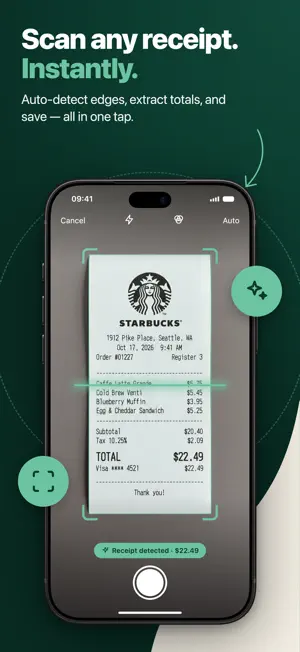
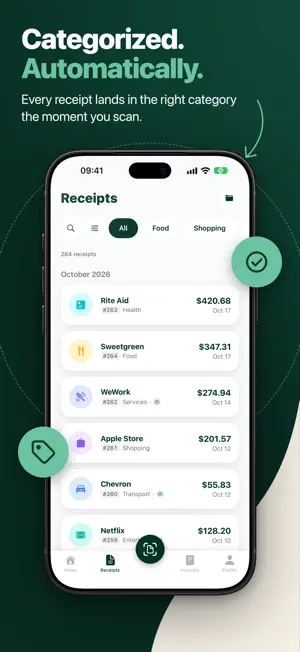
Free AI receipt scanner and expense tracker for freelancers and 1099 contractors — scan receipts in seconds and find the ones hiding in your photos. Receipt Scannr is an AI receipt scanner, expense tracker and invoice maker in one app. Snap a receipt and the merchant, date, total, tax and category are filled in for you. No typing, no shoebox, no last-minute panic. Already have hundreds of receipt photos in your camera roll? Gallery Scan finds them for you and turns them into categorized expenses in one go — something most receipt apps simply can't do. Made for 1099 contractors, gig workers and small businesses, it records sales tax on every receipt and keeps deductible expenses organized for tax season and your CPA. FEATURES AI Receipt Scanning Scan with your camera or the built-in document scanner. AI reads the merchant, date, total, tax and category from paper receipts, till slips and printed invoices — in many languages. Gallery Scan Find receipts already hiding in your photo library and process them in bulk. Perfect for catching up on months of expenses. Email Receipts In Forward a receipt to your personal Receipt Scannr address and it's processed automatically. Folders & Categories Organize receipts into folders by client, project or trip, and keep categories exactly the way you like them. Tax Summary Set your sales tax rates and self-employed status, see the tax on every receipt, and get a clear summary of expense tax versus income tax by category. Invoices Create professional invoices with your logo and business details, saved clients, a price book and tax lines. Track payments and share as PDF in seconds. Income & Cash Flow Log income next to your expenses to see your real profit — ideal for irregular freelance payments. Expense Reports Export PDF reports by date range and category, ready for your accountant or tax return. Long reports finish in the background and wait for you in My Reports. Analytics & Calendar See where your money goes with category breakdowns, spending trends, income vs expenses and a spending calendar. Search, filter and sort everything. Multi-Currency & 13 Languages Track spending in your local currency or abroad. Available in 13 languages, with full right-to-left support and a layout made for iPhone Duo. WHO IT'S FOR • Freelancers and contractors who want every deductible expense recorded • 1099 contractors and gig workers keeping deductible expenses organized for the IRS • Small business owners who need clean records and fast invoicing • Business travelers juggling receipts in different currencies • Anyone who wants to analyze their spending without a spreadsheet PLANS Start free with a monthly allowance of scans. Upgrade to Pro for unlimited scanning, advanced reports and every feature — weekly, monthly or yearly, with a 3-day free trial. Gallery Scan credits are available separately. Receipt Scannr helps you keep tax-ready records; it does not file your tax return for you. Privacy Policy: https://receiptscannr.com/privacy Terms of Service: https://receiptscannr.com/terms Support: [email protected]
Ratings & reviews
4.4
7 ratings
What’s new
Version 2.0.2 · Updated October 25, 2026
What's new in 2.0.2: • Built for iPhone Duo — a layout made for both screens, with a side tab bar and landscape support when unfolded • Save to folders faster — add a receipt to a folder right after you save it (or turn the prompt off in Settings) • Pick a folder right after scanning, and filter receipts that aren't in a folder yet • Long reports now finish in the background and wait for you in My Reports • Performance improvements and bug fixes
App privacy
The developer, Elvin Mammadli, reported these privacy practices to Apple.
Data Used to Track You
The following data may be used to track you across apps and websites owned by other companies:
- Identifiers: Device ID
Data Linked to You
The following data, which may be collected and linked to your identity, may be used for the following purposes:
- Identifiers: Device ID, User ID
- Contact Info: Email Address, Name
- Usage Data: Product Interaction
- Financial Info: Other Financial Info
- User Content: Photos or Videos
Used for: Third-Party Advertising, Developer’s Advertising or Marketing, Analytics, App Functionality
Data Not Linked to You
The following data, which may be collected but is not linked to your identity, may be used for the following purposes:
- Diagnostics: Crash Data
Used for: Analytics
Alternatives to Receipt Scanner: Track Expense
Looking for apps like Receipt Scanner: Track Expense? Here are 6 similar apps on the App Store. The highest rated is Scanomy: AI Expense Tracker (5.0/5), and all 6 are free to download.
-
 Receipts: Side Hustle Tax
-
 Receipt Scanner Money Tracker
1.0
-
 Scanomy: AI Expense Tracker
5.0
-
 Empirical: Business Finances
4.7
-
 проверкачека.рф
-
 ScanTicket: Receipt & Expense
4.4
| App | Rating | Price | Last updated | Compare |
|---|---|---|---|---|
| Receipt Scanner: Track Expense | 4.4 / 5 (7 ratings) | Free | October 25, 2026 | |
| Receipts: Side Hustle Tax | – | Free | Aug 26, 2026 | Compare |
| Receipt Scanner Money Tracker | 1.0 / 5 (1) | Free | May 25, 2026 | Compare |
| Scanomy: AI Expense Tracker | 5.0 / 5 (1) | Free | Oct 25, 2026 | Compare |
| Empirical: Business Finances | 4.7 / 5 (31) | Free | Oct 27, 2026 | Compare |
| проверкачека.рф | – | Free | Oct 30, 2026 | Compare |
| ScanTicket: Receipt & Expense | 4.4 / 5 (222) | Free | Oct 30, 2026 | Compare |