

RoofHyve
RoofHyve Inc. Business iPhoneiPadiPod touch
RoofHyve is a free Business app for iPhone and iPad by RoofHyve Inc. Requires iOS 15.1. Updated October 28, 2026.
- Price
- Free
- on the App Store
- Size
- 64 MB
- Age 17+
- Updated
- Oct 28
- 2026 · v0.3.0
Screenshots


About RoofHyve
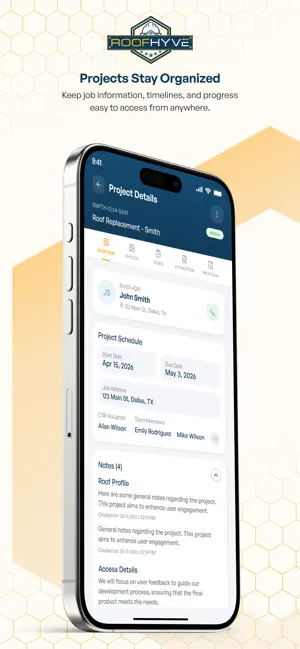
RoofHyve 1.0 is the all-in-one business operating system built by roofers, for roofers. Powered by RoofHyve's Roofing Operating Intelligence™ (ROI), contractors can manage leads, measurements, estimates, projects, crews, customers, and payments from one mobile platform—eliminating disconnected software and maximizing their Return on Investment. Designed for roofing contractors who want to dominate their industry, RoofHyve helps you sell more, simplify management, improve efficiency, and maximize ROI from lead to completion. Get up and running quickly with fast onboarding and an intuitive interface designed specifically for roofing contractors. Access your business from anywhere using mobile or desktop, replacing multiple software subscriptions with one powerful all-in-one platform. Whether you manage a handful of projects or run a large roofing operation, RoofHyve mobile provides industry-leading tools to run your roofing business more efficiently from anywhere. One Hyve. One Solution. Total Control.
What’s new
Version 0.3.0 · Updated October 28, 2026
What's New in v0.3.0 Estimation Enhancements Estimation Photos You can now capture and manage photos directly within the Quick Estimate workflow. Photos are organized by category, support tagging, and include per-photo edit and delete options. A new Add Photos button appears in the estimate header. Draw Estimate Module A fully redesigned Draw Estimate workflow with improved map controls, an empty-state screen for getting started, and enhanced structure picker integration. Includes a crosshair/grid overlay to help align slope drawings precisely. Add Catalog Line Add products from your catalog directly to an estimate using the new Add Catalog Line form — pick structure, plane, product, and warranty in one flow. Map Recenter A recenter button is now available in the map workspace to quickly snap the view back to the active structure. Project Tasks Invoice-to-Customer Tasks Tasks linked to customer invoices (draw schedule) are now shown in the Production Tasks tab with full detail. Status on these tasks follows the invoice automatically; the task card links to the project's draw schedule. Start/complete actions are hidden since invoice tasks are system-managed. Task Evidence Requirements When creating or editing a task or subtask, you can now set the required evidence type (Notes, Photo, or File) that a team member must provide to mark it complete. Phase Visibility by Stage The phase strip on Production Tasks now shows only the phases up to the project's current stage, ordered by the backend's linear stage sequence. Phases that have no mapping to the current status no longer appear, reducing visual noise.
App privacy
The developer, RoofHyve Inc., reported these privacy practices to Apple.
Data Linked to You
The following data, which may be collected and linked to your identity, may be used for the following purposes:
- Location: Precise Location, Coarse Location
- Contact Info: Email Address
- User Content: Photos or Videos
- Diagnostics: Crash Data, Performance Data
Used for: App Functionality
Alternatives to RoofHyve
Looking for apps like RoofHyve? Here are 6 similar apps on the App Store.
-
 Roovio Business
-
 The Feedback Business
-
 European Collision Center
-
 Baja Partner
-
 Revol Ventures
-
 SuperLazy
| App | Rating | Price | Last updated | Compare |
|---|---|---|---|---|
| RoofHyve | – | Free | October 28, 2026 | |
| Roovio Business | – | Free | Aug 27, 2026 | Compare |
| The Feedback Business | – | Free | Apr 27, 2026 | Compare |
| European Collision Center | – | Free | Oct 30, 2026 | Compare |
| Baja Partner | – | Free | Oct 30, 2026 | Compare |
| Revol Ventures | – | Free | Apr 25, 2024 | Compare |
| SuperLazy | – | Free | Jul 8, 2026 | Compare |
Compare RoofHyve with the top alternatives: ratings, updates, ASO score and keyword gaps →