

Scanner - ticket i/O (NEU)
Ticket iO GmbH Utilities iPhoneiPadiPod touch
Scanner - ticket i/O (NEU) is a free Utilities app for iPhone and iPad by Ticket iO GmbH. Requires iOS 16.0. Updated October 21, 2026.
- Price
- Free
- on the App Store
- Size
- 23 MB
- Age 4+
- Updated
- Oct 21
- 2026 · v1.2.0
Screenshots

About Scanner - ticket i/O (NEU)
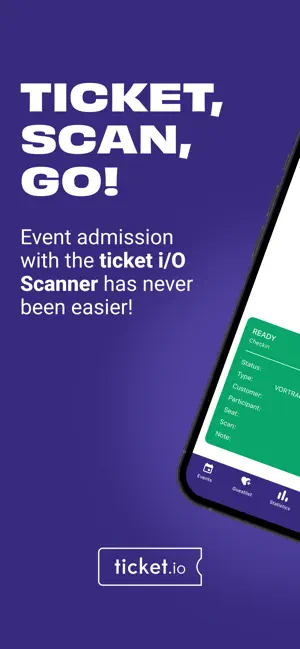
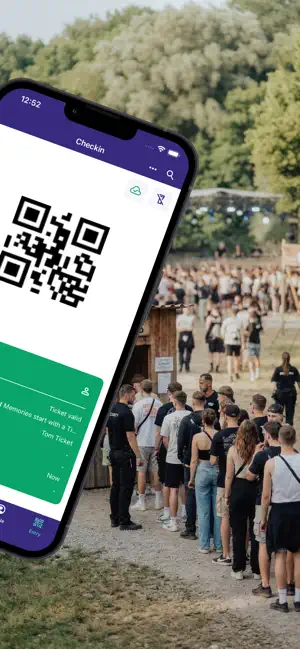
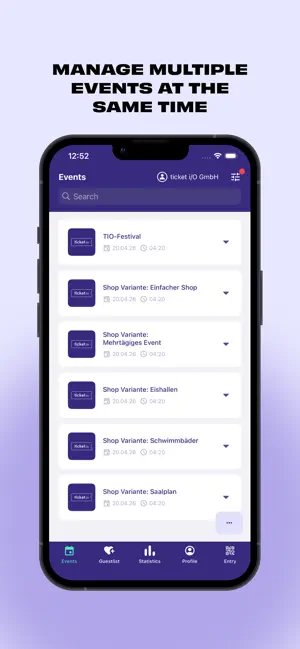
With the ticket i/O Scanner, you have everything you need for smooth admission management. During development, we paid particular attention to intuitive operation: scan and check the validity of your guests' tickets quickly and easily with your smartphone camera. Say goodbye to long queues and complicated lists! Important note: This app was developed exclusively for event organizers. Ticket buyers cannot use the app. It's that easy: 1. Log in with your access data. 2. Upload your ticket types to the app. 3. Start scanning right away! The most important features at a glance: - Multi-client support: Switch effortlessly between different accounts. - Secure terminal mode: Protect the app from unauthorized navigation. With PIN lock, it is ideal for use by external staff at entry stations. - Convenient check-in: Check in participants manually or use one-tap check-in to conveniently register entire groups with just one tap. - Scan online & offline: Scan tickets at any time—whether you have a network connection or not. - Everything at a glance: Keep an eye on the sync status of the event in the synchronization screen. - Live statistics function for a complete overview. - Smart search: Search for guests in a flash by name, barcode, email, or participant. - Share configuration: Easily share your settings with your team across platforms. - Guest list management: Create and send guest list tickets directly via the app. We are constantly improving our app and releasing regular updates. Please keep your app up to date so that your admission runs smoothly at all times. Do you have any questions or feedback? We look forward to hearing from you! Just send us an email at: [email protected]
What’s new
Version 1.2.0 · Updated October 21, 2026
- our app now supports Liquid Glass - copy the device ID to the clipboard with a single click - when scanning barcodes that appear in multiple of your synced events, you’ll now be given the option to choose which ticket you’d like to validate - if you lack the necessary permissions to use the scan app in an account, you’ll now see a corresponding notification directly in the account selection screen - improvements to loading large guest lists and displaying entries - additional bug fixes and stability improvements
App privacy
The developer, Ticket iO GmbH, reported these privacy practices to Apple.
Data Not Linked to You
The following data, which may be collected but is not linked to your identity, may be used for the following purposes:
- Identifiers: User ID, Device ID
- Diagnostics: Crash Data
Used for: App Functionality
Alternatives to Scanner - ticket i/O (NEU)
Looking for apps like Scanner - ticket i/O (NEU)? Here are 6 similar apps on the App Store. The highest rated is vivenu Scan Manager (5.0/5), and all 6 are free to download.




| App | Rating | Price | Last updated | Compare |
|---|---|---|---|---|
| Scanner - ticket i/O (NEU) | – | Free | October 21, 2026 | |
| vivenu Scan Manager | 5.0 / 5 (4) | Free | Sep 1, 2026 | Compare |
| ditix Scan | – | Free | Oct 13, 2026 | Compare |
| ApeLabs CONNECT V2 | 4.7 / 5 (13) | Free | Sep 23, 2026 | Compare |
| Clubinio Scan | – | Free | Aug 23, 2026 | Compare |
| SafeNow Partner | – | Free | Sep 10, 2026 | Compare |
| pretixSCAN | – | Free | Sep 10, 2026 | Compare |