

Nami: AI Voice Notes
Marco Vastolo Productivity iPhoneiPadiPod touch
Nami: AI Voice Notes is a free Productivity app for iPhone and iPad by Marco Vastolo. Requires iOS 17. Updated October 20, 2026.
- Price
- Free
- on the App Store
- Size
- 292 MB
- Age 4+
- Updated
- Oct 20
- 2026 · v3.0.5
Screenshots


About Nami: AI Voice Notes
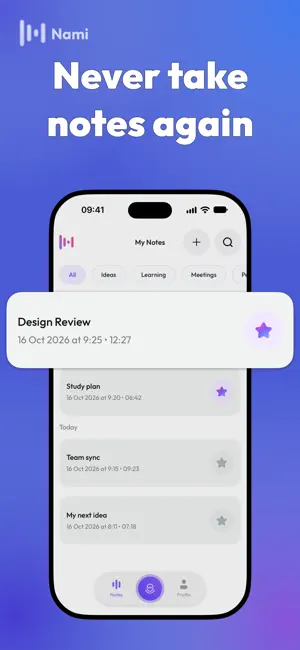
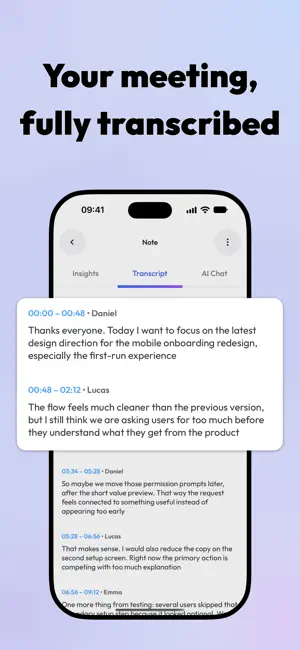
You speak, Nami takes notes Turn voice recordings, audio files, and online meetings into clear transcripts, summaries, key points, and action items. From a passing idea to a detailed discussion, Nami helps you capture what was said and make sense of it afterward RECORD YOUR THOUGHTS Capture ideas while they’re fresh without stopping to type. Record a personal voice note, lecture, interview, or conversation, then turn it into structured notes you can review and edit • Record directly in Nami • Import existing audio files • Read the full transcript • Review summaries, key points, and next steps INVITE NAMI TO A MEETING Paste a supported Google Meet, Microsoft Teams, or Zoom meeting link so Nami can join and take notes. Stay focused on the conversation, then return to a transcript and an organized record of the discussion Review the main topics, revisit decisions, and find action items without working through the entire recording again AUTOMATICALLY JOIN FROM YOUR CALENDAR Connect Google Calendar and choose which eligible scheduled meetings Nami should join automatically • View upcoming calendar events • Turn auto-recording on or off for individual eligible meetings • Return to structured notes after the meeting Calendar auto-recording is available for eligible Google Calendar events with supported Google Meet links FIND THE MEANING, NOT JUST THE WORDS A transcript preserves the conversation. Nami helps you understand it • Get AI-generated summaries for a quick overview • Extract key points and important decisions • Identify action items and follow-ups • Review the full transcript when you need more context • Edit generated notes to keep what matters to you ASK NAMI ABOUT YOUR NOTES Have a question about something you recorded? Ask your note directly Find a detail from a lecture, revisit a meeting decision, or ask what needs to happen next. Nami draws on the note’s transcript, summary, key points, and action items to answer your questions TRANSLATE AND SHARE Bring your notes into another language or share them in the format that fits your workflow • Translate notes into more than 70 languages • Share notes as text, audio, or PDF • Send summaries and follow-ups to teammates or classmates • Keep a readable record for future reference GIVE EVERY NOTE A PLACE Keep useful information close, whether it came from a quick recording or a recurring meeting • Organize notes with tags • Pin important notes for quick access • Search your collection • Sign in to sync notes across devices • Use the Home Screen widget for faster access FOR WORK, STUDY, AND EVERYTHING YOU WANT TO REMEMBER Capture team discussions, client conversations, lectures, research interviews, brainstorms, study sessions, and personal ideas Start with your voice, an audio file, a meeting link, or your calendar. Leave with notes you can understand, revisit, and use Terms of Use: https://www.namiwv.com/terms-and-conditions Privacy Policy: https://www.namiwv.com/privacy-policy
What’s new
Version 3.0.5 · Updated October 20, 2026
This update includes performance improvements, bug fixes, and stability enhancements to make Nami smoother and more reliable
App privacy
The developer, Marco Vastolo, reported these privacy practices to Apple.
Data Linked to You
The following data, which may be collected and linked to your identity, may be used for the following purposes:
- Purchases: Purchase History
- Contact Info: Email Address, Name
- User Content: Audio Data, Other User Content
- Identifiers: User ID
Used for: App Functionality