

Focuscapes: Deep Sleep & Focus
Better Sleep Rise Elite Productivity iPhoneiPadiPod touch
Focuscapes: Deep Sleep & Focus is a free Productivity app for iPhone and iPad by Better Sleep Rise Elite. Rated 5.0/5 from 3 ratings. Requires iOS 17.0.
- Rating
- 5.0
- 3 ratings
- Price
- Free
- on the App Store
- Size
- 30 MB
- Age 4+
- Updated
- May 11
- 2026 · v1.0.6
Screenshots

About Focuscapes: Deep Sleep & Focus
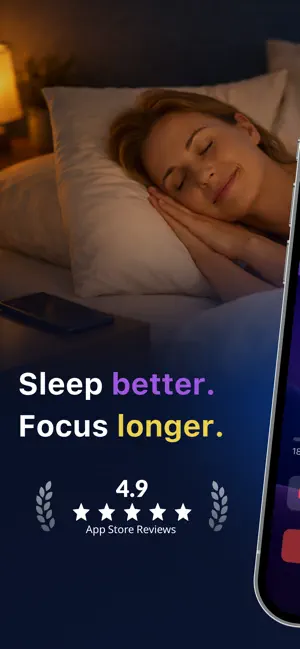
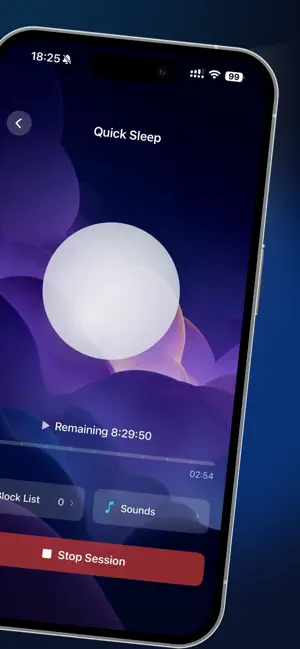
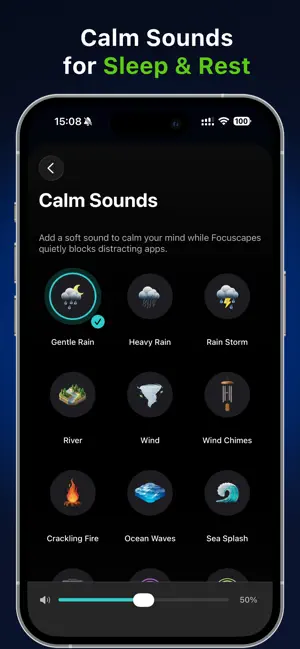
Focuscapes – Block nighttime apps, sleep in peace. Instead of fighting every notification and urge to scroll, you set a mode, choose which apps are still allowed, add a gentle sound, and Focuscapes does the rest in the background. ① Four simple modes for real life * Sleep All Night Mode – Strong blocking from bedtime until morning. * Nap Mode – Short daytime breaks with light blocking and soft sounds. * Wind Down Mode – Ease out of your day before bed, not quite full sleep. * Quiet Rest Mode – A calm screen and fewer apps when you just need quiet. Each mode has its own duration, app rules, and sound settings so you can match Focuscapes to your routine. ② Focuscapes focuses on one thing: * Block high-stimulation apps while keeping what truly matters. * Block social, short-video, news, and other distracting apps. * Keep Phone, Messages, family chat, and your favorite sleep app available. * No puzzles or “unlock tasks” required — just tap Start and forget about it. ③ Saved App Lists for every night * You don’t have to pick apps again every time. * Create simple App Lists like Sleep, Family, Calm, or Travel Night. * Reuse them in any mode so you can start a session in a few seconds. * Change your lists at any time as your needs change. ④ Gentle sounds to help you drift off * Add a soft audio backdrop to match your night: * Rain, gentle rain, rain storm * River, sea splash, wind, ocean ⑤ See your late-night progress * The Progress tab gives you easy-to-read insights: * How many nights you used Focuscapes * How much late-night screen time you reduced * Which apps were blocked the most at night Simple cards, big text, and a gentle tone — no shaming, just small wins over time. ⑥ Private, local, and in your control * Focuscapes uses Apple’s Screen Time API to start and stop app blocking on your device. * Blocking happens on your iPhone using Apple’s system controls. * We cannot see what you do inside apps or websites. * Your personal browsing or message content never leaves your device. * You stay in full control: you can change or stop sessions whenever you want in the app or in iOS settings. Privacy Policy: https://tapscreentime.com/privacy-policy Terms of Service: https://tapscreentime.com/terms Support: [email protected]
What’s new
Version 1.0.6 · Updated May 11, 2026
- This update includes bug fixes and performance improvements.
App privacy
The developer, Better Sleep Rise Elite, reported these privacy practices to Apple.
Data Not Linked to You
The following data, which may be collected but is not linked to your identity, may be used for the following purposes:
- Purchases: Purchase History
- Usage Data: Product Interaction
- Diagnostics: Crash Data
Used for: Analytics
Alternatives to Focuscapes: Deep Sleep & Focus
Looking for apps like Focuscapes: Deep Sleep & Focus? Here are 6 similar apps on the App Store. The highest rated is Focus Home (5.0/5), and all 6 are free to download.
-
 Focus Home
5.0
-
 Stillscreen: Focus Launcher
-
 Deep Flow: Screen Time Control
-
 Awaytime: Screen Time Blocker
-
 Commercial: ScreenTime Control
4.8
-
 Lusco ®
| App | Rating | Price | Last updated | Compare |
|---|---|---|---|---|
| Focuscapes: Deep Sleep & Focus | 5.0 / 5 (3 ratings) | Free | May 11, 2026 | |
| Focus Home | 5.0 / 5 (1) | Free | Jun 23, 2026 | Compare |
| Stillscreen: Focus Launcher | – | Free | Aug 19, 2026 | Compare |
| Deep Flow: Screen Time Control | – | Free | Mar 12, 2026 | Compare |
| Awaytime: Screen Time Blocker | – | Free | Oct 20, 2026 | Compare |
| Commercial: ScreenTime Control | 4.8 / 5 (4) | Free | Sep 10, 2026 | Compare |
| Lusco ® | – | Free | May 26, 2026 | Compare |