

DuomiFlow – Price Tracker
栋君 金 Productivity iPhoneiPadiPod touchMac
DuomiFlow – Price Tracker is a free Productivity app for iPhone and iPad by 栋君 金. Rated 4.5/5 from 2 ratings. Requires iOS 17.5. Updated October 25, 2026.
- Rating
- 4.5
- 2 ratings
- Price
- Free
- on the App Store
- Size
- 15 MB
- Age 4+
- Updated
- Oct 25
- 2026 · v3.2.0
Screenshots


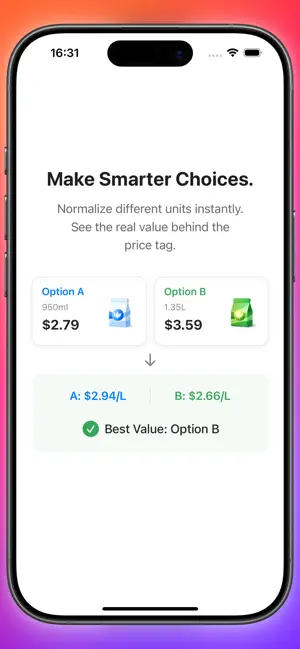

About DuomiFlow – Price Tracker
DuomiFlow – Offline Price & Data Logger Stop guessing. Start tracking. DuomiFlow is a lightweight, privacy-first tool for manually recording prices, monitoring trends, and making data-driven decisions. No cloud. No ads. Just your data, safely on your device. Why DuomiFlow? We interact with prices daily—groceries, subscriptions, procurement, or assets. But without historical records, we rely on memory. DuomiFlow turns isolated numbers into long-term insights. Key Features: • Manual Price Tracking: Log product prices, recurring expenses, and procurement costs with ease. • Visual Trend Analysis: Instantly see historical highs/lows, trend directions (up/down/sideways), and abnormal movements. • Beyond Prices: Record market indicators, behavioral metrics, or any custom data points. • 100% Offline & Private: No mandatory registration. No ads. No personal data collection. Your records stay strictly on your device. Set Realistic Expectations: DuomiFlow is NOT an automated market data platform or a trading system. It is a dedicated, manual recording engine designed to help you build personal trend awareness and make rational decisions based on real, historical data. Track prices. Understand change. Decide with clarity. Terms of Service: https://www.duomi.vip/duomi-price-terms-of-service/ Privacy Policy: https://www.duomi.vip/duomi-price-privacy-policy/
What’s new
Version 3.2.0 · Updated October 25, 2026
Independent Pricing and Inventory Quantities The quantity in Basic Information is used to calculate unit prices. Marking a record as Bought, editing purchase details, or recording consumption or sales no longer overwrites it or disables specification conversion. Purchase Details for Mixed Sizes Record full sizes and samples separately within one purchase, with quantities, units such as bottles or rolls, contents per unit, and individual notes. Content units follow the item’s pricing unit; expiry dates are optional. Inventory Linked to Consumption and Sales Record consumption in bottles, rolls or other units, or select purchase batches and sizes to sell. Remaining stock and holdings update automatically. Trade statistics show current stock, with costs and sale profits based on actual transaction amounts and contents. A Dedicated Purchase Details Page Item details show an inventory overview. Open the full purchase list and filter by remaining stock or all details. Each purchase shows the amount paid and a link to its original price record. Expiry Reminders for Purchases Set separate expiry dates and reminder lead times for purchase details, with a default of 30 days. Reminders are scheduled for 9 AM local time; overdue reminders are scheduled promptly while the item is still within its expiry date. Notifications stop when a part is used up, sold out, or its reminder is disabled. One Place for All Reminders Filter reminders by All, Record, Expiry or Backup. Open a purchase’s detail management page from its expiry notification, view notification status, and recheck reminders." Statistics and Reminder Fixes Fixed unrealized profit calculations that still used a deleted sale’s price, with corresponding stock restored. Improved checks of scheduled and delivered expiry notifications so a previously scheduled reminder is not treated as delivered
App privacy
The developer, 栋君 金, reported these privacy practices to Apple.
Data Not Collected
The developer does not collect any data from this app.