

SaySay: Screen Translator
Zcode Productivity iPhoneiPadiPod touch
SaySay: Screen Translator is a free Productivity app for iPhone and iPad by Zcode. Rated 5.0/5 from 1 ratings. Requires iOS 18.4. Updated October 12, 2026.
- Rating
- 5.0
- 1 ratings
- Price
- Free
- on the App Store
- Size
- 12 MB
- Age 4+
- Updated
- Oct 12
- 2026 · v1.3.1
Screenshots



About SaySay: Screen Translator
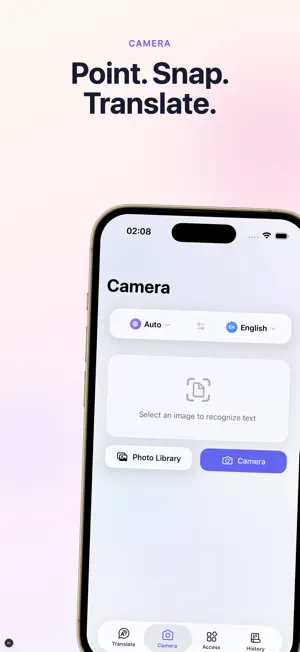
Translate anything already on your screen — without switching apps. Double-tap the back of your iPhone and SaySay captures, reads and translates whatever you are looking at. Point the camera at a menu. Read a foreign web page in Safari with the original and the translation side by side. Send text from any app through Share. SaySay lives where you already are. SIX WAYS TO TRANSLATE, WITHOUT OPENING AN APP • Back Tap — double-tap the back of your iPhone to translate the current screen • Safari — read any web page bilingually, original and translation side by side • Share Sheet — translate selected text from any app • Home Screen Widget — type and translate in one tap • Control Center — a translate button one swipe away • Default Translator — replace the system translate action across iOS CHOOSE YOUR AI MODEL • Three simple presets — Fast, Balanced and Quality. Each one picks the right language model for you, so you never have to learn model names • Fast is free. Pro unlocks Balanced and Quality, backed by stronger models that handle tone, idiom and long context better BUILT FOR REAL USE • 59 languages • Camera and photo translation, drawn directly over the original text • Voice input — speak instead of typing • Custom glossary (Pro) — force your own wording for names, brands and technical terms • Searchable history with favorites • iCloud sync across your devices (Pro) • No ads. No account required to start PERFECT FOR • Travel — menus, signs, tickets, timetables • Reading foreign articles and documentation in Safari • Working with international colleagues and clients • Language learners who want original and translation together PRIVACY No ads, and we never sell your data. Translation runs on our servers, so text you translate is sent there to be processed. We use privacy-friendly product analytics to understand which features get used; you can turn it off in Settings. SUBSCRIPTION INFORMATION • Subscription options: Monthly and Yearly plans available • Payment will be charged to your Apple ID account at confirmation of purchase • Subscription automatically renews unless canceled at least 24 hours before the end of the current period • Your account will be charged for renewal within 24 hours prior to the end of the current period • You can manage and cancel your subscriptions by going to your App Store account settings after purchase • Any unused portion of a free trial period will be forfeited when you purchase a subscription Privacy Policy: https://dywa4v1kwbfx0.cloudfront.net/privacy_policy.html Terms of Use: https://dywa4v1kwbfx0.cloudfront.net/terms_of_use.html
What’s new
Version 1.3.1 · Updated October 12, 2026
- Image translation now extracts readable text, filters out recognition noise, and shows the translation as text instead of overlaying it on the image. The original photo stays unchanged. - Fixed a Safari extension issue that could cause webpage translation to fail.
App privacy
The developer, Zcode, reported these privacy practices to Apple.
Data Not Collected
The developer does not collect any data from this app.
Alternatives to SaySay: Screen Translator
Looking for apps like SaySay: Screen Translator? Here are 6 similar apps on the App Store. The highest rated is Basic Mode: Dumb Phone Detox (5.0/5), and all 6 are free to download.
-
 TransRead
-
 Translator: AI Floating Text
-
 Glance: AI Translator
-
 Aura Translate: AI Translator
-
 Basic Mode: Dumb Phone Detox
5.0
Basic Mode: Dumb Phone Detox
5.0
-
 Secure AI: Private AI Chat
5.0
Secure AI: Private AI Chat
5.0
| App | Rating | Price | Last updated | Compare |
|---|---|---|---|---|
| SaySay: Screen Translator | 5.0 / 5 (1 rating) | Free | October 12, 2026 | |
| TransRead | – | Free | Jun 10, 2026 | Compare |
| Translator: AI Floating Text | – | Free | Aug 6, 2026 | Compare |
| Glance: AI Translator | – | Free | Jul 28, 2026 | Compare |
| Aura Translate: AI Translator | – | Free | Jul 2, 2026 | Compare |
| Basic Mode: Dumb Phone Detox | 5.0 / 5 (1) | Free | Aug 12, 2026 | Compare |
| Secure AI: Private AI Chat | 5.0 / 5 (5) | Free | Oct 20, 2026 | Compare |