

Mobile Clock Pro: Always On
Mustafa Yasar Ulutas Lifestyle iPhoneiPadiPod touch
Mobile Clock Pro: Always On is a free Lifestyle app for iPhone and iPad by Mustafa Yasar Ulutas. Rated 5.0/5 from 1 ratings. Requires iOS 15.6.
- Rating
- 5.0
- 1 ratings
- Price
- Free
- on the App Store
- Size
- 83 MB
- Age 4+
- Updated
- Oct 18
- 2026 · v2.9.3
Screenshots

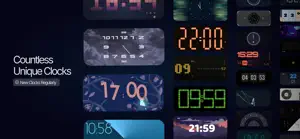
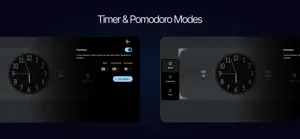
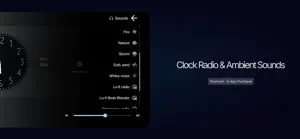
About Mobile Clock Pro: Always On
Digital clock See the time at a glance with Mobile Clock Pro: Always On. Analog clock Explore 60 clock designs, including digital, analog, flip and creative animated faces. Bedside clock Choose a dark background for a clock by your bedside at night. Countdown clock Use the stopwatch, countdown timer and Pomodoro with adjustable work and break durations. With notification permission, receive time-up and session-change alerts. Desk clock Place your phone on your desk and check the time while you work. Adjust colors, fonts and photo backgrounds on supported designs. Options vary by design. The clock runs inside the app. The screen stays awake while the app is open. See weather on supported faces. Choose a city or allow approximate location; an internet connection is required. Premium includes ambient sounds and music, from rain and ocean waves to white noise and lo-fi. Internet required. Swipe between clocks, save favorites and a main clock or theme, or open a random clock from your collection or favorites. Choose 12/24-hour time and °C/°F. Use portrait or landscape layouts, with date, battery and charging status on supported views. Some customizations require Premium or an individual clock unlock. Purchase restoration and clock recovery key options are available. Follow stopwatch and timer sessions with Live Activities on iOS 16.2+ and Dynamic Island on compatible iPhones. Pomodoro Live Activities require iOS 18+. Availability depends on system settings and permission.
What’s new
Version 2.9.3 · Updated October 18, 2026
bug fixes and performance optimization
App privacy
The developer, Mustafa Yasar Ulutas, reported these privacy practices to Apple.
Data Linked to You
The following data, which may be collected and linked to your identity, may be used for the following purposes:
- Purchases: Purchase History
Used for: App Functionality
Data Not Linked to You
The following data, which may be collected but is not linked to your identity, may be used for the following purposes:
- Identifiers: User ID, Device ID
- Usage Data: Product Interaction
- Diagnostics: Crash Data, Performance Data
- User Content: Photos or Videos
Used for: Analytics, App Functionality
Alternatives to Mobile Clock Pro: Always On
Looking for apps like Mobile Clock Pro: Always On? Here are 6 similar apps on the App Store. The highest rated is Dessau Clock (5.0/5), and all 6 are free to download.
-
 FFlip Clock
-
 DotDecoClock
-
 Dessau Clock
5.0
Dessau Clock
5.0
-
 Clock Plus - Photo Flip Timer
5.0
Clock Plus - Photo Flip Timer
5.0
-
 KHPB Members
5.0
KHPB Members
5.0
-
 Clo-E – Minimal Clock
| App | Rating | Price | Last updated | Compare |
|---|---|---|---|---|
| Mobile Clock Pro: Always On | 5.0 / 5 (1 rating) | Free | October 18, 2026 | |
| FFlip Clock | – | Free | Jul 10, 2026 | Compare |
| DotDecoClock | – | Free | Jul 19, 2026 | Compare |
| Dessau Clock | 5.0 / 5 (1) | Free | Aug 12, 2026 | Compare |
| Clock Plus - Photo Flip Timer | 5.0 / 5 (3) | Free | Aug 25, 2026 | Compare |
| KHPB Members | 5.0 / 5 (1) | Free | Oct 18, 2026 | Compare |
| Clo-E – Minimal Clock | – | Free | Oct 1, 2026 | Compare |