

Ninput - AI Keyboard
Beijing Ningdom Technology Co., Ltd. Productivity iPhoneiPadiPod touch
Ninput - AI Keyboard is a free Productivity app for iPhone and iPad by Beijing Ningdom Technology Co., Ltd. Requires iOS 26.0. Updated October 16, 2026.
- Price
- Free
- on the App Store
- Size
- 13 MB
- Age 4+
- Updated
- Oct 16
- 2026 · v1.3.0
Screenshots


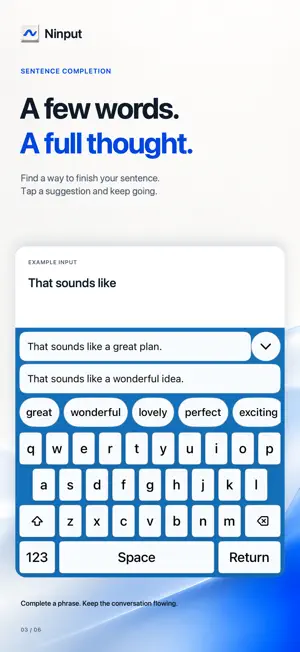

About Ninput - AI Keyboard
Type less. Say more. Ninput brings private, on-device AI to your keyboard, helping you complete words, phrases, and sentences in messages, emails, and notes. SMART COMPLETION Get suggestions based on what you're writing. Tap a candidate to keep your thoughts moving. ENGLISH & CHINESE PINYIN Switch between English typing and Chinese Pinyin. Choose English or Chinese prediction results to suit your conversation. PRIVATE & OFFLINE Your keyboard input, predictions, and learned vocabulary stay on your device. AI predictions run locally, with no cloud uploads. Once the system model is ready, you can use predictions offline. FREE TO TRY Explore smart input with a free daily allowance. When it runs out, regular typing and basic suggestions remain available. The allowance resets each day. NINPUT PRO Subscribe monthly or yearly to remove the daily smart-input limit. Prices are shown before purchase. Payment is charged to your Apple Account. Subscriptions renew automatically unless canceled at least 24 hours before the current period ends; renewal is charged within the final 24 hours. Manage or cancel in Settings > [your name] > Subscriptions. REQUIREMENTS iOS 26 or later. AI predictions require a compatible device with Apple Intelligence enabled and its on-device model ready. Availability varies by language and region. Initial model download may require an internet connection. Regular typing remains available when AI predictions are unavailable. Privacy Policy: https://www.ningdom.com/privacy.html Terms of Use: https://www.ningdom.com/terms.html
What’s new
Version 1.3.0 · Updated October 16, 2026
Experience improvements & bug fixes.
App privacy
The developer, Beijing Ningdom Technology Co., Ltd., reported these privacy practices to Apple.
Data Not Collected
The developer does not collect any data from this app.