

SilentProof: Noise Complaint
Borealbit Technology Limited Utilities iPhoneiPadiPod touch
SilentProof: Noise Complaint is a free Utilities app for iPhone and iPad by Borealbit Technology Limited. Rated 4.9/5 from 7 ratings. Requires iOS 16.0.
- Rating
- 4.9
- 7 ratings
- Price
- Free
- on the App Store
- Size
- 11 MB
- Age 4+
- Updated
- Sep 9
- 2026 · v1.4.0
Screenshots


About SilentProof: Noise Complaint
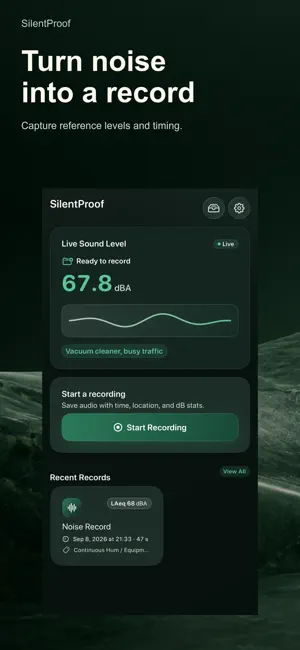
Noisy neighbors are hard to challenge without a clear record. SilentProof helps renters document each incident with time, duration, reference dB levels, on-device audio, and optional notes and location context—then export a PDF for a landlord, property manager, HOA, or local complaint process. Audio starts automatically with each recording; location requires your permission. It is not just a sound meter. It is a calm documentation workflow for repeated noise issues. HOW IT WORKS 1. CAPTURE THE INCIDENT Open SilentProof when the noise starts and begin an incident record in seconds. 2. ADD THE CONTEXT Keep the details people ask for: - Reference decibel readings - Time and duration - Location context - On-device audio recording - Notes about what happened 3. EXPORT THE RECORD Create a PDF that is easier to send to: - Landlords - Property managers - Building staff - HOAs - Local complaint workflows BUILT FOR RENTERS WITH RECURRING NOISE Track issues such as: - Upstairs neighbors - Loud neighbors, bass, or late-night parties - Barking dogs - Early-morning construction - Repeated disturbances that need a pattern, not a guess WHY SILENTPROOF + Built for complaint records, not one-off readings Turn repeated incidents into a timeline you can review and share. + Privacy-first Your evidence stays on your device by default until you choose to export it. Device backup settings may also back up these files. + Quick to start Open the app and start a record quickly when noise starts suddenly. FREE AND PRO FREE: - Real-time decibel meter - Evidence capture and history - 1 PDF export PRO: - Unlimited PDF exports - Full reporting workflow - One-time purchase, no subscription IMPORTANT SilentProof is a documentation tool for recurring noise issues. It is not legal advice and it is not a certified sound level meter. Audio recording laws vary by location. Check and follow local consent requirements before recording.
Ratings & reviews
4.9
7 ratings
What’s new
Version 1.4.0 · Updated September 9, 2026
Choose the appearance that works best for you. • New Appearance setting: choose System, Light, or Dark. • SilentProof follows your device appearance by default. • Your choice applies immediately across the app and is remembered the next time you open it. Find it in Settings > Appearance.
App privacy
The developer, Borealbit Technology Limited, reported these privacy practices to Apple.
Data Not Collected
The developer does not collect any data from this app.
Alternatives to SilentProof: Noise Complaint
Looking for apps like SilentProof: Noise Complaint? Here are 6 similar apps on the App Store. The highest rated is Unicode+: Math Symbol Keyboard (5.0/5), and all 6 are free to download.
-
 Unicode+: Math Symbol Keyboard
5.0
-
 Protractor Angle Measure App
2.2
-
 Cash Register Event Simulator
2.0
-
 QuickCast Pro
-
 Private Vault – Offline Safe
5.0
-
 SideTVs
5.0
| App | Rating | Price | Last updated | Compare |
|---|---|---|---|---|
| SilentProof: Noise Complaint | 4.9 / 5 (7 ratings) | Free | September 9, 2026 | |
| Unicode+: Math Symbol Keyboard | 5.0 / 5 (3) | Free | Oct 6, 2026 | Compare |
| Protractor Angle Measure App | 2.3 / 5 (4) | Free | Jul 22, 2026 | Compare |
| Cash Register Event Simulator | 2.0 / 5 (1) | Free | Aug 4, 2026 | Compare |
| QuickCast Pro | – | Free | Aug 13, 2026 | Compare |
| Private Vault – Offline Safe | 5.0 / 5 (1) | Free | Apr 18, 2026 | Compare |
| SideTVs | 5.0 / 5 (2) | Free | Sep 5, 2026 | Compare |