

Jotaid - Your Note Engine
立荣 张 Productivity iPhoneiPadiPod touchMac
Jotaid - Your Note Engine is a free Productivity app for iPhone and iPad by 立荣 张. Requires iOS 17.0. Updated October 4, 2026.
- Price
- Free
- on the App Store
- Size
- 153 MB
- Age 17+
- Updated
- Oct 4
- 2026 · v1.2.2
Screenshots
About Jotaid - Your Note Engine
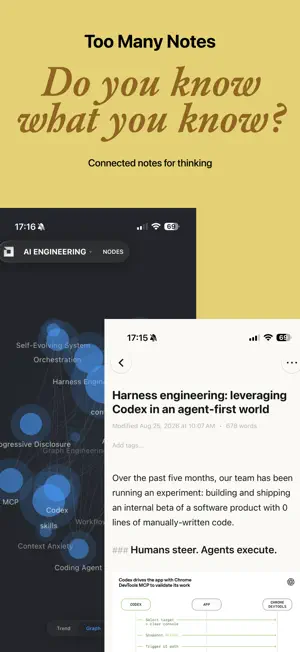
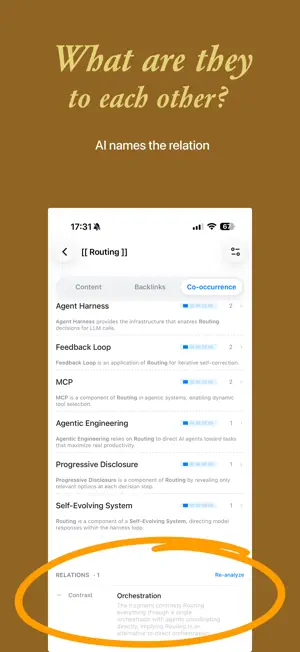
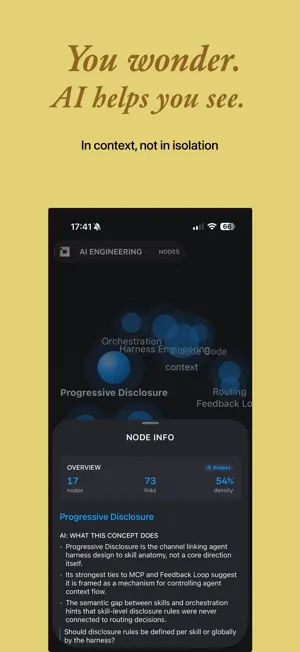
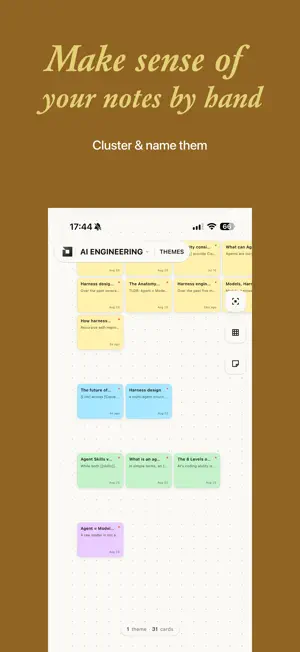
The more you capture, the harder it gets to see what you know. Jotaid turns notes into connected concepts. A node is one idea, not a whole note — so links run between ideas, not documents. The note-taking methods you already use work out of the box, no plugins needed: Zettelkasten, PARA for organizing by project, and design-thinking card clustering are all built in. WHAT YOU CAN SEE • Concept Nodes — The thread through your notes. One idea, one page. • Trend — When each concept node appeared, grew, and went quiet. • Graph & Matrix — Which concepts go together, and how strongly. • Node Types — Core, Bridge, and Emerging, read from your network. • Link Predictions — Pairs that probably belong together but never met. • Canvas — Arrange cards and let themes form. AI THINKS WITH YOU, NEVER FOR YOU (PRO) AI does the groundwork. The judgment stays yours. • Smart Node & Smart Theme — Propose concepts & groupings. Nothing applies until you tick it. • Theme Summary — Key findings from every note in a theme. • Typed Relations — How co-occurring concepts relate, with the passage behind it. • AI Reading — Your graph and matrix, explained. • MCP Server (Mac) — Ask your AI agent what your notes add up to. Read-only. After unlocking Pro, connect your own AI provider (BYOK). Jotaid runs no AI service. MARKDOWN & APPLE NATIVE Everything you expect from a notes app, and more. • Edit & preview modes, with live syntax highlighting, tables, math, and code • Fast capture: Quick Note, Raycast, PopClip, and the iOS share sheet • Built-in browser for AI chats, side by side with your notes on Mac (no password-manager extensions) • On-device semantic search • Import Markdown files or a whole vault • Markdown export, encrypted backups • Native on Mac and iPhone, with iCloud sync FREE & PRO • Free: the Inbox, no note limit. Editor, backlinks, graph, matrix, Trends, canvas, and iCloud sync included. • Pro: more projects, cross-filtering, and all AI features. Monthly, yearly, or buy once. All data stored locally. iCloud sync optional. No account required. Terms of Use (EULA): https://www.apple.com/legal/internet-services/itunes/dev/stdeula/ Privacy Policy: https://jotaid.com/privacy
What’s new
Version 1.2.2 · Updated October 4, 2026
- Improved the MCP server - Fixed issues with projects and themes - Other performance and stability improvements
App privacy
The developer, 立荣 张, reported these privacy practices to Apple.
Data Not Linked to You
The following data, which may be collected but is not linked to your identity, may be used for the following purposes:
- Diagnostics: Crash Data, Performance Data
Used for: App Functionality
Alternatives to Jotaid - Your Note Engine
Looking for apps like Jotaid - Your Note Engine? Here are 6 similar apps on the App Store. The highest rated is Onuri: Notes & Second Brain (5.0/5), and all 6 are free to download.
-
 TAMALIBA - Notes & Tasks
-
 Haven Notes
-
 Keepout: Private Notes
-
 Nexus Workbench
-
 Onuri: Notes & Second Brain
5.0
Onuri: Notes & Second Brain
5.0
-
 Knodo: AI Knowledge Vault
| App | Rating | Price | Last updated | Compare |
|---|---|---|---|---|
| Jotaid - Your Note Engine | – | Free | October 4, 2026 | |
| TAMALIBA - Notes & Tasks | – | Free | Sep 2, 2026 | Compare |
| Haven Notes | – | Free | May 18, 2026 | Compare |
| Keepout: Private Notes | – | Free | Oct 28, 2026 | Compare |
| Nexus Workbench | – | Free | Apr 19, 2026 | Compare |
| Onuri: Notes & Second Brain | 5.0 / 5 (1) | Free | Oct 6, 2026 | Compare |
| Knodo: AI Knowledge Vault | – | Free | Mar 8, 2026 | Compare |