

Learn to draw with Grifoli
Ismael Martin Demiddel Education iPhoneiPadiPod touch
Learn to draw with Grifoli is a free Education app for iPhone and iPad by Ismael Martin Demiddel. Rated 3.0/5 from 2 ratings. Requires iOS 17.6.
- Rating
- 3.0
- 2 ratings
- Price
- Free
- on the App Store
- Size
- 31 MB
- Age 4+
- Updated
- Oct 12
- 2026 · v3.1.0
Screenshots


About Learn to draw with Grifoli
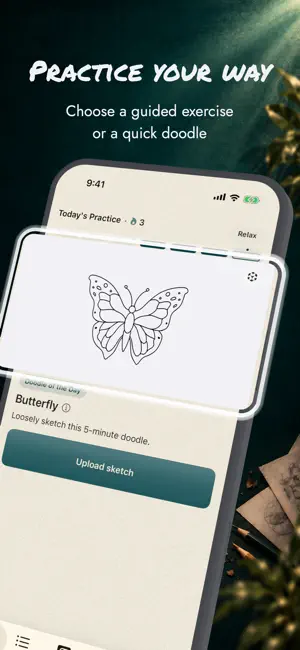
Learn to draw with a clear practice loop: understand what to work on, practice it, get focused feedback, and keep improving. Grifoli is built for drawing on paper. Instead of giving you another blank digital canvas, it helps you choose the right exercise, understand your drawings, and know what to practice next. START AT THE RIGHT LEVEL • Take a Skill Check to understand your current strengths and focus areas • Get recommendations based on your experience and recent practice • Work on fundamentals such as line control, forms, proportions, shading, and perspective PRACTICE WITH PURPOSE • Follow structured drawing courses and guided video lessons • Use Today’s Practice for a focused next exercise • Build consistency with short exercises that fit into your day • Use Relax Mode and artist-made Doodles for lower-pressure drawing practice GET FEEDBACK THAT LEADS SOMEWHERE • Upload drawings from paper, your camera, or your photo library • Get focused feedback on what is working and what to improve • Turn feedback into a concrete next step instead of guessing what to practice • Keep your sketches and feedback together for later review SEE YOUR PROGRESS • Compare multiple versions of a drawing • Review Skill Checks and improvement over time • Track your practice, sketches, and feedback in one place • Build a repeatable Learn → Practice → Feedback → Improve loop AR TRACING Use AR Tracing as an optional practice aid to place a visual guide over your paper and study shapes, proportions, and line direction more carefully. WHO IT’S FOR Grifoli is designed for beginners, returning artists, and self-taught learners who want more structure than random tutorials or drawing prompts. It helps you spend less time deciding what to do and more time practicing the skills that matter. Start with a short practice session and improve your drawing, line by line. Terms of Use: https://grifoli.com/terms.html
What’s new
Version 3.1.0 · Updated October 12, 2026
- Improved the reference image experience. - Polished the interface for a smoother drawing experience. - Improved overall app stability.
App privacy
The developer, Ismael Martin Demiddel, reported these privacy practices to Apple.
Data Not Linked to You
The following data, which may be collected but is not linked to your identity, may be used for the following purposes:
- Contact Info: Email Address, Name
Used for: Analytics, Product Personalization, App Functionality
Alternatives to Learn to draw with Grifoli
Looking for apps like Learn to draw with Grifoli? Here are 6 similar apps on the App Store. The highest rated is Quintal (5.0/5), and all 6 are free to download.
-
 Vangu: Learn to Draw
4.5
-
 Quintal
5.0
-
 Draw Awesome
-
 Learn to Draw - Artlexis
4.0
-
 Learn Drawing - Art Tutorial
4.5
-
 Painta - Learn How to Draw Art
4.5
| App | Rating | Price | Last updated | Compare |
|---|---|---|---|---|
| Learn to draw with Grifoli | 3.0 / 5 (2 ratings) | Free | October 12, 2026 | |
| Vangu: Learn to Draw | 4.5 / 5 (42) | Free | Sep 8, 2026 | Compare |
| Quintal | 5.0 / 5 (3) | Free | Oct 8, 2026 | Compare |
| Draw Awesome | – | Free | Sep 9, 2026 | Compare |
| Learn to Draw - Artlexis | 4.0 / 5 (22) | Free | Sep 8, 2026 | Compare |
| Learn Drawing - Art Tutorial | 4.5 / 5 (844) | Free | Oct 9, 2026 | Compare |
| Painta - Learn How to Draw Art | 4.5 / 5 (152) | Free | Oct 6, 2026 | Compare |