

OCR: Image to Text & PDF Scan
Arda Emin Cimen Utilities iPhoneiPadiPod touch
OCR: Image to Text & PDF Scan is a free Utilities app for iPhone and iPad by Arda Emin Cimen. Requires iOS 12.4. Updated August 19, 2026.
- Price
- Free
- on the App Store
- Size
- 23 MB
- Age 4+
- Updated
- Aug 19
- 2026 · v1.0.3
Screenshots


About OCR: Image to Text & PDF Scan
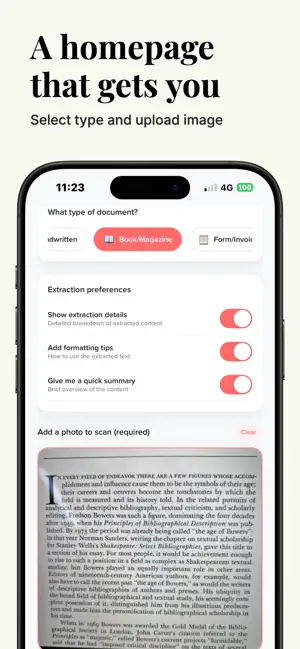
Designed especially for books and magazines, the app uses powerful OCR to capture every line clearly, even from complex layouts, so you can work with your content instead of retyping it. Start by choosing the type of document you are scanning, such as a book or magazine page. Then simply point your camera, capture the page, and let the app extract the text for you. The scanner is optimized to handle multi-column pages, footnotes, and varied fonts, making it ideal for students, researchers, editors, and anyone who works with printed material. After each scan, you see the extracted text along with helpful details that highlight what was captured. You can review and edit the text directly, copy it into your notes, or share it with other apps. If you enable extraction details, you get a clear breakdown of the recognized content, which is especially useful for checking accuracy on academic or professional material. The app also includes smart guidance on how to format and use the extracted text. Formatting tips help you turn raw OCR output into clean notes, citations, or study guides. For quick review, enable the summary option to generate a concise overview of the scanned passage. This is perfect for revising key sections of a book, preparing for exams, or gathering background information for research projects. All your scans are saved in an organized history so you can easily revisit previous pages, search within your saved documents, and continue building your personal library of excerpts. Each saved scan shows the original prompt or description alongside the extracted text, making it simple to remember why you captured it in the first place. Whether you are studying, researching, or simply collecting interesting passages from your reading, this app turns your phone into a reliable text capture and analysis tool. Scan once, extract instantly, and keep your most important book and magazine content always within reach. Terms Of Use: https://www.apple.com/legal/internet-services/itunes/dev/stdeula/
What’s new
Version 1.0.3 · Updated August 19, 2026
New features and performance improvements.
App privacy
The developer, Arda Emin Cimen, reported these privacy practices to Apple.
Data Used to Track You
The following data may be used to track you across apps and websites owned by other companies:
- Diagnostics: Crash Data
Data Not Linked to You
The following data, which may be collected but is not linked to your identity, may be used for the following purposes:
- Diagnostics: Crash Data
Used for: App Functionality
Alternatives to OCR: Image to Text & PDF Scan
Looking for apps like OCR: Image to Text & PDF Scan? Here are 6 similar apps on the App Store.
-
 SnapClip for Safari
-
 Pocket Steganography
-
 Benny Clock
-
 KeepRabbit - Notes Bookmarks
-
 Image to Text: Photo OCR Scan
-
 AdStop - For Safari
| App | Rating | Price | Last updated | Compare |
|---|---|---|---|---|
| OCR: Image to Text & PDF Scan | – | Free | August 19, 2026 | |
| SnapClip for Safari | – | 0.99 USD | Apr 25, 2026 | Compare |
| Pocket Steganography | – | 17.99 USD | Nov 20, 2025 | Compare |
| Benny Clock | – | Free | Apr 10, 2026 | Compare |
| KeepRabbit - Notes Bookmarks | – | Free | Jun 11, 2026 | Compare |
| Image to Text: Photo OCR Scan | – | Free | Jun 29, 2026 | Compare |
| AdStop - For Safari | – | Free | Sep 3, 2026 | Compare |