

Cross Paste: Clipboard Sync
Mobile Tech Media, LLC Productivity iPhoneiPadiPod touch
Cross Paste: Clipboard Sync is a free Productivity app for iPhone and iPad by Mobile Tech Media, LLC. Rated 3.0/5 from 2 ratings. Requires iOS 16.4.
- Rating
- 3.0
- 2 ratings
- Price
- Free
- on the App Store
- Size
- 70 MB
- Age 4+
- Updated
- Oct 17
- 2026 · v2.1.2
Screenshots


About Cross Paste: Clipboard Sync
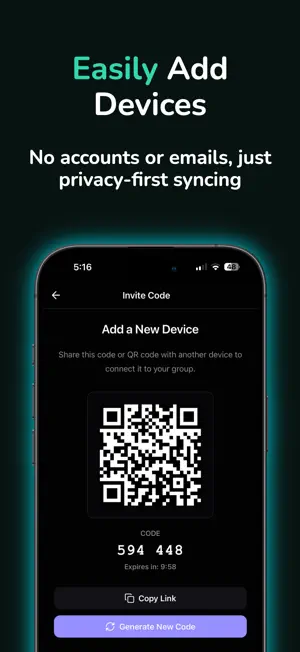
Copy on your iPhone, paste on your Windows PC. Cross Paste is the cross-device clipboard that takes whatever you copy everywhere — across iPhone, iPad, Mac, Windows, and the web. Copy something on one device, and seconds later it's ready on all your others. No cables, no emailing links to yourself. WHY CROSS PASTE? • Truly cross-platform: iPhone, iPad, Mac, Windows, and the web share one clipboard. • No account needed: pair your devices with a QR code — no sign-up, no email, no password. • End-to-end encrypted: your content is encrypted on your device. No one else — not even us — can read it. FEATURES • Instant clipboard sync across all your paired devices • Searchable history: find anything you've copied • Buckets: organize your clips into tidy collections • Smart search across your entire clipboard • Text-to-speech: have your copied text read aloud • Open links with a single tap • Recovery keys: only you keep control of your data HOW IT WORKS 1. Install Cross Paste on your devices 2. Pair them with a QR code — done 3. Copy on one device, paste on any other CROSS PASTE PRO Cross Paste is free to use. The free version includes: • Up to 3 paired devices (Pro: unlimited devices) • 1 bucket (Pro: up to 5 buckets) • 24 hours of clipboard history (Pro: unlimited history) Upgrade to Cross Paste Pro to lift these limits and get the most out of your cross-device clipboard. Choose monthly, yearly, or lifetime (pay once, Pro forever). The yearly plan starts with a 7-day free trial for new subscribers. Download Cross Paste and take your clipboard everywhere — securely, privately, and on all your devices. Terms of Use (EULA): https://www.apple.com/legal/internet-services/itunes/dev/stdeula/
What’s new
Version 2.1.2 · Updated October 17, 2026
Cross Paste 2.1.2 • New lifetime option: pay once and keep Pro forever. • The yearly plan now starts with a 7-day free trial for new subscribers. • Ready for iOS 27, with performance and stability improvements. • When a group is full, the device limit screen now explains how to get in, and an invite code that can't be used tells you why. • You can now add a bucket right after upgrading to Pro. Plus security fixes. Thanks for using Cross Paste! Feedback: [email protected]
App privacy
The developer, Mobile Tech Media, LLC, reported these privacy practices to Apple.
Data Not Collected
The developer does not collect any data from this app.
Alternatives to Cross Paste: Clipboard Sync
Looking for apps like Cross Paste: Clipboard Sync? Here are 6 similar apps on the App Store. The highest rated is Clip Cloud - Clipboard Sync (5.0/5), and all 6 are free to download.
-
 Clip Cloud - Clipboard Sync
5.0
Clip Cloud - Clipboard Sync
5.0
-
 Clipboard Remote - LAN Paste
4.0
Clipboard Remote - LAN Paste
4.0
-
 KDE Connect
4.2
KDE Connect
4.2
-
 Paste – Limitless Clipboard
4.2
Paste – Limitless Clipboard
4.2
-
 OpenClaw
3.4
OpenClaw
3.4
-
 Raycast: AI, Notes and more
4.5
Raycast: AI, Notes and more
4.5
| App | Rating | Price | Last updated | Compare |
|---|---|---|---|---|
| Cross Paste: Clipboard Sync | 3.0 / 5 (2 ratings) | Free | October 17, 2026 | |
| Clip Cloud - Clipboard Sync | 5.0 / 5 (1) | Free | Feb 6, 2026 | Compare |
| Clipboard Remote - LAN Paste | 4.0 / 5 (4) | Free | Sep 3, 2026 | Compare |
| KDE Connect | 4.2 / 5 (278) | Free | Oct 9, 2026 | Compare |
| Paste – Limitless Clipboard | 4.2 / 5 (1,335) | Free | Oct 17, 2026 | Compare |
| OpenClaw | 3.4 / 5 (71) | Free | Oct 16, 2026 | Compare |
| Raycast: AI, Notes and more | 4.5 / 5 (252) | Free | Oct 12, 2026 | Compare |