

Video Meeting - Conference
Hetal Kotadiya Business iPhoneiPadiPod touch
Video Meeting - Conference is a free Business app for iPhone and iPad by Hetal Kotadiya. Requires iOS 16.6. Updated April 25, 2026.
- Price
- Free
- on the App Store
- Size
- 35 MB
- Age 4+
- Updated
- Apr 25
- 2026 · v1.0.4
Screenshots



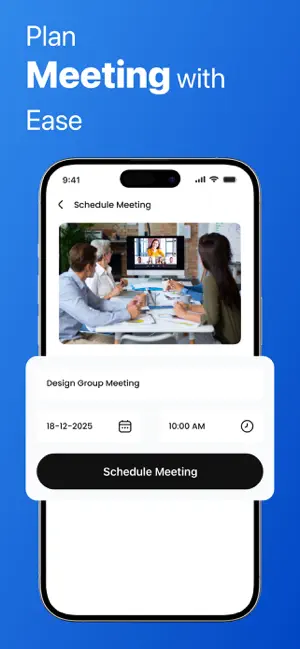
About Video Meeting - Conference
Video Meeting makes online communication simple, fast, and reliable. Whether you need to connect with someone one-to-one, host a group session, or schedule a meeting in advance, Video Meeting provides a clean and intuitive experience designed for effortless communication. Built with a modern interface and powered by secure real-time technology, the app delivers smooth video and audio performance without unnecessary complexity. Key Features One-to-One and Group Meetings Start or join meetings instantly using a unique meeting code. No accounts or sign-ups are required. Clear Video and Audio Quality Experience stable, high-quality video and audio through real-time communication technology. Easy Meeting Scheduling Plan upcoming meetings with a date and time. All scheduled meetings are neatly organized in one simple list. Meeting Notes Create notes with titles, descriptions, and timestamps. Keep track of important points and access them whenever needed. Clean and Minimal Interface A focused and user-friendly design that makes navigation easy and meetings more productive. Secure and Private The app does not store audio, video, or personal data. All communication is processed only in real time and is never saved. Quick Sharing Share your meeting code or join information instantly with others. Why Choose Video Meeting? No login or account required Lightweight and fast Organized design for personal and professional use Works smoothly on all supported iOS devices Prioritizes user privacy Suitable for both quick calls and scheduled meetings Privacy and Data Handling Video Meeting uses WebRTC technology for live audio and video communication. Audio, video, and IP address data are processed temporarily only to enable the call and are not stored, tracked, or linked to your identity. Your display name and notes are stored locally on your device and never uploaded to any server. Stay Connected with Ease Whether you are coordinating with colleagues, connecting with family, or managing group discussions, Video Meeting helps you stay organized and communicate without complications. It is built to be simple, dependable, and secure.
What’s new
Version 1.0.4 · Updated April 25, 2026
Bug fixes and performance improvements
App privacy
The developer, Hetal Kotadiya, reported these privacy practices to Apple.
Data Linked to You
The following data, which may be collected and linked to your identity, may be used for the following purposes:
- Identifiers: Device ID
Used for: App Functionality
Data Not Linked to You
The following data, which may be collected but is not linked to your identity, may be used for the following purposes:
- User Content: Audio Data
Used for: App Functionality
Alternatives to Video Meeting - Conference
Looking for apps like Video Meeting - Conference? Here are 6 similar apps on the App Store. The highest rated is NND Nirnay (4.9/5), and all 6 are free to download.
-
 Exium
-
 XC CFMS
-
 NND Nirnay
4.9
-
 Video Meetings: Conference
1.5
-
 Access Scholar Articles
-
 PDF to Word: OCR, DOC, DOCX
4.4
| App | Rating | Price | Last updated | Compare |
|---|---|---|---|---|
| Video Meeting - Conference | – | Free | April 25, 2026 | |
| Exium | – | Free | Aug 20, 2026 | Compare |
| XC CFMS | – | Free | Oct 15, 2026 | Compare |
| NND Nirnay | 4.9 / 5 (19) | Free | Jan 14, 2026 | Compare |
| Video Meetings: Conference | 1.5 / 5 (2) | Free | Sep 26, 2026 | Compare |
| Access Scholar Articles | – | Free | Jun 26, 2026 | Compare |
| PDF to Word: OCR, DOC, DOCX | 4.4 / 5 (5) | Free | Aug 31, 2025 | Compare |