

AR-Tist: Draw Better
DIMENTION UYGULAMA VE YAZILIM GELISTIRME ANONIM SIRKETI Graphics & Design iPhoneiPadiPod touch
AR-Tist: Draw Better is a free Graphics & Design app for iPhone and iPad by DIMENTION UYGULAMA VE YAZILIM GELISTIRME ANONIM SIRKETI.
- Rating
- 3.5
- 2 ratings
- Price
- Free
- on the App Store
- Size
- 77 MB
- Age 4+
- Updated
- Oct 10
- 2026 · v1.1.3
Screenshots



About AR-Tist: Draw Better
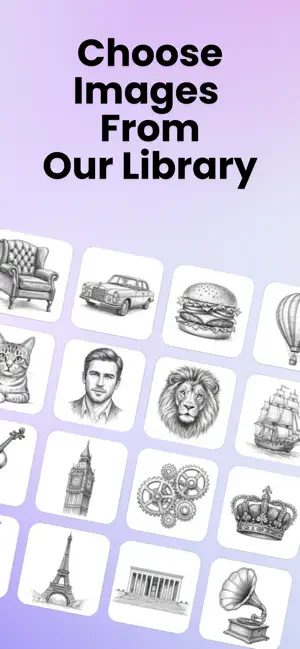
Recreate and draw your photos in different art styles. You want to draw, but you don't know where to start? AR-tist is a practical tool that allows you to project any image onto paper, canvas, or a wall using your phone's camera so you can trace and draw it. This app is perfect for you, especially if you want to transform your own photos into works of art and draw them. RECREATE YOUR PHOTOS (AI Studio) You don't have to draw the ordinary photos in your gallery exactly as they are. Give them a completely different vibe with Artificial Intelligence, then draw them. 1. Change the Style: Upload a photo. Say, "Make this look like a charcoal drawing" or "Resemble a watercolor painting." Let the app recreate your photo in that style. Then, create your drawing using this artistic version as a reference. 2. Merge Your Imagination: Do you want to combine your photo with a celebrity you've never met or place yourself in a movie scene you aspire to be in? Add yourself to that frame with AI, generate the image, and draw this unique scene. 3. Special Moments with Loved Ones: Upload a photo with your partner or family, have it reproduced in the aesthetic of an oil painting, and put that version onto paper. HOW CAN YOU DRAW? (3 Different Methods) We offer you three methods to transfer the image you created or selected onto paper: 1. Camera Mode: Stabilize your phone. You will see both your paper and the image you will draw on the screen. Follow along on the screen while drawing on the paper with your hand. 2. Screen Mode (Lightbox): Place the phone or tablet on the table and turn up the brightness. Place the paper over the screen and trace the image using the light coming from underneath. 3. AR Mode: Are you going to draw on a wall or an object instead of a table? In this mode, the image locks onto the object you are looking at through the camera. Even if you move the phone, the picture will not shift. OTHER FEATURES Text to Image: If you don't have a photo, type what is in your mind (e.g., "Cat with a hat"), and let the AI create it for you from scratch. Text Templates: Reflect and write names or quotes aesthetically with 40+ different fonts. Lessons: Improve yourself with step-by-step drawing guides. Video Recording: Record your process while drawing and share it on social media. Color Picker: Tap on a color in the image you are drawing to see which paint code (HEX/RGB) you need to use. Why Should You Use It? Because the most beautiful gift you can give to your loved ones is one made with your own effort. Upload the photo, decide on the style, transform, and draw. Subscription Details 1. Weekly, monthly, and annual options are available, auto-renewable. 2. Payment will be charged to your Apple ID at confirmation of purchase. 3. Renewals can be canceled via Account Settings before the current period ends. Terms of use: https://dimention.app/artist-terms-of-use Privacy policy: https://dimention.app/artist-privacy-policy
What’s new
Version 1.1.3 · Updated October 10, 2026
Bug fixes and improvement
App privacy
The developer, DIMENTION UYGULAMA VE YAZILIM GELISTIRME ANONIM SIRKETI, reported these privacy practices to Apple.
Data Used to Track You
The following data may be used to track you across apps and websites owned by other companies:
- Identifiers: User ID
Data Not Linked to You
The following data, which may be collected but is not linked to your identity, may be used for the following purposes:
- Identifiers: User ID, Device ID
- Usage Data: Product Interaction, Advertising Data
- Purchases: Purchase History
- Contact Info: Name
- Diagnostics: Crash Data
- User Content: Photos or Videos
Used for: Developer’s Advertising or Marketing, Analytics, Product Personalization, App Functionality
Alternatives to AR-Tist: Draw Better
Looking for apps like AR-Tist: Draw Better? Here are 6 similar apps on the App Store. The highest rated is MagicBrew: AI Photo Editor (4.8/5), and all 6 are free to download.
-
 SketchArt: AR Draw & Trace
4.5
SketchArt: AR Draw & Trace
4.5
-
 MagicBrew: AI Photo Editor
4.8
MagicBrew: AI Photo Editor
4.8
-
 Sketch Steps: AI Loomis Draw
4.1
Sketch Steps: AI Loomis Draw
4.1
-
 Imagica Studio:AI Photo Editor
4.0
Imagica Studio:AI Photo Editor
4.0
-
 Sketch Trace Draw, AR App
4.4
Sketch Trace Draw, AR App
4.4
-
 Paint App: Trace & AR Draw
4.6
Paint App: Trace & AR Draw
4.6
| App | Rating | Price | Last updated | Compare |
|---|---|---|---|---|
| AR-Tist: Draw Better | 3.5 / 5 (2 ratings) | Free | October 10, 2026 | |
| SketchArt: AR Draw & Trace | 4.5 / 5 (48) | Free | Oct 24, 2026 | Compare |
| MagicBrew: AI Photo Editor | 4.8 / 5 (862) | Free | Oct 23, 2026 | Compare |
| Sketch Steps: AI Loomis Draw | 4.1 / 5 (168) | Free | Oct 20, 2026 | Compare |
| Imagica Studio:AI Photo Editor | 4.0 / 5 (3) | Free | Apr 5, 2026 | Compare |
| Sketch Trace Draw, AR App | 4.4 / 5 (78) | Free | Sep 24, 2026 | Compare |
| Paint App: Trace & AR Draw | 4.6 / 5 (331) | Free | May 18, 2026 | Compare |