

LinkedIn Photo AI
Andrew Esparon Productivity iPhoneiPadiPod touch
LinkedIn Photo AI is a free Productivity app for iPhone and iPad by Andrew Esparon. Rated 1.0/5 from 1 ratings. Requires iOS 17.0. Updated May 23, 2026.
- Rating
- 1.0
- 1 ratings
- Price
- Free
- on the App Store
- Size
- 17 MB
- Age 4+
- Updated
- May 23
- 2026 · v1.1.2
Screenshots


About LinkedIn Photo AI
Description LinkedIn Photo AI transforms any casual photo into a professional portrait perfect for your LinkedIn profile, resume, or business card—in seconds. FEATURES • 14 Professional Styles - Choose from Corporate, Creative, Tech, Healthcare, Finance, Startup, Hospitality, Retail, Education, Media, Legal, Real Estate, Fitness, and Consulting looks • 4 Instant Variations - Get 4 different professional versions of every photo to choose the perfect one • 4 Layout Options - Headshot, Portrait, Full Body, or Action Shot formats • AI Photo Editing - Refine your images with simple text instructions like "remove sunglasses" or "adjust lighting" • LinkedIn Cover Images - Generate perfectly sized 1584×396 pixel cover photos • Fast & Private - All processing happens securely with no stored photos HOW IT WORKS 1. Upload any photo from your camera roll or take a new one 2. Select your professional style and layout preference 3. Get 4 AI-generated variations instantly 4. Fine-tune with AI editing instructions if desired 5. Save and share your professional portrait 6. Perfect for job seekers, entrepreneurs, professionals, and anyone building their personal brand online. https://youtu.be/IZj-jZBx7PI?si=w3lhG3Hnh0BZ2ZQP
What’s new
Version 1.1.2 · Updated May 23, 2026
• Style Presets — pick your look before you transform. Go clean and polished with Professional Corporate, or bold and expressive with Creative Artist. • Built-in Editing — fine-tune your new photo the moment it's generated. Apply filters and quick edits right in the app, no extra tools needed. • Enhanced Security & Privacy — photo processing now runs on a secure cloud service. Your images are handled safely and never stored. • Plus performance and reliability improvements. Thanks for using LinkedIn Photo AI — we'd love your feedback and reviews!
App privacy
The developer, Andrew Esparon, reported these privacy practices to Apple.
Data Not Collected
The developer does not collect any data from this app.
Alternatives to LinkedIn Photo AI
Looking for apps like LinkedIn Photo AI? Here are 6 similar apps on the App Store.
-
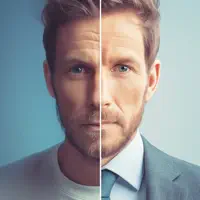 Business Photo Generator
-
 Voice Post - LinkedIn posts
-
 ego: AI LinkedIn posts
-
 CareerWins: Brag & Promotion
-
 BeforeWord: AI LinkedIn Posts
-
 Insideflows: AI for LinkedIn
| App | Rating | Price | Last updated | Compare |
|---|---|---|---|---|
| LinkedIn Photo AI | 1.0 / 5 (1 rating) | Free | May 23, 2026 | |
| Business Photo Generator | – | Free | Feb 24, 2026 | Compare |
| Voice Post - LinkedIn posts | – | Free | Jun 13, 2024 | Compare |
| ego: AI LinkedIn posts | – | Free | Aug 3, 2026 | Compare |
| CareerWins: Brag & Promotion | – | Free | May 17, 2026 | Compare |
| BeforeWord: AI LinkedIn Posts | – | Free | Jul 25, 2026 | Compare |
| Insideflows: AI for LinkedIn | – | Free | Jun 24, 2026 | Compare |
Compare LinkedIn Photo AI with the top alternatives: ratings, updates, ASO score and keyword gaps →