

QuickSign: Easy PDF Signature
振东 王 Utilities iPhoneiPadiPod touch
QuickSign: Easy PDF Signature is a free Utilities app for iPhone and iPad by 振东 王. Requires iOS 16. Updated November 21, 2025.
- Price
- Free
- on the App Store
- Size
- 38 MB
- Age 4+
- Updated
- Nov 21
- 2025 · v1.0.0
Screenshots



About QuickSign: Easy PDF Signature
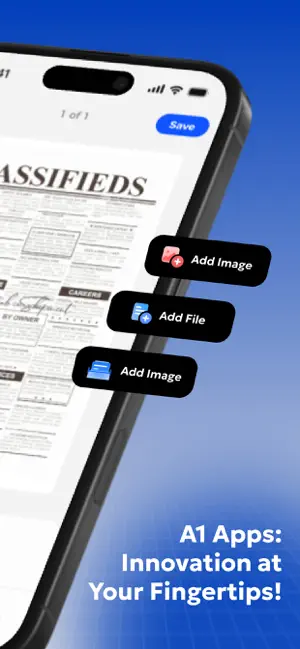
Tired of printing, signing, and scanning documents? QuickSign transforms your iPhone or iPad into a powerful e-signature tool. Create professional electronic signatures and apply them to any PDF document instantly. Key Features Create Electronic Signatures Easily Sign Documents Edit and Complete Documents Seamless Document Management Cloud Sync & Backup Detailed Features CREATE ELECTRONIC SIGNATURES Draw your signature using your finger or Apple Pencil. Save and reuse signatures across all documents. Create multiple signature styles for different purposes - formal signatures, initials, or custom stamps. EASILY SIGN DOCUMENTS Import PDFs, scan documents with your camera, or select images from your photo library. QuickSign converts images to PDF automatically. Place your signature anywhere with drag-and-drop controls. Rotate, resize, and position precisely. Full support for multi-page PDFs. EDIT AND COMPLETE DOCUMENTS Add text annotations with adjustable font sizes (12-48pt), styles, and colors. Insert text or image watermarks with customizable opacity. Apply stamps and seals. Drag, resize, and rotate any element. Navigate multi-page PDFs with thumbnail view. SEAMLESS DOCUMENT MANAGEMENT Import from Files, Photos, or scan with camera. Organize documents in a centralized library with search and filtering. Rename, share, or delete with simple gestures. Export high-quality PDFs. Share via AirDrop, email, or cloud services. CLOUD SYNC & BACKUP Automatic iCloud Drive sync keeps your documents backed up and accessible across all Apple devices. Work on iPhone and continue on iPad seamlessly. All data encrypted and stored securely in your iCloud account. Why Choose QuickSign? User-Friendly Interface: Intuitive design with drag-and-drop controls. Start signing in seconds. Advanced PDF Technology: Professional-grade processing ensures quality and integrity across all platforms. Enhanced Productivity: Complete workflows in minutes. No more printing, signing, or scanning. Privacy First: Documents stay on your device and iCloud. No third-party server uploads. Regular Updates: Continuous improvements based on user feedback. Perfect For Business professionals signing contracts on the go Students completing assignments digitally Real estate agents processing paperwork Healthcare professionals managing forms Legal professionals reviewing documents Anyone needing to sign without printing Download QuickSign today and experience faster document signing on your iPhone or iPad. Legal Notice By using QuickSign, you agree to our Privacy Policy, Terms of Use and Subscription Agreement: Privacy Policy: https://sites.google.com/view/signpdf-privacy-policy Terms of Use: https://sites.google.com/view/signpdfterms Subscription Agreement: https://sites.google.com/view/sign-pdf-sub-terms Note: Some advanced features require a premium subscription. Subscription terms and auto-renewal information can be managed in your Apple ID account settings. Subscriptions automatically renew unless canceled at least 24 hours before the end of the current period.
App privacy
The developer, 振东 王, reported these privacy practices to Apple.
Data Used to Track You
The following data may be used to track you across apps and websites owned by other companies:
- Identifiers: Device ID
Data Not Linked to You
The following data, which may be collected but is not linked to your identity, may be used for the following purposes:
- Identifiers: Device ID
- Usage Data: Product Interaction
- Diagnostics: Crash Data, Performance Data, Other Diagnostic Data
Used for: Third-Party Advertising, Analytics
Alternatives to QuickSign: Easy PDF Signature
Looking for apps like QuickSign: Easy PDF Signature? Here are 6 similar apps on the App Store. The highest rated is Super Cleaner - Ai Photo Clean (5.0/5), and all 6 are free to download.
-
 SafeSmartClean
4.3
-
 Dzenclean: Phone Cleaner
-
 Super Cleaner - Ai Photo Clean
5.0
-
 SmartClean: Media Cleaner
4.5
-
 PDFly - PDF Editor & Scanner
5.0
-
 AI Cleanup:Safe Photo Cleaner
4.0
| App | Rating | Price | Last updated | Compare |
|---|---|---|---|---|
| QuickSign: Easy PDF Signature | – | Free | November 21, 2025 | |
| SafeSmartClean | 4.3 / 5 (3) | Free | Jan 29, 2026 | Compare |
| Dzenclean: Phone Cleaner | – | Free | Jun 24, 2026 | Compare |
| Super Cleaner - Ai Photo Clean | 5.0 / 5 (3) | Free | Feb 26, 2026 | Compare |
| SmartClean: Media Cleaner | 4.5 / 5 (48) | Free | Apr 14, 2026 | Compare |
| PDFly - PDF Editor & Scanner | 5.0 / 5 (2) | Free | Apr 16, 2026 | Compare |
| AI Cleanup:Safe Photo Cleaner | 4.0 / 5 (5) | Free | Jan 26, 2026 | Compare |