
Space DOT
Space Japan Studios Productivity iPhoneiPadiPod touch
Space DOT is a free Productivity app for iPhone and iPad by Space Japan Studios. Requires iOS 16.2. Updated March 29, 2026.
- Price
- Free
- on the App Store
- Size
- 16 MB
- Age 4+
- Updated
- Mar 29
- 2026 · v3.0.2
Screenshots
About Space DOT
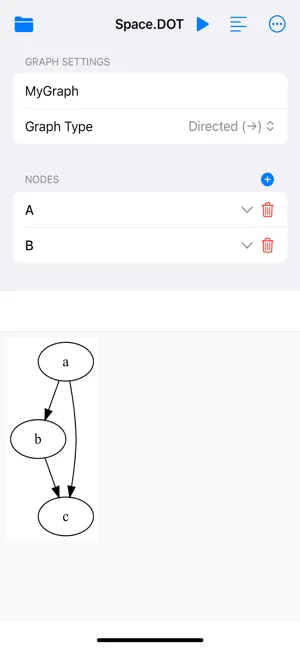
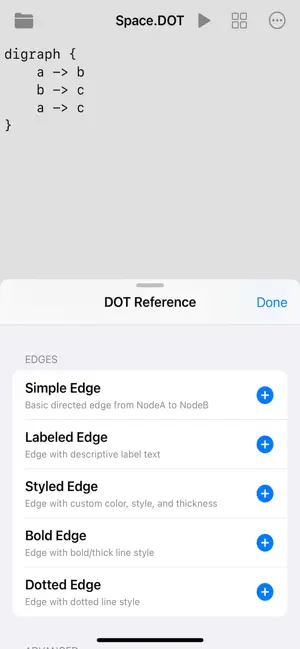
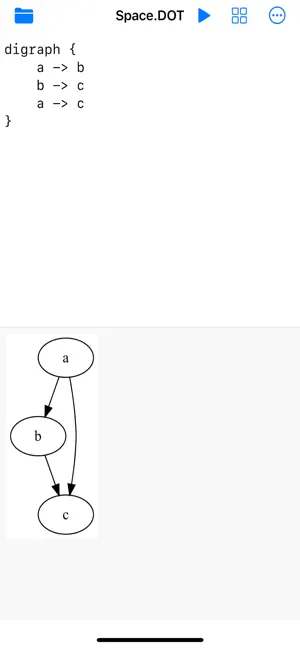
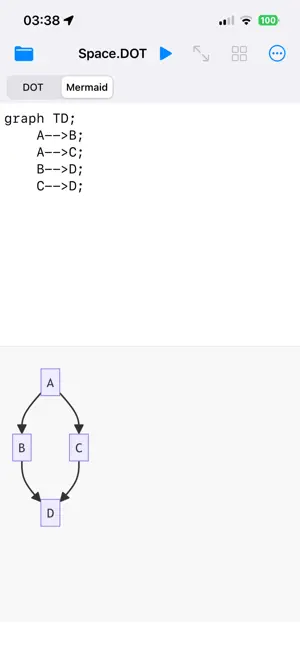
Space DOT 3.0 Features: - Templates for both DOT and Mermaid (Basic templates included. Additional templates can be purchased as in-app purchases.) - Code persistence: Switching between the code editor and the code generator will no longer wipe out your written code. - Layout adjustments: You can now choose for the code editor to appear on the top or bottom (iPhone & iPad), left or right (iPad only), full screen, or to be hidden. - You no longer have to generate code before tapping the render button. You can now simply tap the render button and it will first generate your code automatically. - The code generator tool now features a more compact layout, making it easier to enter information for multiple nodes. - Space DOT now outputs larger image files. Unleash the Power of Graphviz and Mermaid on Your iPhone and iPad. Space DOT version 3 transforms your mobile device into a powerful, professional-grade environment for creating and visualizing directed and undirected graphs using the industry-standard DOT and Mermaid languages. Perfect for engineers, data scientists, architects, and students, Space DOT is the ultimate tool for turning code into clear, elegant diagrams, all powered by an offline, high-performance WebAssembly engine. Offline Code Editor & Real-Time Preview Pure graphing Power: Write or paste your DOT or Mermaid language code in a distraction-free text editor. Instant Visualization: See your graph render in real-time. Hit "Render" to instantly generate high-quality SVG/PNG diagrams. High-Fidelity Rendering: Powered by an embedded, offline rendering engine engine, ensuring professional-grade layouts and accuracy. Interactive & Intelligent Graph Analysis Tap-to-Zoom: Tap any node in the rendered graph to instantly "zoom" into a neighborhood view, highlighting only its immediate neighbors and their connecting edges. This critical feature allows for fast, focused analysis of complex structures without re-rendering the entire graph. Fluid Gestures: Enjoy native iOS support for pinch-to-zoom and pan gestures on the graph preview. Automatic background saving ensures your DOT and Mermaid source files are always up to date. Import/Export: Easily import existing .dot or .gv files from the iOS file system. Share Anywhere: Export your finished graphs as crisp SVG or high-resolution PNG files directly to your preferred sharing service. Reference Dictionaries: Built-in, responsive, searchable libraries of DOT and Mermaid syntax, automatically switching, depending on which graphing language is selected. Code Generator Mode: Switch from the code editor to a user-friendly, form-based interface for DOT. Create nodes, edges, and attributes without writing a single line of code—Space DOT generates the DOT source for you. If you're not familiar with nodes and edges, you can now choose from a selection of templates for a variety of different graphing needs! Write the code. See the system. Whether you're mapping out network topology, sketching a system architecture, or studying algorithms, Space DOT provides the speed, reliability, and features you need to master graph visualization on the go.
What’s new
Version 3.0.2 · Updated March 29, 2026
- Added a loading interface that is able to read the saved .dot files. - Improved stability and data persistence when changing layouts. - Added brief explanations for "nodes" and "edges" in the DOT and Mermaid references. - Added ability to name graph during save, and to rename graph from the loading screen. - Added "what's new in this update" under Settings > About & Support.
App privacy
The developer, Space Japan Studios, reported these privacy practices to Apple.
Data Used to Track You
The following data may be used to track you across apps and websites owned by other companies:
- Location: Coarse Location
- Identifiers: Device ID
- Usage Data: Product Interaction, Advertising Data
Data Linked to You
The following data, which may be collected and linked to your identity, may be used for the following purposes:
- Location: Coarse Location
- Identifiers: Device ID
- Usage Data: Product Interaction, Advertising Data
Used for: Third-Party Advertising, Analytics
Data Not Linked to You
The following data, which may be collected but is not linked to your identity, may be used for the following purposes:
- Diagnostics: Crash Data, Performance Data
Used for: Analytics
Alternatives to Space DOT
Looking for apps like Space DOT? Here are 6 similar apps on the App Store.
-
 Folio: Markdown Library
-
 ArchFlowy
-
 Threadmap: Mind Maps & Collab
-
 MindPen:Mind Map Brainstorming
-
 BlitzGTD
-
 AIxFlow: Flowchart & BPMN
| App | Rating | Price | Last updated | Compare |
|---|---|---|---|---|
| Space DOT | – | Free | March 29, 2026 | |
| Folio: Markdown Library | – | Free | Jun 20, 2026 | Compare |
| ArchFlowy | – | Free | Feb 7, 2026 | Compare |
| Threadmap: Mind Maps & Collab | – | Free | Jul 14, 2026 | Compare |
| MindPen:Mind Map Brainstorming | – | Free | Sep 21, 2026 | Compare |
| BlitzGTD | – | Free | Aug 22, 2024 | Compare |
| AIxFlow: Flowchart & BPMN | – | Free | Sep 28, 2026 | Compare |
Compare Space DOT with the top alternatives: ratings, updates, ASO score and keyword gaps →