

AI-Jukebox
Impact Financials, Inc. Music iPhoneiPadiPod touch
AI-Jukebox is a free Music app for iPhone and iPad by Impact Financials, Inc. Rated 5.0/5 from 1 ratings. Requires iOS 17.6. Updated August 19, 2026.
- Rating
- 5.0
- 1 ratings
- Price
- Free
- on the App Store
- Size
- 4 MB
- Age 12+
- Updated
- Aug 19
- 2026 · v98.2
Screenshots

About AI-Jukebox
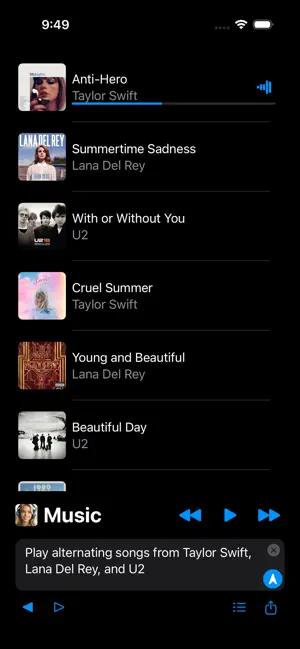
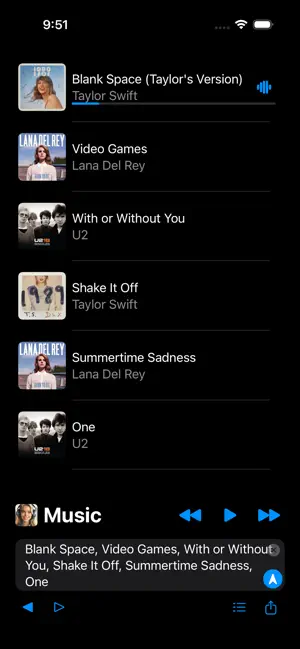
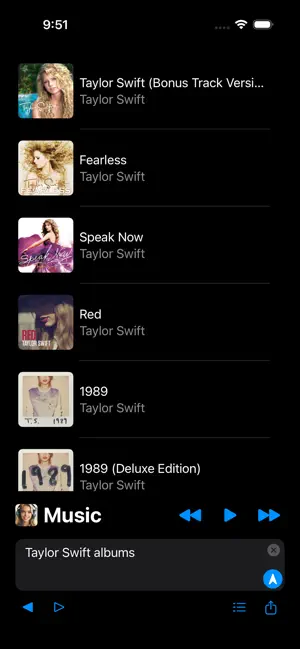
AI-Jukebox is an advanced Apple MusicKit and OpenAI API powered AI jukebox app with over 100 million songs integrated into the AI knowledge base. AI-Jukebox requires Apple Music subscription and has advanced Apple MusicKit integration for the app to play your songs from the Apple Music library of over 100 million songs. Advanced Music AI Prompt Commands: You can enter advanced music AI prompt commands like "Play alternating songs from Taylor Swift, Lana Del Rey, and U2" and the AI-Jukebox will automatically generate and play the instant song list. Click on the Song icon to get song info: You can click on the Song icon for auto music AI prompt commands like "Write about Lavendar Haze song" and the AI-Jukebox will automatically generate info about the song. Enter a List of Songs: You can also copy and paste into the prompt input view a list of song titles and the AI-Jukebox will automatically generate and play the entered song list. Listing of Arist Albums: You can also enter music AI prompt commands like "Taylor Swift albums" and the AI-Jukebox will automatically generate the listing of artist albums. Play Artist Album: You can enter music AI prompt commands like "Play Midnights album" and the AI-Jukebox will automatically generate and play the album song list. Share Generated Song List: Effortlessly share AI generated song list directly from the app using the iPhone's share feature. Share your AI generated song list via Messages, Mail, AirDrop, and more. AI-Jukebox requires Apple Music subscription and runs on the iPhone, iPad, and MacBook. Subscription is auto-renewable which means that once purchased it will be auto-renewed. Payment will be charged to iTunes Account at confirmation of purchase. Subscription automatically renews unless auto-renew is turned off at least 24-hours before the end of the current period. Manage your Subscription and Auto-Renewal by going to your Account Settings. Terms of Service: http://impactfinancials.com/terms_of_service Privacy Policy: http://impactfinancials.com/privacy_policy
What’s new
Version 98.2 · Updated August 19, 2026
- General performance improvements and fixes
App privacy
The developer, Impact Financials, Inc., reported these privacy practices to Apple.
Data Not Linked to You
The following data, which may be collected but is not linked to your identity, may be used for the following purposes:
- User Content: Other User Content
- Identifiers: User ID
- Usage Data: Product Interaction
Used for: App Functionality