

Remote for Hisense Google TV
Palamarchuk Vladyslav Utilities iPhoneiPadiPod touch
Remote for Hisense Google TV is a free Utilities app for iPhone and iPad by Palamarchuk Vladyslav. Rated 5.0/5 from 5 ratings. Requires iOS 16.0.
- Rating
- 5.0
- 5 ratings
- Price
- Free
- on the App Store
- Size
- 16 MB
- Age 4+
- Updated
- Nov 3
- 2026 · v1.0.3
Screenshots


About Remote for Hisense Google TV
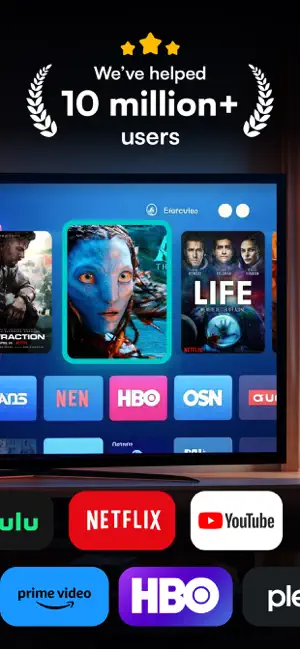
Made for Hisense televisions that run Google TV or Android TV. Your phone becomes a remote built around touch: slide a thumb across the pad to move through menus, tap to select, and jump into your streaming apps without scrolling the TV's home row. PAIR ONCE, THEN IT'S AUTOMATIC 1. Put your phone and the TV on the same Wi-Fi. 2. Pick the TV in the app — it shows up on its own. 3. Type the code that appears on the TV screen. After that the app reconnects by itself every time you open it. ON YOUR PHONE • Touchpad — swipe in any direction, tap for OK • Arrow pad for precise steps when you prefer buttons • Keyboard — type a search or a password on your phone and it lands in the text field selected on the TV • Volume up/down, mute, channel up/down • Power, Home and Back • Shortcuts for Netflix, YouTube, Prime Video, Max and Plex — open them straight from the phone • Connection dot in the corner, so you always know if the TV is linked • Saved TVs — come back to the same set without searching again WHERE IT WORKS Hisense models with Google TV or Android TV, for example the A7, U6, U7 and U8 Google TV ranges and earlier Android TV sets (H8, H9). If your Hisense runs VIDAA or Roku TV, this app can't control it. IF THE TV DOESN'T APPEAR The in-app troubleshooter covers the usual suspects: the phone on a guest network, a VPN or firewall in the way, a crowded Wi-Fi, or a TV that needs a restart before it shows the pairing code. SUBSCRIPTION Adding TVs, the remote controls and the app shortcuts are included in the subscription. • Yearly: $9.99 per year How billing works: the App Store takes payment from your Apple ID once you confirm. Each year the plan renews on its own; to stop it, switch off auto-renew in Settings › Apple ID › Subscriptions no later than one day before the renewal date (renewals are billed during that final day). Starting a paid plan ends any free trial time left over. Privacy: https://docs.google.com/document/d/1OAgwW6gFowlae_LeQD5vOp1f702du1i4Ednj72dcUdc/edit?usp=sharing Terms: https://docs.google.com/document/d/1AvNzW4PC4p9WlvAv2OFOO3jzcXAV0lMtqd4i2QpelFY/edit?usp=sharing Built by an independent developer. Hisense and Google have no connection with this app and don't sponsor it; their product names, like those of the streaming services, are used only to describe compatibility.
Ratings & reviews
5.0
5 ratings
What’s new
Version 1.0.3 · Updated November 3, 2026
- Keyboard: type searches and passwords on your phone, they appear in the TV's text field - Pairing with the code shown on the TV now goes through - The skip-forward key on the remote now reaches the TV - Clearer status while the app looks for your TV
App privacy
The developer, Palamarchuk Vladyslav, reported these privacy practices to Apple.
Data Not Linked to You
The following data, which may be collected but is not linked to your identity, may be used for the following purposes:
- Purchases: Purchase History
- Usage Data: Product Interaction
- Diagnostics: Crash Data
Used for: Analytics, App Functionality
Alternatives to Remote for Hisense Google TV
Looking for apps like Remote for Hisense Google TV? Here are 6 similar apps on the App Store. The highest rated is Remotely - Universal TV Remote (5.0/5), and all 6 are free to download.
-
 Hisense Smart TV Remote .
4.8
-
 Hisense Smart TV Remote
2.6
-
 TV Remote. Universal Control.
4.6
-
 TV Remote, Universal Control
-
 Hisense TV Remote: SenseMote
3.9
-
 Remotely - Universal TV Remote
5.0
| App | Rating | Price | Last updated | Compare |
|---|---|---|---|---|
| Remote for Hisense Google TV | 5.0 / 5 (5 ratings) | Free | November 3, 2026 | |
| Hisense Smart TV Remote . | 4.8 / 5 (35) | Free | Nov 11, 2026 | Compare |
| Hisense Smart TV Remote | 2.6 / 5 (8) | Free | May 22, 2026 | Compare |
| TV Remote. Universal Control. | 4.6 / 5 (5) | Free | Oct 29, 2026 | Compare |
| TV Remote, Universal Control | – | Free | Jun 26, 2026 | Compare |
| Hisense TV Remote: SenseMote | 3.9 / 5 (195) | Free | Oct 29, 2026 | Compare |
| Remotely - Universal TV Remote | 5.0 / 5 (1) | Free | Oct 22, 2026 | Compare |