

Image To PDF Converter - iPdf
Swarna Lata Biswal Business iPhoneiPadiPod touch
Image To PDF Converter - iPdf is a free Business app for iPhone and iPad by Swarna Lata Biswal. Requires iOS 15.6. Updated July 14, 2026.
- Price
- Free
- on the App Store
- Size
- 6 MB
- Age 4+
- Updated
- Jul 14
- 2026 · v1.02
Screenshots

About Image To PDF Converter - iPdf
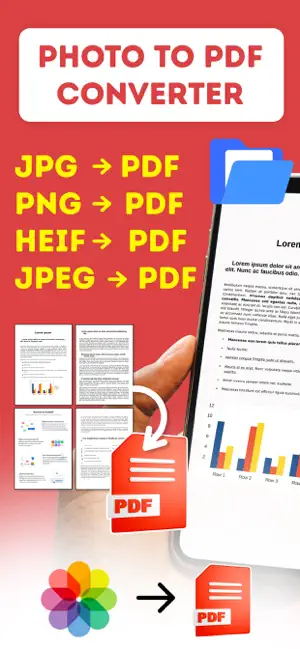
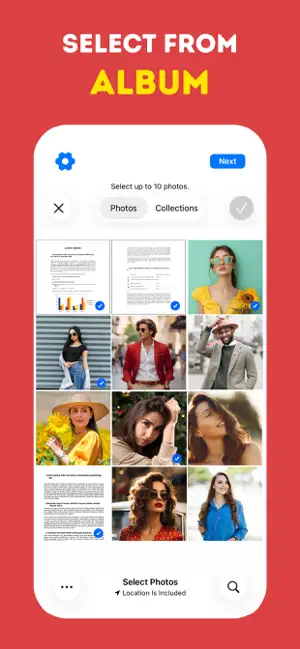
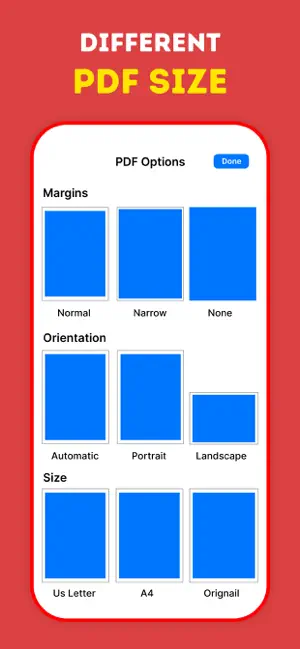
Photo to PDF - The Ultimate Document Converter & Editor Transform photos into professional PDF documents instantly. Capture from camera or choose from albums, customize margins and size, then share your PDFs anywhere. Whether you need to digitize receipts, scan contracts, convert images, or create multi-page documents, Photo to PDF is your all-in-one solution. Multiple Input Options • Capture photos directly with your camera • Select multiple images from your photo album • Batch convert hundreds of photos at once • Support for JPG, PNG, and all major image formats Professional PDF Editing • Adjust margins for perfect formatting • Choose from standard paper sizes (A4, Letter, Legal, Custom) • Set orientation (Portrait or Landscape) • Reorder, add, or remove pages easily Customization Options • Custom page margins (top, bottom, left, right) • Multiple paper size presets • Quality settings for optimal file size • Rotate and crop images before conversion Save & Share Anywhere • Save PDFs directly to your device • Share via email, messaging, or cloud storage • Export to Files app for easy organization • Print directly from the app Fast & Efficient • Lightning-fast conversion speed • Works completely offline - no internet required • Your files never leave your device • 100% privacy protection • No file size limitations Privacy First • All conversions happen locally on your device • No data uploaded to servers • No account or login required • Complete privacy for sensitive documents • User-Friendly Interface • Clean, intuitive design • Simple three-step process: Select, Edit, Convert • Preview before finalizing • Accessibility features • PERFECT FOR: • Business professionals scanning contracts and invoices • Students digitizing notes and assignments • Home users organizing receipts and documents • Real estate agents creating property documents • Anyone who needs quick photo-to-PDF conversion WHY CHOOSE PHOTO TO PDF? Unlike online converters that compromise your privacy and require internet connection, Photo to PDF works entirely offline. Your documents stay on your device, ensuring complete security and privacy. With professional editing tools and customization options, you get enterprise-level features in a simple, easy-to-use app. Download Photo to PDF today and start converting your images into professional documents instantly! Standard Apple Terms of Use (EULA): https://www.apple.com/legal/internet-services/itunes/dev/stdeula/ Privacy policy : http://142.93.216.148/privacypolicyiosapps.php
What’s new
Version 1.02 · Updated July 14, 2026
New Photo crop added for making image straight for creating pdf.
App privacy
The developer, Swarna Lata Biswal, reported these privacy practices to Apple.
Data Not Linked to You
The following data, which may be collected but is not linked to your identity, may be used for the following purposes:
- Usage Data: Advertising Data
- Diagnostics: Crash Data
Used for: Third-Party Advertising, Analytics
Alternatives to Image To PDF Converter - iPdf
Looking for apps like Image To PDF Converter - iPdf? Here are 6 similar apps on the App Store. The highest rated is Photo to PDF Converter - iPDF! (4.7/5), and all 6 are free to download.
-
 Photo to PDF Converter - iPDF!
4.7
-
 Konspektor
3.0
-
 Photo to PDF Converter: CamDoc
-
 Convert Photo to PDF +
-
 PDF to Docx Converter App
4.4
-
 Print to PDF
| App | Rating | Price | Last updated | Compare |
|---|---|---|---|---|
| Image To PDF Converter - iPdf | – | Free | July 14, 2026 | |
| Photo to PDF Converter - iPDF! | 4.7 / 5 (3) | Free | Dec 22, 2025 | Compare |
| Konspektor | 3.0 / 5 (2) | Free | Oct 30, 2026 | Compare |
| Photo to PDF Converter: CamDoc | – | Free | Nov 3, 2026 | Compare |
| Convert Photo to PDF + | – | Free | Jul 30, 2026 | Compare |
| PDF to Docx Converter App | 4.4 / 5 (32) | Free | Sep 23, 2026 | Compare |
| Print to PDF | – | Free | Jun 20, 2026 | Compare |