

HiClean : Clean Up storage
APPTIMAL PTE. LTD. Utilities iPhoneiPadiPod touch
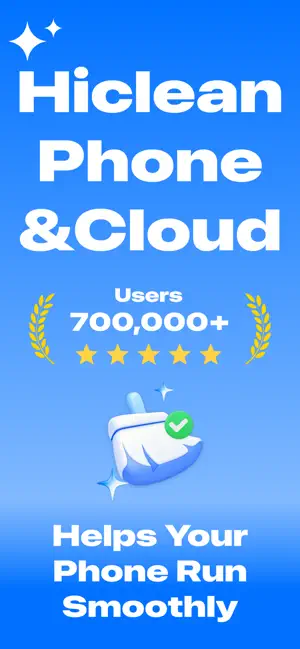
HiClean : Clean Up storage is a free Utilities app for iPhone and iPad by APPTIMAL PTE. LTD. Rated 4.4/5 from 148 ratings. Requires iOS 15.0.
- Rating
- 4.4
- 148 ratings
- Price
- Free
- on the App Store
- Size
- 58 MB
- Age 4+
- Updated
- Jul 16
- 2026 · v1.3.5
Screenshots


About HiClean : Clean Up storage
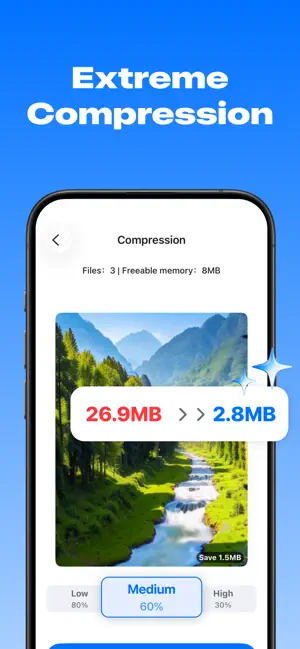
1. Delete Photos Similar and Duplicate Photos: Automatically group photos to easily delete redundant ones. Blurry and Unusable Photos: Intelligently identify out-of-focus or blurry images and clean them up with one click. Large Videos: Quickly identify large video files to help you decide which to keep and which to delete. 2. Timeline Archive, Clearly Manage Memories Organize your photo albums like a diary! We offer a timeline archive view, allowing you to easily review all your unforgettable moments by year/month/day. Easily decide which to keep and which to delete: Quickly filter and delete unwanted photos and videos while browsing the timeline, making precious memories stand out. 3. File Compression, Say Goodbye to Storage Space Anxiety Find the perfect balance between preserving high-definition original images and saving space! Custom Compression: Freely choose the compression ratio according to your needs to significantly reduce the file size of photos and videos. 4. Privacy Space, Protect Your Secrets Your privacy is our top priority! File Encryption and Locking: Move your private photos, videos, or files to "Privacy Space," where they will be completely hidden from the public photo album. Password Protection: A unique password is required every time you access Privacy Space, ensuring your secrets are absolutely safe even if you lend your phone to someone else. 【Auto-renewal Service Description for HiClean Membership】 -- Membership Benefits: Access to all privileges including Smart cleanup,file compression,file archiving etc. -- Subscription Periods: Weekly (continuous weekly membership), Permanent Membership (one-time purchase) -- Subscription Prices: Continuous weekly membership is $9.99 per week; Permanent Member is $38.99 per year. -- Payment: Charged to iTunes account upon user confirmation of purchase. -- Cancellation: To cancel renewal, manually turn off auto-renewal in iTunes/Apple ID settings at least 24 hours before the current subscription period ends. -- Renewal: Apple iTunes account will be charged 24 hours before expiration. Upon successful payment, the subscription period will extend by one cycle. Privacy Policy:https://hicleanapi.nineton.sg/privacy-policy.html Terms of Service:https://hicleanapi.nineton.sg/terms-of-service.html
Ratings & reviews
4.4
148 ratings
What’s new
Version 1.3.5 · Updated July 16, 2026
1. Optimized user experience 2. Fixed known issues
App privacy
The developer, APPTIMAL PTE. LTD., reported these privacy practices to Apple.
Data Used to Track You
The following data may be used to track you across apps and websites owned by other companies:
- Identifiers: Device ID
Data Not Linked to You
The following data, which may be collected but is not linked to your identity, may be used for the following purposes:
- Identifiers: Device ID
Used for: App Functionality
Alternatives to HiClean : Clean Up storage
Looking for apps like HiClean : Clean Up storage? Here are 6 similar apps on the App Store. The highest rated is Super Cleaner - Ai Photo Clean (5.0/5), and all 6 are free to download.
-
 AI Cleanup:Safe Photo Cleaner
4.0
-
 Super Cleaner - Ai Photo Clean
5.0
-
 Deep Cleaner - Storage Cleanup
4.3
-
 Phone Master: Smart AI Cleaner
4.7
-
 Duplicate Photo Cleaner AI
4.5
-
 Super Cleaner: AI Cleaner
4.5
| App | Rating | Price | Last updated | Compare |
|---|---|---|---|---|
| HiClean : Clean Up storage | 4.4 / 5 (148 ratings) | Free | July 16, 2026 | |
| AI Cleanup:Safe Photo Cleaner | 4.0 / 5 (5) | Free | Jan 26, 2026 | Compare |
| Super Cleaner - Ai Photo Clean | 5.0 / 5 (3) | Free | Feb 26, 2026 | Compare |
| Deep Cleaner - Storage Cleanup | 4.3 / 5 (80) | Free | Jun 5, 2026 | Compare |
| Phone Master: Smart AI Cleaner | 4.7 / 5 (58) | Free | Oct 12, 2026 | Compare |
| Duplicate Photo Cleaner AI | 4.5 / 5 (236) | Free | Jul 28, 2026 | Compare |
| Super Cleaner: AI Cleaner | 4.5 / 5 (77) | Free | Mar 25, 2026 | Compare |