

Potato Book
Sachin Yadav Finance iPhoneiPadiPod touch
Potato Book is a free Finance app for iPhone and iPad by Sachin Yadav. Requires iOS 17.0. Updated June 18, 2026.
- Price
- Free
- on the App Store
- Size
- 136 MB
- Age 9+
- Updated
- Jun 18
- 2026 · v1.0.2
Screenshots


About Potato Book
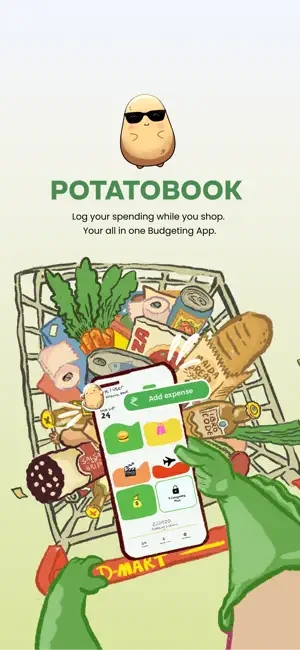
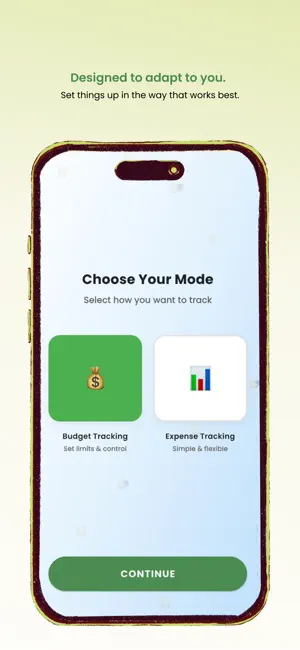
Potato Book – Smart Finance Tracking Made Simple Potato Book is a simple and secure finance management app designed to help you track expenses, manage budgets, and organize your money with ease. Whether you're monitoring daily spending, planning your budget, or keeping track of savings, Potato Book gives you a clear view of your finances in one place. Key Features: • Track income and expenses • Organize spending by categories • Manage budgets easily • Simple and clean interface • Secure data storage • Works across devices NOTE : • Potato Book does not connect to your bank account. All entries are added manually by you, giving you full control over your financial records. • Your data is protected, and we never sell or share your personal information. Start managing your money smarter with Potato Book today ! Subscription Information: Potatobook offers optional auto-renewable subscriptions to access premium features. Subscription Plans: • Monthly Pro: $9.99/month (Prices may vary by region) • Annual Pro: $89.99/year (Prices may vary by region) • Lifetime Pro: $169.99/year (Prices may vary by region) Terms of Service: • Payment will be charged to your iTunes Account at confirmation of purchase. • Subscription automatically renews unless auto-renew is turned off at least 24-hours before the end of the current period. • Account will be charged for renewal within 24-hours prior to the end of the current period. • You can manage your subscription and turn off auto-renewal by going to your Account Settings after purchase. Terms of Use (EULA): https://www.apple.com/legal/internet-services/itunes/dev/stdeula/ Privacy Policy: https://mypotato.co/privacy-policy
What’s new
Version 1.0.2 · Updated June 18, 2026
1. AI assistant - The assistant now answers using your real budget and spending numbers instead of giving generic replies. Ask it how much you spent on a category and it tells you the actual figure. - It remembers the conversation, so follow-up questions work without you having to repeat yourself. - Suggestion chips are now a fixed 2x2 grid that show only before you start talking. They give focused, data aware answers rather than vague prompts. - Scrolling the chat no longer closes the keyboard while you are typing. - Long answers now scroll to the start of the reply so you can read from the beginning. - Closing the chat is smooth with no flicker. - No more grey strips or white strips around the keyboard corners. 2. Analytics - The Remaining figure on the Last Month view now shows last month's actual closing balance, not today's live number. - The budget denominator on the Last Month progress bar now uses last month's budget, not the current one. - Downloading your analytics as a PDF now requires Pro. Free accounts are sent to the upgrade screen. 3. Family and Friends - The premium lock screen now covers the full screen, including the title bar and the bottom of the page. - Sharing your invite code now says PotatoBook in the message and the share sheet title. - A connected user's budget view now shows all their categories, including any custom ones they have added, not just the five standard ones. 4. Reliability and polish - Offline detection is more accurate. If you are connected to WiFi or mobile data but have no real internet, the offline screen now appears correctly. Previously it could show a false "Back Online" message. - The page dots at the bottom no longer overlap the analytics card. - Adding a category from the budget or expense home now uses a frosted glass popup with no grey keyboard strips and smooth Next/Done field switching. - The PayNow popup looks and behaves the same whether you open it from a category or from the home button. - The month selector in the category drawer is now a clean grid instead of a dropdown that caused the layout to jump. - Top bars on the Settings and Family and Friends screens no longer go dark while you scroll.
App privacy
The developer, Sachin Yadav, reported these privacy practices to Apple.
Data Linked to You
The following data, which may be collected and linked to your identity, may be used for the following purposes:
- Purchases: Purchase History
- Contact Info: Phone Number, Email Address, Name
- Identifiers: User ID, Device ID
- Usage Data: Product Interaction
- Financial Info: Other Financial Info
- User Content: Photos or Videos, Other User Content
Used for: Analytics, Product Personalization, App Functionality
Alternatives to Potato Book
Looking for apps like Potato Book? Here are 6 similar apps on the App Store. The highest rated is Subcharge Subscription Tracker (5.0/5), and all 6 are free to download.
-
 AboutMoney - Expense Tracker
-
 Subcharge Subscription Tracker
5.0
Subcharge Subscription Tracker
5.0
-
 Subsigo: Subscription Manager
-
 Invexa
-
 Trackate: Expense Tracker
-
 Teen Budget: Invested Instead
5.0
Teen Budget: Invested Instead
5.0
| App | Rating | Price | Last updated | Compare |
|---|---|---|---|---|
| Potato Book | – | Free | June 18, 2026 | |
| AboutMoney - Expense Tracker | – | Free | Aug 13, 2026 | Compare |
| Subcharge Subscription Tracker | 5.0 / 5 (1) | Free | Sep 26, 2026 | Compare |
| Subsigo: Subscription Manager | – | Free | Apr 27, 2026 | Compare |
| Invexa | – | Free | Aug 21, 2026 | Compare |
| Trackate: Expense Tracker | – | Free | Sep 7, 2026 | Compare |
| Teen Budget: Invested Instead | 5.0 / 5 (1) | Free | Jun 18, 2026 | Compare |
Compare Potato Book with the top alternatives: ratings, updates, ASO score and keyword gaps →