

Photo Optimizer: Clean Storage
Pin Traveler LLC Utilities iPhoneiPadiPod touch
Photo Optimizer: Clean Storage is a free Utilities app for iPhone and iPad by Pin Traveler LLC. Rated 4.9/5 from 11 ratings. Requires iOS 26.0.
- Rating
- 4.9
- 11 ratings
- Price
- Free
- on the App Store
- Size
- 47 MB
- Age 4+
- Updated
- Oct 18
- 2026 · v2.4.0
Screenshots
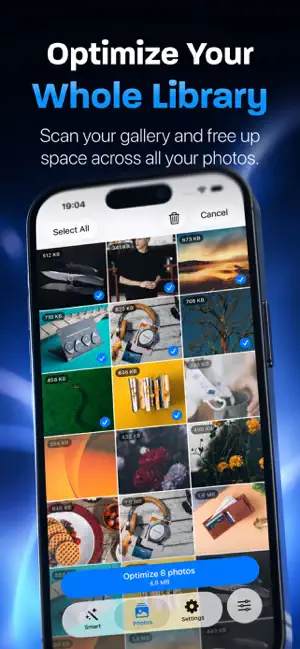
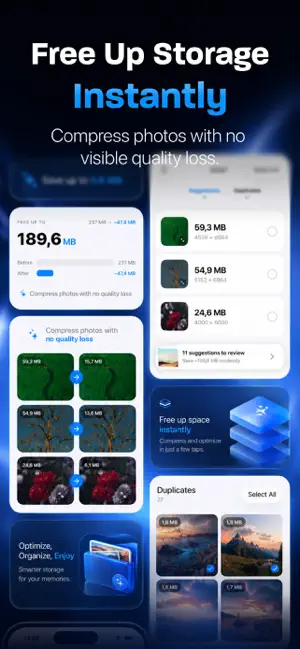
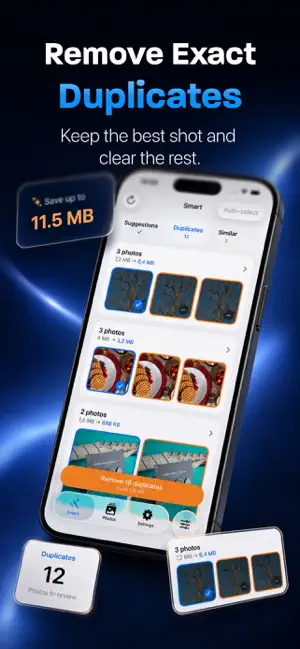
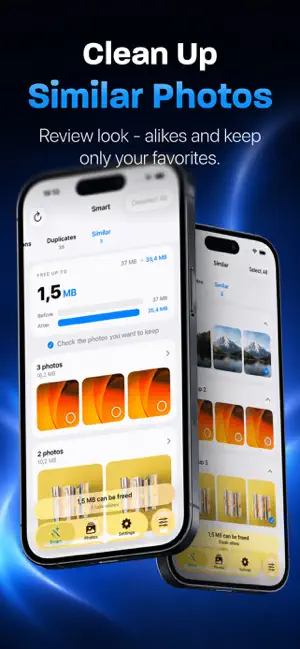
About Photo Optimizer: Clean Storage
Too many photos eating up your storage? You’re not alone. Modern phones take incredible pictures… and shockingly huge files. Screenshots are ~2–3 MB each, everyday photos can be 5–20 MB, and before you know it, your device is “Storage Almost Full” — again. But deleting memories or banishing them to the cloud isn’t the solution. Photo Optimizer is. Photo Optimizer intelligently compresses your images while keeping them looking great. It’s not magic — it’s smart compression. Most images contain way more detail than your eyes — or your screen — can display. Why waste precious space storing invisible pixels? With Photo Optimizer, you can shrink photos to a fraction of their original size — often up to 90% smaller — while keeping them indistinguishable to the naked eye. Your screenshots, receipts, memes, chat exports, or repetitive shots don’t need ultra-high fidelity. You still get the image — just without the bloat. Perfect for: • Users running out of storage • People who don’t want to delete photos • Travelers taking thousands of pictures • Screenshot hoarders and photo collectors • Anyone who wants a lighter, faster photo library How it works: Just pick your images or albums, choose your quality preference, and Photo Optimizer safely compresses copies — leaving originals untouched unless you choose otherwise. You stay in control. Why Photo Optimizer? • Smart compression tailored for modern screens • Visually identical results for most photos • Batch optimize entire libraries • Free up GBs instantly • Keep photos local — no cloud dependency • Preserve privacy: everything happens on-device Some photos deserve every pixel of detail. Others — like screenshots of your email, tickets, PDFs, notes, or random memes — are just fine at one-tenth the size. Photo Optimizer helps you make that difference — effortlessly. Take back your storage. Keep your photos. Get Photo Optimizer and optimize smarter — not smaller. Please refer to Apple's end user license agreement for any questions about memberships and subscriptions https://www.apple.com/legal/internet-services/itunes/dev/stdeula/
Ratings & reviews
4.9
11 ratings
What’s new
Version 2.4.0 · Updated October 18, 2026
Photo Optimizer 2.4.0 * More smart suggestions * Performance Improvements & Bug fixes
App privacy
The developer, Pin Traveler LLC, reported these privacy practices to Apple.
Data Used to Track You
The following data may be used to track you across apps and websites owned by other companies:
- Identifiers: Device ID
Data Linked to You
The following data, which may be collected and linked to your identity, may be used for the following purposes:
- Usage Data: Product Interaction
Used for: Analytics
Data Not Linked to You
The following data, which may be collected but is not linked to your identity, may be used for the following purposes:
- Identifiers: User ID, Device ID
- Purchases: Purchase History
- Usage Data: Advertising Data, Other Usage Data
- Diagnostics: Crash Data, Performance Data, Other Diagnostic Data
Used for: Third-Party Advertising, Developer’s Advertising or Marketing, Analytics, Product Personalization, App Functionality
Alternatives to Photo Optimizer: Clean Storage
Looking for apps like Photo Optimizer: Clean Storage? Here are 6 similar apps on the App Store. The highest rated is All In 1: 100 Tools (5.0/5), and 4 of the 6 are free to download.
-
 Swipe Photo Cleaner - Hero
4.6
Swipe Photo Cleaner - Hero
4.6
-
 Record Screen: Video Recorder
4.5
Record Screen: Video Recorder
4.5
-
 All In 1: 100 Tools
5.0
All In 1: 100 Tools
5.0
-
 CleanMD
5.0
CleanMD
5.0
-
 Reverse Audio: Voice Changer
-
 Exif Clean-Remove Data Offline
5.0
Exif Clean-Remove Data Offline
5.0
| App | Rating | Price | Last updated | Compare |
|---|---|---|---|---|
| Photo Optimizer: Clean Storage | 4.9 / 5 (11 ratings) | Free | October 18, 2026 | |
| Swipe Photo Cleaner - Hero | 4.6 / 5 (13) | Free | Jul 7, 2026 | Compare |
| Record Screen: Video Recorder | 4.5 / 5 (41) | Free | May 31, 2026 | Compare |
| All In 1: 100 Tools | 5.0 / 5 (5) | Free | Aug 7, 2026 | Compare |
| CleanMD | 5.0 / 5 (1) | 1.99 USD | Jan 28, 2026 | Compare |
| Reverse Audio: Voice Changer | – | Free | Nov 26, 2025 | Compare |
| Exif Clean-Remove Data Offline | 5.0 / 5 (4) | 1.99 USD | Dec 1, 2025 | Compare |