

PDF Scanner - Document & OCR
Boris Spiro Utilities iPhoneiPadiPod touch
PDF Scanner - Document & OCR is a free Utilities app for iPhone and iPad by Boris Spiro. Requires iOS 17.0. Updated March 30, 2026.
- Price
- Free
- on the App Store
- Size
- 9 MB
- Age 4+
- Updated
- Mar 30
- 2026 · v5.0
Screenshots



About PDF Scanner - Document & OCR
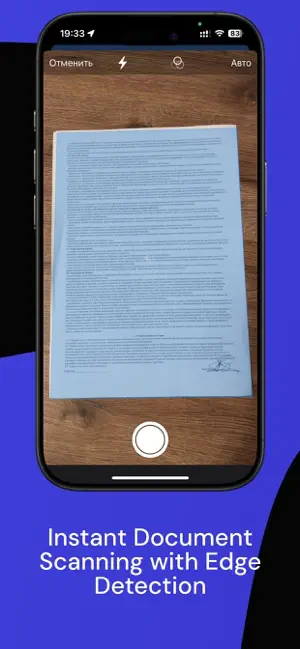
PDF Scanner is your professional document management solution. Turn your iPhone into a powerful scanner and create high-quality PDFs in seconds. SMART SCANNING Instantly capture documents with AI-powered edge detection. Automatic perspective correction and image enhancement ensure crystal-clear results every time. POWERFUL PDF TOOLS Edit, merge, split, and compress PDF files. Add digital signatures to contracts and documents. Convert images to PDF with a single tap. ORGANIZE YOUR DOCUMENTS Create folders to keep your files organized. Tag documents for quick search. Protect sensitive files with Face ID and passcode lock. SHARE WITH EASE Export documents in multiple formats: PDF, JPG, PNG. Share directly to email, cloud services, or messaging apps. Compress files to reduce size before sending. KEY FEATURES: - AI-powered document scanning with auto edge detection - OCR text recognition in multiple languages - Digital signatures and annotation tools - PDF merge, split, and compression - Folder organization with smart search - Face ID and password protection - Cloud backup and sync - Export to PDF, JPG, PNG formats Perfect for students, professionals, and anyone who needs to digitize documents quickly. Scan receipts for expense tracking, contracts for business, or notes for study. Download now and go paperless today. Privacy Policy: https://dark-sphere-portfolio.lovable.app/scanme-pro-privacy Terms of Use: https://www.apple.com/legal/internet-services/itunes/dev/stdeula/
What’s new
Version 5.0 · Updated March 30, 2026
Version 5 — the biggest update to PDF Scanner yet! • 7-day free trial — experience Premium with no limits before you commit • New PDF editor — add annotations, text, and signatures directly on pages • Document compression — reduce PDF file size without losing quality • Face ID / Touch ID protection — keep your sensitive documents secure • Folder organisation — keep your document library neat and tidy • Improved performance and stability throughout the app
App privacy
The developer, Boris Spiro, reported these privacy practices to Apple.
Data Not Collected
The developer does not collect any data from this app.
Alternatives to PDF Scanner - Document & OCR
Looking for apps like PDF Scanner - Document & OCR? Here are 6 similar apps on the App Store.
-
 PDF Studio
-
 Sunday: Photo Organizer
-
 Kaime
-
 FileNest: Document Organizer
-
 QuietVault: File & Photo Lock
-
 ELARI Life
| App | Rating | Price | Last updated | Compare |
|---|---|---|---|---|
| PDF Scanner - Document & OCR | – | Free | March 30, 2026 | |
| PDF Studio | – | Free | Jan 15, 2026 | Compare |
| Sunday: Photo Organizer | – | Free | Sep 8, 2026 | Compare |
| Kaime | – | Free | Mar 3, 2026 | Compare |
| FileNest: Document Organizer | – | Free | Oct 10, 2026 | Compare |
| QuietVault: File & Photo Lock | – | Free | Aug 16, 2026 | Compare |
| ELARI Life | – | Free | Feb 27, 2025 | Compare |