
Zero Duplicates: File Cleaner
Christopher Brock Utilities iPhoneiPadiPod touch
Zero Duplicates: File Cleaner is a free Utilities app for iPhone and iPad by Christopher Brock. Rated 4.8/5 from 63 ratings. Requires iOS 17.0.
- Rating
- 4.8
- 63 ratings
- Price
- Free
- on the App Store
- Size
- 20 MB
- Age 4+
- Updated
- Oct 5
- 2026 · v1.5
Screenshots

About Zero Duplicates: File Cleaner
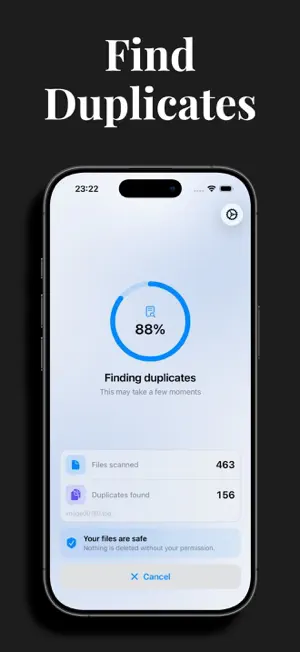
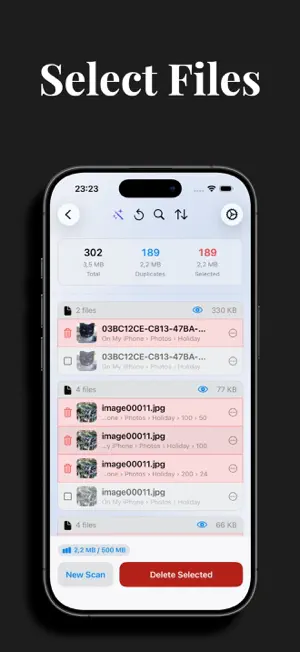
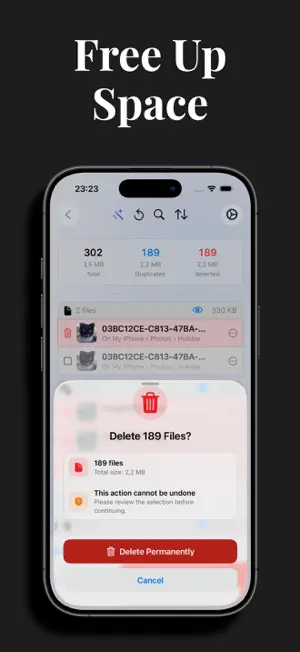
Most cleaning apps on the App Store focus on the photo library. Zero Duplicates focuses on your files: the downloads, documents, PDFs, videos and audio files that pile up in the Files app and quietly fill your storage. Zero Duplicates compares files by their content, not by their names. A renamed download, an attachment saved twice, a document copied into three folders: all of them are found, even when the file names look nothing alike. MADE FOR THE FILES ON YOUR DEVICE • Scan any folder you choose: On My iPhone, iCloud Drive, external drives • Downloads from Safari, Mail and Messages • Documents: PDF, Word, Excel, Pages, Numbers, Keynote • Images, videos, audio recordings, archives and more • USB drives and SD cards (with adapter) CONTENT MATCHING File names lie. Zero Duplicates reads the actual content of every file, so duplicates are found even when they were renamed, moved or saved from different apps. AUTO-SELECT IN SECONDS Automatic selection keeps the newest or the oldest file in every duplicate group. Review, tap once, done. No scrolling through hundreds of files by hand. SEE BEFORE YOU DELETE Every duplicate can be previewed before deletion, and you choose which copy stays. At least one version of every file always remains, so losing all copies is impossible. Deletion is permanent, so nothing is removed without a clear confirmation first. PRIVATE BY DESIGN Scanning happens entirely on your device. Your files are never uploaded anywhere. HOW IT WORKS Pick a folder, scan, review what was found, delete with confidence. Three steps to a cleaner device. System files are protected automatically. Perfect for: • Anyone seeing "Storage Almost Full" warnings • People who download and share lots of files • Managing documents, media and work files on the go • Cleaning up iCloud Drive across devices TRY WITHOUT RISK Free to download • Unlimited scans • 500 MB free deletion Premium unlocks unlimited deletion and advanced features. Terms of Use: https://zeroduplicates.com/terms
Ratings & reviews
4.8
63 ratings
What’s new
Version 1.5 · Updated October 5, 2026
Scans keep running while you use other apps, and a notification tells you when the results are ready. Switch off individual subfolders before a scan. After a cleanup, a summary shows how much space you freed, with an option to share it. Files stored only in the cloud are skipped instead of downloaded, and the results say how many. Send feedback directly from Settings, and find the new app icon on your Home Screen.
App privacy
The developer, Christopher Brock, reported these privacy practices to Apple.
Data Linked to You
The following data, which may be collected and linked to your identity, may be used for the following purposes:
- Contact Info: Email Address
Used for: App Functionality
Data Not Linked to You
The following data, which may be collected but is not linked to your identity, may be used for the following purposes:
- Usage Data: Product Interaction
- User Content: Other User Content
- Diagnostics: Crash Data, Other Diagnostic Data
Used for: Analytics, App Functionality
Alternatives to Zero Duplicates: File Cleaner
Looking for apps like Zero Duplicates: File Cleaner? Here are 6 similar apps on the App Store. The highest rated is Duplicate Storage Cleaner AI (5.0/5), and 5 of the 6 are free to download.
-
 DupCleaner
4.5
DupCleaner
4.5
-
 DupeSift
-
 Duplicate Storage Cleaner AI
5.0
Duplicate Storage Cleaner AI
5.0
-
 DeDuplicate - Cloud Cleaner
4.5
DeDuplicate - Cloud Cleaner
4.5
-
 DustByte: Duplicate Cleaner
-
 DupFinder
3.0
DupFinder
3.0
| App | Rating | Price | Last updated | Compare |
|---|---|---|---|---|
| Zero Duplicates: File Cleaner | 4.8 / 5 (63 ratings) | Free | October 5, 2026 | |
| DupCleaner | 4.5 / 5 (15) | Free | Oct 15, 2026 | Compare |
| DupeSift | – | Free | Jul 1, 2026 | Compare |
| Duplicate Storage Cleaner AI | 5.0 / 5 (2) | Free | Sep 23, 2026 | Compare |
| DeDuplicate - Cloud Cleaner | 4.5 / 5 (128) | 7.99 USD | Jan 6, 2026 | Compare |
| DustByte: Duplicate Cleaner | – | Free | Oct 21, 2026 | Compare |
| DupFinder | 3.0 / 5 (1) | Free | Sep 8, 2026 | Compare |