

Teleprompter: My Video Scripts
Tsovinar Popova Photo & Video iPhoneiPadiPod touch
Teleprompter: My Video Scripts is a free Photo & Video app for iPhone and iPad by Tsovinar Popova. Rated 4.8/5 from 5 ratings. Requires iOS 15.5.
- Rating
- 4.8
- 5 ratings
- Price
- Free
- on the App Store
- Size
- 21 MB
- Age 4+
- Updated
- Mar 4
- 2026 · v1.0.4
Screenshots


About Teleprompter: My Video Scripts
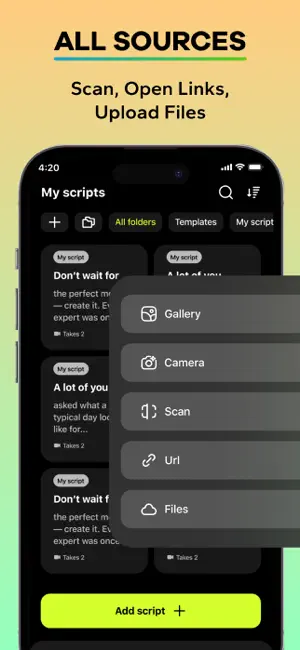
Master your video recordings, voice-overs, live streams, and presentations with our Fast Teleprompter. Easy and quick video recording on spot! This app is designed for content creators, bloggers, educators, actors, and business professionals who demand a seamless and professional teleprompter experience. Maintain perfect eye contact with your camera while reading your script, ensuring a natural and engaging connection with your audience every time. Import, create, and scroll your text with ease, all within a customizable floating window that adapts to your workflow. Key Features & Capabilities ⌘ TEXT IMPORT & CREATION Write directly in the app or import your scripts from anywhere. We support opening text from web links, files (TXT, PDF, RTF). ⌘ SMART TEXT SCANNER Our standout feature is the ability to scan printed text and photo directly using your device's camera or from photos in your library, instantly digitizing documents for your prompter. ⌘ ULTIMATE CUSTOMIZATION Tailor the teleprompter to your exact needs. Adjust text size, font, and color. Modify the background for optimal contrast, set scroll speed, and fine-tune margins. Enable mirroring for use with beam-splitting glass and conveniently reposition and zoom the text overlay on your screen for the perfect framing before you start recording. ⌘ PROFESSIONAL AUDIO & VIDEO CONTROL Improve your audio quality with built-in microphone settings. Use the audio boost, apply real-time effects like noise suppression and reverb, and monitor your voice with zero latency during recording. Capture multiple takes, save them within your project, and later select the best one for export. ⌘ SEAMLESS PRODUCTION & EXPORT The app isn't just for prompting; it's for production, too. Export your final take in popular video formats (MOV, MP4). Perform quick trims and edits with the built-in video trimming tool. Work in both full vertical (9:16) and horizontal (16:9) screen orientations to match your platform's requirements, and choose from ready-made templates for different tasks. ⌘ INTUITIVE USER EXPERIENCE Enjoy a clean, modern interface with full support for Light and Dark themes. Organize your work with projects that save all your settings, scripts, and recorded takes together for a streamlined workflow. Download Teleprompter today and transform your scripted recordings into compelling, natural performances.
Ratings & reviews
4.8
5 ratings
What’s new
Version 1.0.4 · Updated March 4, 2026
Hello, dear friends! In this update: - Fixed minor issues, made some improvements. Please, leave us a review with your thoughts and ideas!
App privacy
The developer, Tsovinar Popova, reported these privacy practices to Apple.
Data Not Collected
The developer does not collect any data from this app.
Alternatives to Teleprompter: My Video Scripts
Looking for apps like Teleprompter: My Video Scripts? Here are 6 similar apps on the App Store. The highest rated is AI Object Removal - Erazer (5.0/5), and all 6 are free to download.
-
 Passport ID Photo Maker
4.6
Passport ID Photo Maker
4.6
-
 Video Compressor Expert
-
 AI Object Removal - Erazer
5.0
AI Object Removal - Erazer
5.0
-
 SUFLER.PRO
4.6
SUFLER.PRO
4.6
-
 Super Zoom 100x - Moon Camera
-
 Teleprompter-float above apps
4.6
Teleprompter-float above apps
4.6
| App | Rating | Price | Last updated | Compare |
|---|---|---|---|---|
| Teleprompter: My Video Scripts | 4.8 / 5 (5 ratings) | Free | March 4, 2026 | |
| Passport ID Photo Maker | 4.6 / 5 (5) | Free | Feb 4, 2026 | Compare |
| Video Compressor Expert | – | Free | Jan 9, 2026 | Compare |
| AI Object Removal - Erazer | 5.0 / 5 (1) | Free | Jul 22, 2026 | Compare |
| SUFLER.PRO | 4.6 / 5 (120) | Free | Oct 14, 2026 | Compare |
| Super Zoom 100x - Moon Camera | – | Free | Sep 30, 2026 | Compare |
| Teleprompter-float above apps | 4.6 / 5 (37) | Free | Sep 8, 2026 | Compare |