

HSA Buddy
Jack Belding Finance iPhoneiPadiPod touch
HSA Buddy is a free Finance app for iPhone and iPad by Jack Belding. Rated 5.0/5 from 1 ratings. Requires iOS 15.1. Updated August 16, 2026.
- Rating
- 5.0
- 1 ratings
- Price
- Free
- on the App Store
- Size
- 19 MB
- Age 4+
- Updated
- Aug 16
- 2026 · v1.0.1
Screenshots


About HSA Buddy
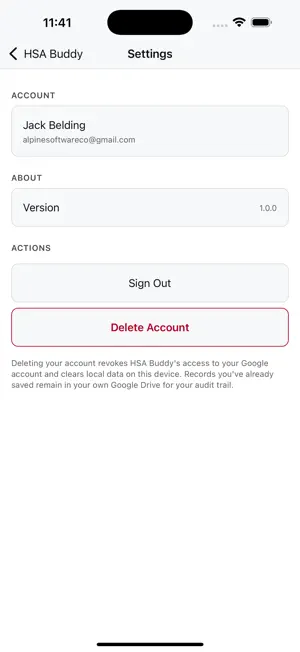
HSA Buddy is a simple companion for tracking HSA reimbursements in your own Google Sheets and Google Drive. Log a medical receipt — vendor, amount, date, image — and HSA Buddy writes it straight to a spreadsheet in your Google account, and saves the receipt image to a folder in your Drive. That's it. No server. No HSA Buddy account. No syncing. Your records live where you can see them, search them, export them, and own them. Why your own Drive? • Audit-ready: keep every receipt in one place for tax time or your HSA administrator. • Portable: open the spreadsheet from any device, share it with a spouse, export it to CSV. • Private by default: HSA Buddy can only see the spreadsheet and receipts folder it created — nothing else in your Drive. Features • Quick capture: photograph or pick a receipt, fill three fields, save. • Smart list: filter by active, archived, or all; total amount and count at a glance. • Swipe-to-archive: keep your active list tidy without losing history. • Image viewer: open any saved receipt in-app. • Per-file Drive scope: HSA Buddy requests only `drive.file` access and cannot read any other files in your Drive. Privacy HSA Buddy does not operate a server. Your receipts, amounts, and notes live exclusively in your own Google Drive and Google Sheets. You can revoke HSA Buddy's access or delete your account from inside the app at any time. Read the full policy at hsabuddyhq.com/privacy. Requires a Google account.
What’s new
Version 1.0.1 · Updated August 16, 2026
Bug fixes and performance improvements.
App privacy
The developer, Jack Belding, reported these privacy practices to Apple.
Data Linked to You
The following data, which may be collected and linked to your identity, may be used for the following purposes:
- Contact Info: Email Address, Name
- Identifiers: User ID
Used for: App Functionality
Data Not Linked to You
The following data, which may be collected but is not linked to your identity, may be used for the following purposes:
- Identifiers: Device ID
- Usage Data: Product Interaction, Advertising Data
- Diagnostics: Performance Data, Crash Data
Used for: Third-Party Advertising, Analytics, App Functionality