

QuickReminders
Martin Kostelka Utilities iPhoneiPadiPod touchMac
QuickReminders is a paid Utilities app for iPhone and iPad by Martin Kostelka. Requires iOS 26.0. Updated July 12, 2026.
- Price
- 1.99 USD
- on the App Store
- Size
- 9 MB
- Age 4+
- Updated
- Jul 12
- 2026 · v1.5
Screenshots

About QuickReminders
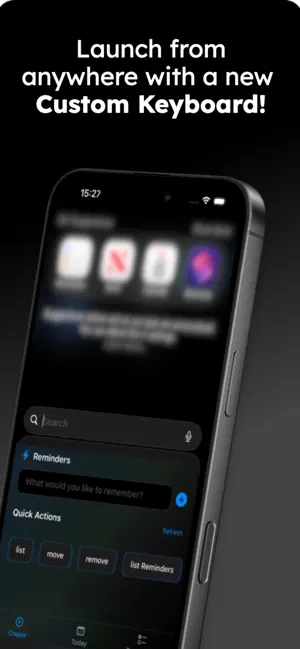
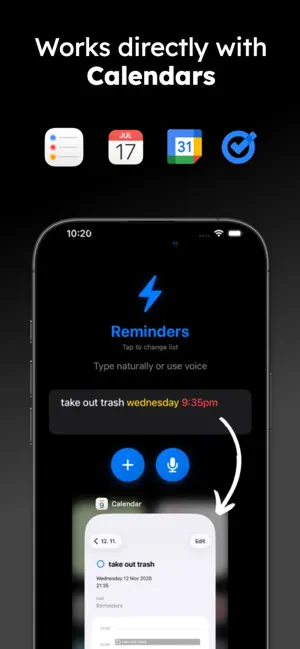
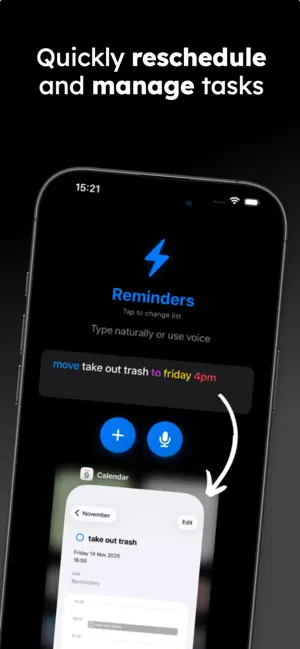
QuickReminders: The Fastest Way to Create Reminders Transform how you capture tasks and reminders with QuickReminders - the fastest, most intuitive reminder app for macOS and iOS. Simply type or speak naturally, and watch your thoughts become perfectly organized reminders in Apple's Reminders (plus Google Calendar & Tasks on iOS). Advanced Voice Commands with Smart Auto-Send Revolutionary voice input with intelligent trigger word system. Say "pick up groceries tomorrow 3PM send" and QuickReminders automatically processes your command without touching a button. Customize your own trigger words like "done," "go," "submit," or "sent" in settings. The app recognizes variations and handles speech recognition restart seamlessly. Lightning-Fast Natural Language Processing No more fumbling with date pickers, time selectors, or complex forms. Just type or speak naturally: • "Coffee with Shanel next Monday 2PM" • "Doctor appointment tomorrow at 9:30AM" • "Project deadline next Friday" • "Meeting tomorrow afternoon" Key Features: What's New! • Custom Notifications • Live Countdown • Unfinished tasks stay in the Dynamic Island • Organize by list, date, or name • AI Mode — speak in 14 languages, AI transforms it into a perfectly timed reminder. Gemini, Groq & self-hosted • Google Calendar & Tasks — sync reminders with your Google account Universal Access Across All Apps • macOS: Access QuickReminders from anywhere with a customizable keyboard shortcut. The floating window appears instantly, lets you create your reminder, then disappears. • iOS: Custom keyboard extension provides QuickReminders functionality system-wide from any app, plus a beautiful native iOS app. Recurring Reminders Set up repeating tasks with natural language: • "Pay rent 10/10 every month" • "Dentist appointment on Friday every 6 months" • "Team sync Monday every 2 weeks" • "Workout tomorrow 7am every day" Voice Recognition & Microphone Management Full speech-to-text functionality with proper system permission handling. Works seamlessly with privacy settings on both macOS and iOS. Intelligent Duplicate Detection Smart algorithms detect duplicate reminders and offer resolution options, preventing clutter. Move and Remove Commands Manage existing reminders with natural language: • "Move coffee meeting to next Tuesday" • "Remove dentist appointment" Perfect For: • Busy professionals needing rapid task capture • Students managing assignment schedules • Parents juggling family activities • Users preferring voice input over typing • People wanting seamless Apple ecosystem integration Customization & Settings: • macOS: Customizable global hotkey combinations and floating window behavior • iOS: Custom keyboard extension with QuickReminders functionality • Universal: Personalized voice trigger words, theme options, and time preferences • Accessibility features including high contrast support Privacy & Security: QuickReminders works directly with Apple's Reminders & Calendar apps (plus Google Calendar & Tasks on iOS) - your data remains in their secure ecosystems. Voice processing respects system privacy preferences. The app requests only essential permissions: Reminders access for core functionality, and optional microphone access for voice features. Smart Technology: Advanced natural language processing understands context, relative dates ("tomorrow," "next week"), and time formats. Handles various input styles gracefully with helpful feedback. Native Platform Integration • macOS: Full system integration with floating window design, automatic dark mode support, and native materials • iOS: Beautiful native interface with smooth animations and system keyboard integration Experience Natural Reminder Creation Whether you're capturing a quick grocery item, scheduling an important meeting, or setting up monthly recurring tasks, QuickReminders adapts to how you naturally think and speak. No learning curve - just type or speak as you would to another person.
What’s new
Version 1.5 · Updated July 12, 2026
• Notifications for upcoming reminders — choose how far ahead you're notified, the sound, and the snooze duration • Urgent reminders arrive as Time Sensitive notifications that break through Focus modes • Live countdown to your next reminder in the Dynamic Island and on the Lock Screen — tinted with your list's color, with what's up next right below • Decide when the countdown appears: anywhere from minutes to 8 hours before it's due • Tap the countdown to jump straight to that reminder • Left a reminder half-typed? It waits in the Dynamic Island so you can pick up where you left off • Sort your reminders by list, date, or name • Mute individual lists, and decide whether notification settings sync to your other devices via iCloud
App privacy
The developer, Martin Kostelka, reported these privacy practices to Apple.
Data Not Collected
The developer does not collect any data from this app.
Alternatives to QuickReminders
Looking for apps like QuickReminders? Here are 6 similar apps on the App Store. The highest rated is Control Mark (5.0/5), and 4 of the 6 are free to download.
-
 Control Mark
5.0
Control Mark
5.0
-
 Odysseus - Mobile
-
 De La Salle Holy Cross College
-
 Loccali: for Shortcuts
5.0
Loccali: for Shortcuts
5.0
-
 AI Cleaner for Similar Photos
-
 ShipShow Package Tracker
4.5
ShipShow Package Tracker
4.5
| App | Rating | Price | Last updated | Compare |
|---|---|---|---|---|
| QuickReminders | – | 1.99 USD | July 12, 2026 | |
| Control Mark | 5.0 / 5 (1) | 0.99 USD | Sep 12, 2025 | Compare |
| Odysseus - Mobile | – | 2.99 USD | Sep 21, 2026 | Compare |
| De La Salle Holy Cross College | – | Free | Jul 23, 2025 | Compare |
| Loccali: for Shortcuts | 5.0 / 5 (2) | Free | Sep 9, 2026 | Compare |
| AI Cleaner for Similar Photos | – | Free | Sep 3, 2026 | Compare |
| ShipShow Package Tracker | 4.5 / 5 (18) | Free | Sep 26, 2026 | Compare |
Compare QuickReminders with the top alternatives: ratings, updates, ASO score and keyword gaps →