

QR Designer Pro: Scan&Design
CalluxNet AB Utilities iPhoneiPadiPod touch
QR Designer Pro: Scan&Design is a free Utilities app for iPhone and iPad by CalluxNet AB. Requires iOS 16.0. Updated October 10, 2026.
- Price
- Free
- on the App Store
- Size
- 26 MB
- Age 17+
- Updated
- Oct 10
- 2026 · v1.2.0
Screenshots
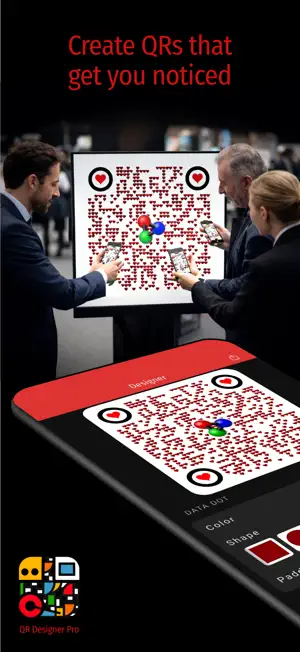


About QR Designer Pro: Scan&Design
Create and Scan QR Codes That Get You Noticed Scan any QR code instantly — fast, smooth, and reliable. Get the info you need on the spot, whether you’re managing or attending an event, or sharing your latest post. Effortless and Intuitive Designed for creators, organizers, and influencers — simple to use, yet powerful enough to handle all your branding needs. Make Every QR Code an Experience Design stunning, personalized QR codes that reflect your brand or event identity. Use built-in templates, colors, shapes, and images — or add your own photos — to create QR codes that look amazing on posters, invitations, tickets, or your social channels. Grow Your Reach Turn every scan into a connection. Link your QR codes directly to your Instagram, TikTok, YouTube, or event pages — helping your audience find and follow you faster than ever. FEATURES • Designer - Create your own unique and beautiful QR codes with selectable content, shapes, colors, padding, images, and own photos. Supported content is web link, email, phone number, sms message, map location, digital visit card (VCard, MeCard), wifi network connection, and links to social media.* • Share your QR Codes – Use the system's built-in sharing functions to share your codes easily. • Scanner – scan any valid QR code. • Multiple Scanner – automatically scan multiple codes at once visible for the camera. • History – Saves all your designed and scanned QR codes. Saved codes can be opened, used and copied (depending on the type). • Settings – Customize the app the way you like it. SUBSCRIPTIONS You can subscribe to get access to all premium features. Your options include: • 7-day free trial, then automatically renews weekly. • Optional subscriptions for weekly, monthly and yearly renewals. If you have any ideas or questions about this app, please contact us at [email protected]. QR Designer Pro is designed and developed in Sweden by CalluxNet AB. *) Some of these features are premium features available on subscription basis.
What’s new
Version 1.2.0 · Updated October 10, 2026
• Updated to latest iOS version. • Fixed custom embedded image in QR code when exporting. • Minor adjustments and bug fixes.
App privacy
The developer, CalluxNet AB, reported these privacy practices to Apple.
Data Not Collected
The developer does not collect any data from this app.
Alternatives to QR Designer Pro: Scan&Design
Looking for apps like QR Designer Pro: Scan&Design? Here are 6 similar apps on the App Store. The highest rated is QR Code Scanner : Quick Scan (4.6/5), and all 6 are free to download.
-
 QR Craft: QR Generator & Scan
4.5
QR Craft: QR Generator & Scan
4.5
-
 EyeScan Solo
-
 AirGlow
-
 QR Code Scanner : Quick Scan
4.6
QR Code Scanner : Quick Scan
4.6
-
 Font Finder: Font Locator
2.3
Font Finder: Font Locator
2.3
-
 SNRGY
4.4
SNRGY
4.4
| App | Rating | Price | Last updated | Compare |
|---|---|---|---|---|
| QR Designer Pro: Scan&Design | – | Free | October 10, 2026 | |
| QR Craft: QR Generator & Scan | 4.5 / 5 (2) | Free | Feb 23, 2026 | Compare |
| EyeScan Solo | – | Free | Dec 8, 2025 | Compare |
| AirGlow | – | Free | Oct 13, 2026 | Compare |
| QR Code Scanner : Quick Scan | 4.6 / 5 (9) | Free | Oct 1, 2026 | Compare |
| Font Finder: Font Locator | 2.3 / 5 (3) | Free | Apr 7, 2026 | Compare |
| SNRGY | 4.4 / 5 (103) | Free | Jan 20, 2026 | Compare |