

Between: AI Photo Text Editor
Yuliya Karabanava Photo & Video iPhoneiPadiPod touch
Between: AI Photo Text Editor is a free Photo & Video app for iPhone and iPad by Yuliya Karabanava. Rated 5.0/5 from 2 ratings. Requires iOS 17.0.
- Rating
- 5.0
- 2 ratings
- Price
- Free
- on the App Store
- Size
- 176 MB
- Age 4+
- Updated
- Dec 27
- 2025 · v1.2
Screenshots


About Between: AI Photo Text Editor
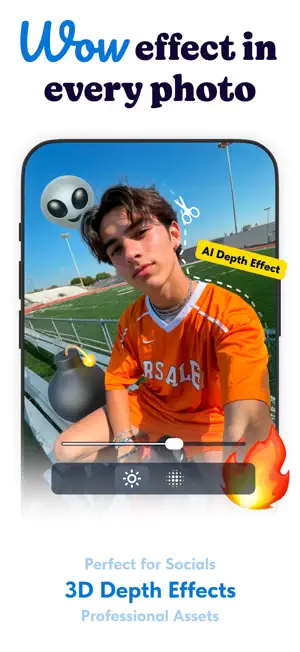
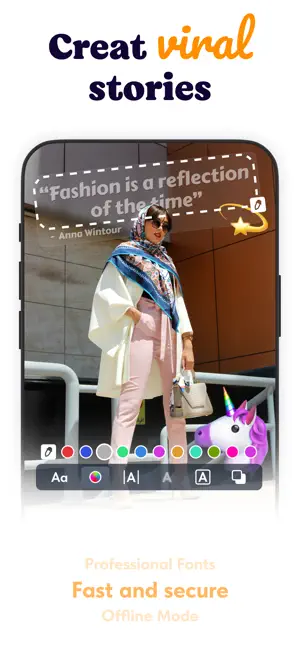
— About Between — Between is a next-generation photo editor that lets you place text and graphics between background and foreground layers. Design personalized cards, creative social posts, product visuals, or elegant family photos — all in one intuitive app. — Core Features — • Text Between Layers – write directly between the subject and the background for a unique 3D effect. • Smart Background Separation – AI automatically detects the main subject and separates it from the background. • Customizable Text Tools – choose fonts, shadows, outlines, spacing, and perspective. • Layer Control – move, rotate, or scale each element with precision. • Background Replace – change or blur the background for a clean composition. • Lighting & Color Adjustments – fine-tune brightness, contrast, and tone for a polished look. • Instant Export – save in high resolution or share directly to your favorite platform. — Perfect For — • Greeting and holiday cards • Creative social media posts • Product and brand visuals • Family and friends photos • Posters and story covers — Why Between — Because photos deserve depth. Between combines AI precision with creative control, helping you craft visuals that feel personal, dimensional, and alive. — Start Creating — Open a photo, separate the layers, add your words in between — and watch your image come to life. Between turns ordinary pictures into expressive visual stories. Between — where your words live between worlds. SUBSCRIPTION INFORMATION: Payment will be charged to iTunes Account at confirmation of purchase. Subscription automatically renews unless auto-renew is turned off at least 24-hours before the end of the current period. The cost of the renewal depends on your subscription plan. Subscriptions may be managed and auto-renewal can be turned off in the user’s Account Settings. Any unused portion of a free trial period (if offered) will be forfeited when you purchase a premium subscription during the free trial period. Terms of Use: https://www.apple.com/legal/internet-services/itunes/dev/stdeula/
What’s new
Version 1.2 · Updated December 27, 2025
- Better user experience
App privacy
The developer, Yuliya Karabanava, reported these privacy practices to Apple.
Data Not Linked to You
The following data, which may be collected but is not linked to your identity, may be used for the following purposes:
- Purchases: Purchase History
- Identifiers: Device ID
- Usage Data: Product Interaction, Advertising Data
- Diagnostics: Crash Data, Performance Data
Used for: Third-Party Advertising, Developer’s Advertising or Marketing, Analytics
Alternatives to Between: AI Photo Text Editor
Looking for apps like Between: AI Photo Text Editor? Here are 6 similar apps on the App Store. The highest rated is DeepText: 3D AI Text Effects (5.0/5), and all 6 are free to download.
-
 ReTouchFlow
-
 DeepText: 3D AI Text Effects
5.0
-
 TextBlog: Text Stories & Posts
-
 TextArtist ai・Text on Photo
-
 Clip Looper: Video Loop Maker
-
 AI Studio Editor
5.0
| App | Rating | Price | Last updated | Compare |
|---|---|---|---|---|
| Between: AI Photo Text Editor | 5.0 / 5 (2 ratings) | Free | December 27, 2025 | |
| ReTouchFlow | – | Free | Jul 7, 2026 | Compare |
| DeepText: 3D AI Text Effects | 5.0 / 5 (1) | Free | Dec 6, 2024 | Compare |
| TextBlog: Text Stories & Posts | – | Free | Nov 7, 2025 | Compare |
| TextArtist ai・Text on Photo | – | Free | Jan 26, 2026 | Compare |
| Clip Looper: Video Loop Maker | – | Free | Oct 8, 2026 | Compare |
| AI Studio Editor | 5.0 / 5 (1) | Free | Jul 1, 2026 | Compare |