

Squaready: No Crop Resizer
FANG Inc. Photo & Video iPhoneiPadiPod touch
Squaready: No Crop Resizer is a free Photo & Video app for iPhone and iPad by FANG Inc. Rated 4.4/5 from 118 ratings. Requires iOS 15.0.
- Rating
- 4.4
- 118 ratings
- Price
- Free
- on the App Store
- Size
- 201 MB
- Age 4+
- Updated
- Oct 22
- 2026 · v4.3.1
Screenshots



About Squaready: No Crop Resizer
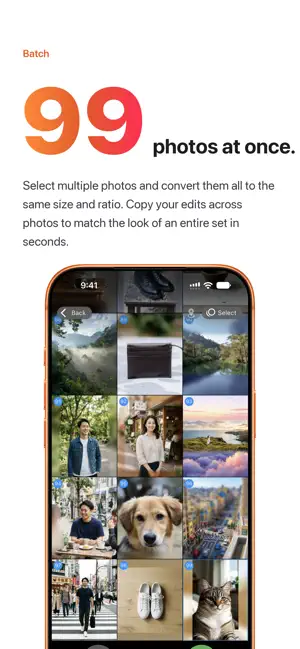
Aspectan - Aspect Ratio Photo Editor Aspectan is a photo editing app that lets you freely adjust the aspect ratio of your images and save or share them with ease. Edit multiple photos at once and efficiently prepare them for Instagram, X (Twitter), and other social media platforms. Now with AI-powered editing. ■ Edit Multiple Photos at Once Load multiple photos simultaneously, adjust the aspect ratio, background, and layout for each one, then save them all at once. You can also reorder photos by long-pressing a thumbnail. ■ AI Features (powered by Apple Intelligence) ・Background Expansion: Naturally extends the background into the margins while keeping your original image untouched. You can also generate a new background from text. ・Image Editing: Just pick one of the ready-made editing recipes — illustration, watercolor, aged sepia film, and more — and AI edits the image for you. Of course, you can also describe in your own words how you'd like it edited. * AI features are available on Apple Intelligence-compatible devices running iOS 27 or later. ■ Versatile Background Styles Choose from solid colors and blurred backgrounds (Hard, Normal, Soft, and Monotone), or use any image as the background. A color memo feature lets you save your favorite colors for easy access. ■ Flexible Fit Options Choose from four layout modes — Fit Inside, Fit Outside, Centering, and Custom Fit — to control exactly how your image is placed on the canvas. You can also save your own custom fit settings for quick reuse. ■ Precise Layout Control Use pinch gestures or drag the center button to zoom and reposition your image with precision. Center Lock and Edge Stop assist features help you snap to a clean layout quickly. ■ Guide Lines Display guide lines suited to your needs — including Rule of Thirds, Golden Ratio, Instagram, X (Twitter), and Grid Paper styles. ■ More Handy Features ・Smart Aspect Ratio: Automatically suggests the aspect ratio closest to your current image ・Flip: Mirror your image horizontally before saving ・Resolution Options: Save at original (high), medium (2048px), or low (1024px) resolution ・Auto-save: Your edits are saved automatically so you can pick up right where you left off ■ Supported Aspect Ratios 1:1 (square), 4:3, 3:4, 16:9, 9:16, screen size, and many more. ■ Blur, Pixelate & Tilt-Shift Auto-detects subjects such as people so you can choose what to blur, or paint any area with your finger. Choose blur or pixelate and adjust the strength. A tilt-shift effect gives your images a miniature-model look. ■ Premium Plan All editing features are available for free. With a Premium subscription (monthly or annual), you can save and share unlimited images, and enjoy an ad-free experience. Your subscription will be automatically renewed every "month" or "year". If you cancel at least 24 hours before the renewal date, automatic renewal will not occur from the next billing period. You can manage your subscription in the Account section of the Settings app. Terms of Use https://www.apple.com/legal/internet-services/itunes/dev/stdeula/
Ratings & reviews
4.4
118 ratings
What’s new
Version 4.3.1 · Updated October 22, 2026
Fixed some minor bugs.
App privacy
The developer, FANG Inc., reported these privacy practices to Apple.
Data Used to Track You
The following data may be used to track you across apps and websites owned by other companies:
- Location: Coarse Location
- Identifiers: Device ID
- Usage Data: Product Interaction, Advertising Data
- Diagnostics: Crash Data, Performance Data
Data Not Linked to You
The following data, which may be collected but is not linked to your identity, may be used for the following purposes:
- Location: Coarse Location
- Identifiers: Device ID
- Usage Data: Product Interaction, Advertising Data
- Diagnostics: Crash Data, Performance Data
Used for: Third-Party Advertising, Analytics
Alternatives to Squaready: No Crop Resizer
Looking for apps like Squaready: No Crop Resizer? Here are 6 similar apps on the App Store. The highest rated is Best Nine 2025 (4.8/5), and all 6 are free to download.
-
 Top Nine 2025 for Instagram
4.7
-
 Best Nine 2025
4.8
-
 No Crop - Simple Border
4.6
-
 TinType - Wet Plate Camera
4.8
-
 Square No Crop - Fit Full Size
4.6
-
 Square Video No Crop for Insta
4.0
| App | Rating | Price | Last updated | Compare |
|---|---|---|---|---|
| Squaready: No Crop Resizer | 4.4 / 5 (118 ratings) | Free | October 22, 2026 | |
| Top Nine 2025 for Instagram | 4.7 / 5 (1,800) | Free | Dec 17, 2025 | Compare |
| Best Nine 2025 | 4.8 / 5 (152) | Free | Dec 10, 2025 | Compare |
| No Crop - Simple Border | 4.6 / 5 (139) | Free | Nov 2, 2026 | Compare |
| TinType - Wet Plate Camera | 4.8 / 5 (3,525) | Free | Oct 3, 2026 | Compare |
| Square No Crop - Fit Full Size | 4.6 / 5 (21,497) | Free | Mar 13, 2024 | Compare |
| Square Video No Crop for Insta | 4.0 / 5 (264) | Free | Jan 25, 2024 | Compare |