

PDF Converter — Docx to PDF
Muhammad Qasim Wali Productivity iPhoneiPadiPod touchMac
PDF Converter — Docx to PDF is a free Productivity app for iPhone and iPad by Muhammad Qasim Wali. Rated 1.0/5 from 1 ratings. Requires iOS 16.0.
- Rating
- 1.0
- 1 ratings
- Price
- Free
- on the App Store
- Size
- 9 MB
- Age 4+
- Updated
- Apr 29
- 2026 · v1.7
Screenshots
About PDF Converter — Docx to PDF
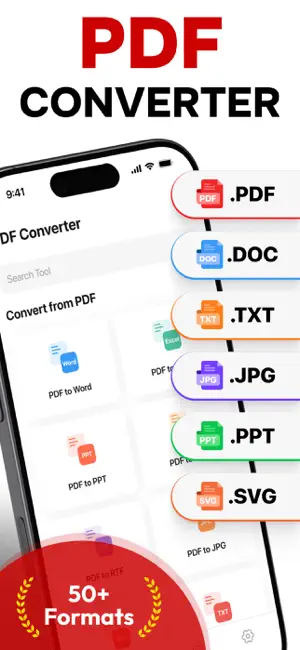
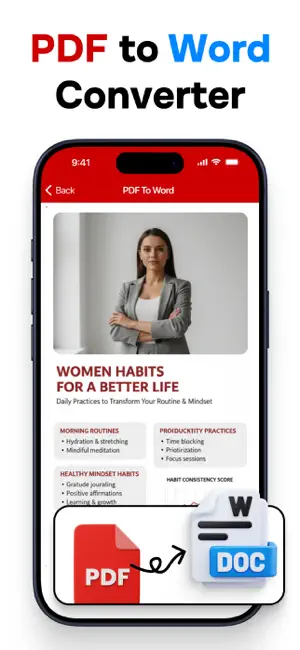
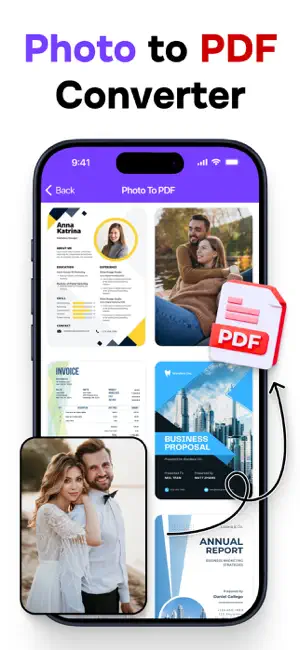
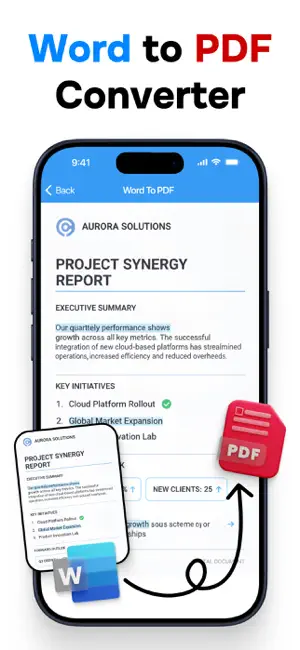
PDF Converter – All-in-One Tool for Your PDF Needs PDF Converter is your ultimate all-in-one solution to manage, convert, and edit PDF files with ease. Designed with a clean and intuitive interface, it allows you to handle all your PDF tasks in one place, saving you time and effort. Whether you are a student, professional, or casual user, PDF Converter offers powerful features to cover every aspect of your document management workflow. Key Features: Convert From PDF – PDF to Word: Instantly turn PDFs into fully editable Microsoft Word documents. – PDF to Excel: Extract tables and data with perfect formatting into Excel spreadsheets. – PDF to PowerPoint (PPT): Transform your files into editable presentations. – PDF to Images: Export to PNG, JPG, TIFF, SVG, and EPS with high clarity. – PDF to Text & HTML: Get plain text or structured HTML versions for editing and publishing. – PDF to EPUB & XML: Optimize for e-readers or structured data needs. – PDF to RTF (Rich Text): Preserve formatting in lightweight editable files. Convert To PDF – Word, Excel, PPT to PDF: Securely convert Microsoft Office documents into universal PDFs. – Image to PDF: Combine JPG, PNG, TIFF, SVG, HEIC, or WebP into high-quality PDFs. – TXT & RTF to PDF: Quickly turn text into formatted PDF documents. – HTML to PDF: Save entire web pages for offline use or archiving. – CSV & EPS to PDF: Convert special file types seamlessly. – EPUB to PDF: Preserve your eBooks in shareable PDF format. PDF Tools – Lock & Unlock PDF: Add or remove password protection with one click. – Merge PDF: Combine multiple files into one organized document. – Compress PDF: Reduce file size while maintaining quality, perfect for email or uploads. – Zip PDF: Export compressed files for easier sharing. – Rotate & Delete Pages: Adjust or clean up your documents effortlessly. – Extract Pages: Save selected pages as new standalone PDFs. – Watermark: Protect your documents with custom text or logos. – Organize Pages: Reorder, add, or remove pages as needed. – Add Page Numbers: Insert automatic numbering for long documents. – Sign PDF: Add your signature securely, no need for printing. With PDF Converter, you don’t just manage documents — you simplify your workflow. Upgrade to Pro anytime for unlimited conversions and extra features, but even the free version gives you a strong set of tools. Finally, one app that does it all. Privacy Policy: https://sites.google.com/view/muhammadqasimwali/privacy-policy Terms and Conditions: https://sites.google.com/view/muhammadqasimwali/terms-of-use End-User License Agreement(EULA): https://sites.google.com/view/muhammadqasimwali/eula
What’s new
Version 1.7 · Updated April 29, 2026
- Improved PDF Conversions Speed
App privacy
The developer, Muhammad Qasim Wali, reported these privacy practices to Apple.
Data Not Collected
The developer does not collect any data from this app.
Alternatives to PDF Converter — Docx to PDF
Looking for apps like PDF Converter — Docx to PDF? Here are 6 similar apps on the App Store. The highest rated is PDF Converter : Picture to PDF (5.0/5), and all 6 are free to download.
-
 PDF Converter : Picture to PDF
5.0
PDF Converter : Picture to PDF
5.0
-
 Photo to PDF - Image Converter
4.5
Photo to PDF - Image Converter
4.5
-
 PDF Compressor-Compress PDF
4.7
PDF Compressor-Compress PDF
4.7
-
 PDF to Word Converter - Docx
4.5
PDF to Word Converter - Docx
4.5
-
 Photo to PDF Converter Tool
4.5
Photo to PDF Converter Tool
4.5
-
 PDF Converter- Photos & Word
4.7
PDF Converter- Photos & Word
4.7
| App | Rating | Price | Last updated | Compare |
|---|---|---|---|---|
| PDF Converter — Docx to PDF | 1.0 / 5 (1 rating) | Free | April 29, 2026 | |
| PDF Converter : Picture to PDF | 5.0 / 5 (1) | Free | Sep 15, 2026 | Compare |
| Photo to PDF - Image Converter | 4.5 / 5 (102) | Free | Sep 17, 2026 | Compare |
| PDF Compressor-Compress PDF | 4.7 / 5 (152) | Free | Aug 19, 2026 | Compare |
| PDF to Word Converter - Docx | 4.5 / 5 (307) | Free | Oct 15, 2026 | Compare |
| Photo to PDF Converter Tool | 4.5 / 5 (566) | Free | Aug 14, 2026 | Compare |
| PDF Converter- Photos & Word | 4.7 / 5 (359) | Free | Sep 16, 2026 | Compare |