

PacePost: Hyrox & Run Posts
Jack Moffett Health & Fitness iPhoneiPadiPod touch
PacePost: Hyrox & Run Posts is a free Health & Fitness app for iPhone and iPad by Jack Moffett. Rated 5.0/5 from 5 ratings. Requires iOS 18.4.
- Rating
- 5.0
- 5 ratings
- Price
- Free
- on the App Store
- Size
- 48 MB
- Age 4+
- Updated
- Oct 11
- 2026 · v3.1
Screenshots



About PacePost: Hyrox & Run Posts
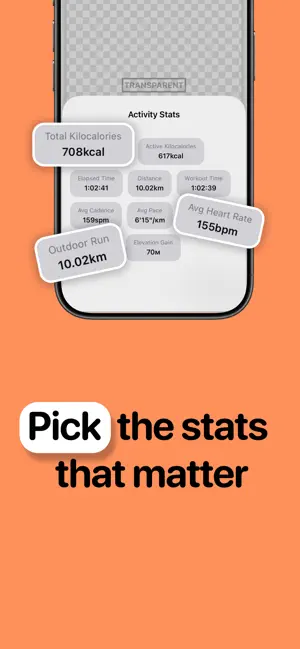
Turn your fitness stats into stunning social media posts PacePost transforms screenshots from any fitness app, event or machine into beautiful, shareable graphics. Simply snap a screenshot of your workout stats, select the metrics you want to highlight, then customise and export a polished, Instagram-ready image. How it works: 1. Take a screenshot of your fitness stats 2. Select the stats you want to feature 3. Customise the design to make it yours 4. Export and share Make it yours: - Choose from unique fonts - Pick from a curated palette of text and background colours - Adjust size, spacing, opacity, and alignment for every stat - Position, scale, and rotate your stats freely on the canvas - Create transparent overlays for layered social media content Privacy first: All text recognition and image processing happens entirely on your device. Your fitness data is never uploaded, transmitted, or stored on any server. What's on your phone stays on your phone. Export in high resolution and share directly to Instagram Stories or save to your Photos library. PacePost is free to download and use. Paying for premium will allow the user to remove the watermark and have access to 10 premium graphic fonts. PacePost Premium (auto-renewable subscription) unlocks: - 10 graphic fonts - No watermark on your designs Subscription Information: - PacePost Premium Weekly: $3.99/week - PacePost Premium Yearly: $19.99/year (with 7-day free trial) Terms: https://pacepost.app/terms/ Privacy policy: https://pacepost.app/privacy/
Ratings & reviews
5.0
5 ratings
What’s new
Version 3.1 · Updated October 11, 2026
Saved looks: save a design you like and reuse it on your next photo. Redesigned editor with a new tool rail, cleaner controls, and smoother dragging, pinching and rotating. Photo filters: add a filter to your background image Edit any stat by hand if the scan reads a label or value wrong. New home screen and a simpler step-by-step flow for creating a post. Built-in help for picking stats and using the editor. Bug fixes and performance improvements.
App privacy
The developer, Jack Moffett, reported these privacy practices to Apple.
Data Not Linked to You
The following data, which may be collected but is not linked to your identity, may be used for the following purposes:
- Purchases: Purchase History
Used for: Analytics, App Functionality
Alternatives to PacePost: Hyrox & Run Posts
Looking for apps like PacePost: Hyrox & Run Posts? Here are 6 similar apps on the App Store. The highest rated is StatShot: Strava Overlay Tool (5.0/5), and all 6 are free to download.
-
 StatShot: Strava Overlay Tool
5.0
StatShot: Strava Overlay Tool
5.0
-
 Run Photo - for Garmin, Strava
4.7
Run Photo - for Garmin, Strava
4.7
-
 Share Aura: Track & Create
4.9
Share Aura: Track & Create
4.9
-
 Kotcha - Running & Trail
4.5
Kotcha - Running & Trail
4.5
-
 ROXFIT
4.8
ROXFIT
4.8
-
 CheerMyRun: Race Day Tracker
4.5
CheerMyRun: Race Day Tracker
4.5
| App | Rating | Price | Last updated | Compare |
|---|---|---|---|---|
| PacePost: Hyrox & Run Posts | 5.0 / 5 (5 ratings) | Free | October 11, 2026 | |
| StatShot: Strava Overlay Tool | 5.0 / 5 (8) | Free | Jul 17, 2026 | Compare |
| Run Photo - for Garmin, Strava | 4.7 / 5 (192) | Free | Sep 27, 2026 | Compare |
| Share Aura: Track & Create | 4.9 / 5 (2,525) | Free | Oct 15, 2026 | Compare |
| Kotcha - Running & Trail | 4.5 / 5 (252) | Free | Oct 14, 2026 | Compare |
| ROXFIT | 4.8 / 5 (4,335) | Free | Oct 16, 2026 | Compare |
| CheerMyRun: Race Day Tracker | 4.5 / 5 (360) | Free | Oct 17, 2026 | Compare |