

Expense Tracker & Receipt Scan
Vishwen Labs (OPC) Private Limited Finance iPhoneiPadiPod touch
Expense Tracker & Receipt Scan is a free Finance app for iPhone and iPad by Vishwen Labs (OPC) Private Limited. Requires iOS 15.1.
- Price
- Free
- on the App Store
- Size
- 46 MB
- Age 4+
- Updated
- Sep 29
- 2026 · v1.0.3
Screenshots


About Expense Tracker & Receipt Scan
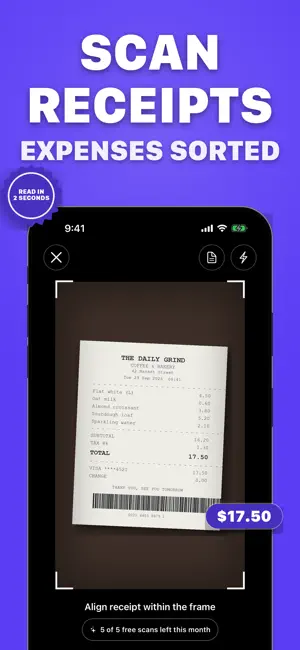
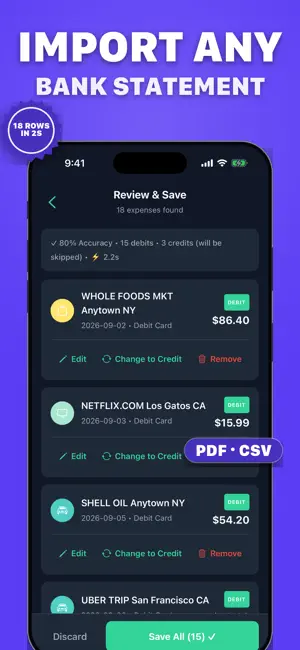
Scan a receipt and the expense is logged in seconds. Import a bank statement (PDF or CSV) from any bank and every transaction is sorted into categories and checked against your running balance. Set a budget and get a heads-up before you overspend. No bank login, no account: your data stays on your phone. WHAT YOU GET Capture in two taps - Point the camera at a receipt: amount, merchant, category and date are read for you, and the photo stays with the expense - Type an expense in seconds: the category is suggested from the merchant and your usual payment method is remembered - Import a whole bank or card statement (PDF or CSV) from banks worldwide Know where it all goes - Home shows this month's total, your top categories and your budget at a glance - Charts by category, merchant and day, with monthly and yearly comparisons - Search and filter by merchant, category, date or amount Budgets that warn you first - A budget per category, monthly or yearly - A notification as you approach the limit and the moment you cross it - A short weekly summary every Sunday evening Reports for tax time - Export to CSV (Excel) or PDF - Share with an accountant or partner - Receipt photos stay attached for your records Private by design - No bank login and no account - Your expenses live on your phone - Multiple currencies, dark mode, 20 languages FREE AND PREMIUM Free: unlimited typed expenses, 5 receipt scans and 2 statement imports a month, one budget, standard charts. Premium: unlimited scans and imports, a budget for every category, daily trends, top merchants and spending insights, CSV and PDF export. Weekly or yearly, cancel any time. Terms of use: https://vishwenlabs.com/legal/apps/expense-tracker/terms Privacy policy: https://vishwenlabs.com/legal/apps/expense-tracker/privacy
What’s new
Version 1.0.3 · Updated September 29, 2026
A fresh start for 1.0.3: - New welcome flow: pick your goal, sort a few spends and see your first spending snapshot - Home shows this month's total, your top categories and your budget at a glance - Scan receipts straight from the camera; the photo stays with the expense - Import any bank statement (PDF or CSV), checked against your running balance - Budget alerts for everyone, plus a weekly summary on Sunday evenings - Receipt scanning now runs through our secure server - Dozens of fixes
App privacy
The developer, Vishwen Labs (OPC) Private Limited, reported these privacy practices to Apple.
Data Not Linked to You
The following data, which may be collected but is not linked to your identity, may be used for the following purposes:
- Purchases: Purchase History
- User Content: Photos or Videos
- Identifiers: User ID
Used for: App Functionality
Alternatives to Expense Tracker & Receipt Scan
Looking for apps like Expense Tracker & Receipt Scan? Here are 6 similar apps on the App Store.
-
 FinGuard: Budget manager
-
 AcisKu
-
 Zenith: Personal Finance
-
 WWWERY Good Buy
-
 ProTheinvest
-
 CryptoMarketStats: Tracker
| App | Rating | Price | Last updated | Compare |
|---|---|---|---|---|
| Expense Tracker & Receipt Scan | – | Free | September 29, 2026 | |
| FinGuard: Budget manager | – | Free | Oct 8, 2026 | Compare |
| AcisKu | – | Free | Jun 14, 2026 | Compare |
| Zenith: Personal Finance | – | Free | Oct 18, 2026 | Compare |
| WWWERY Good Buy | – | Free | Sep 12, 2025 | Compare |
| ProTheinvest | – | Free | Jun 12, 2026 | Compare |
| CryptoMarketStats: Tracker | – | Free | Oct 5, 2026 | Compare |