

Listen AI - Text to Speech
Shital Gorasiya Utilities iPhoneiPadiPod touch
Listen AI - Text to Speech is a free Utilities app for iPhone and iPad by Shital Gorasiya. Rated 3.0/5 from 2 ratings. Requires iOS 13.0.
- Rating
- 3.0
- 2 ratings
- Price
- Free
- on the App Store
- Size
- 275 MB
- Age 4+
- Updated
- Mar 10
- 2026 · v1.1
Screenshots


About Listen AI - Text to Speech
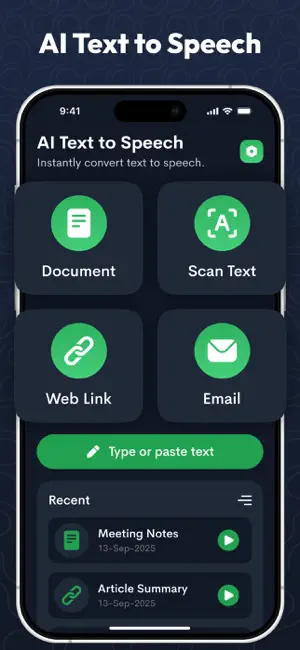
Experience documents, articles, and notes like never before—through lifelike AI voices. With Listen AI, turning text into audio is effortless and instant. Whether it’s a PDF, web page, or your personal notes, Listen AI transforms words into natural narration so you can listen anytime, anywhere. Why choose Listen AI? Lifelike Narration: Choose from a variety of AI voices, accents, and tones to match any content—professional, casual, or educational. Personalized Listening: Adjust speed and volume to fit your comfort and focus level. One-Tap Conversion: Highlight text on a website, PDF, or document and hear it read aloud instantly. Multitasking Made Easy: Stay informed while commuting, working out, cooking, or doing chores. Accessible for Everyone: Perfect for people with visual impairments, learning differences, or anyone who prefers listening over reading. Listen AI - Text to Speech isn’t just a reading tool—it’s your personal audio companion that makes learning, working, and staying informed easier than ever. In app purchase included : Weekly, Monthly and Yearly Privacy policy : https://privacypolicy50.wordpress.com/privacy-policy-subscription/ Terms and condition :https://privacypolicy50.wordpress.com/terms-and-condition/
What’s new
Version 1.1 · Updated March 10, 2026
Improved AI Text to Speech performance Better voice playback and stability
App privacy
The developer, Shital Gorasiya, reported these privacy practices to Apple.
Data Not Collected
The developer does not collect any data from this app.