

Text to Speech (AI)
Advansys Sagl Productivity iPhoneiPadiPod touch
Text to Speech (AI) is a free Productivity app for iPhone and iPad by Advansys Sagl. Requires iOS 15.1. Updated August 27, 2026.
- Price
- Free
- on the App Store
- Size
- 38 MB
- Age 4+
- Updated
- Aug 27
- 2026 · v1.0.7
Screenshots

About Text to Speech (AI)
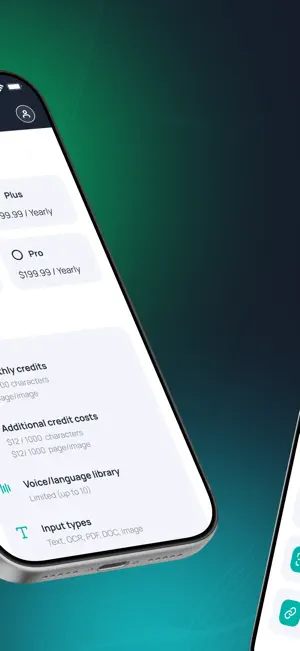
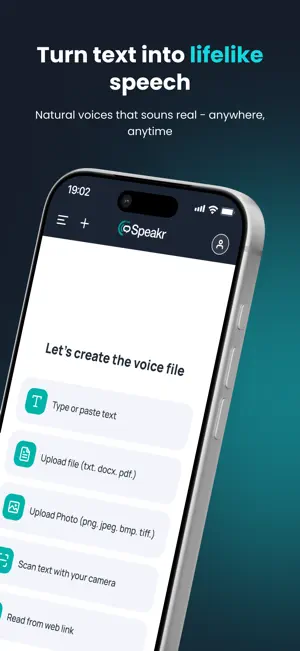
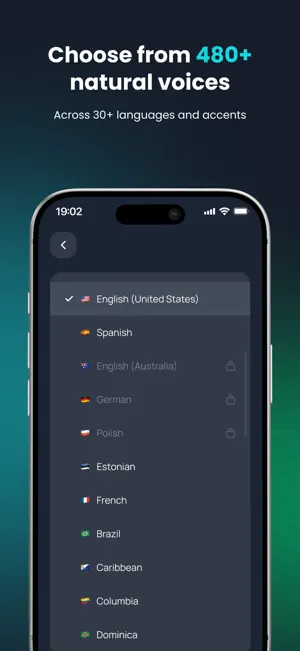
AI-powered reading made effortless Meet The Speakr, your AI-powered reading companion that makes every word come alive. Turn any text, document, PDFs, web pages, or even images into clear, natural-sounding speech. Whether you’re studying, multitasking, or relaxing, The Speakr helps you stay productive and enjoy more content — effortlessly. Natural voices that feel real Choose from over 480 realistic AI voices across 30+ languages and accents. Each voice is designed to sound smooth, natural, and expressive — closer to a real human voice than ever before. Listen your way Personalize every read. Adjust speed and pitch to match your preference, or explore unique mood settings (like empathetic, enthusiastic, or calm) for certain voices. Type or paste text Simply paste or type text directly into the app — The Speakr instantly turns it into clear, natural speech. Perfect for notes, emails, or quick reading. Read from websites and links Paste any article or web link, and The Speakr will read it aloud in your chosen voice. Great for catching up on reading while commuting or multitasking. Read from images or scans (OCR) Turn photos, screenshots, or scanned pages into audio with built-in OCR. Just take a picture or upload an image — The Speakr extracts the text and reads it aloud in seconds. Export to MP3 and listen offline Save any text or document as an MP3 file to listen offline or share with others. Turn long reads into custom audio playlists you can enjoy anywhere. Stay in sync with text highlighting Follow along visually while you listen — real-time text highlighting keeps your place and improves focus and comprehension. Key Features • 480+ AI voices in 30+ languages • Speed, pitch, and mood controls • Read from text, links, files, and images • Built-in OCR for photos and scans • MP3 export for offline listening • Real-time text highlighting • Background playback with lock-screen control • Cross-device text library sync The Speakr is designed for everyone — students, professionals, multitaskers, and anyone who prefers listening to reading. Turn articles, books, and documents into audio and enjoy the freedom to learn, work, or unwind — anytime, anywhere. Download The Speakr today and make your reading time a listening experience. Terms of Use (EULA): https://www.apple.com/legal/internet-services/itunes/dev/stdeula/
What’s new
Version 1.0.7 · Updated August 27, 2026
Regular support and user improvements.
App privacy
The developer, Advansys Sagl, reported these privacy practices to Apple.
Data Not Collected
The developer does not collect any data from this app.
Alternatives to Text to Speech (AI)
Looking for apps like Text to Speech (AI)? Here are 6 similar apps on the App Store.
-
 DictationRec
-
 SpeeAI: Text to Speech Reader
-
 Renotake
-
 Be Done - To Do List & Planner
-
 Text To Speech - Spreech Ai
-
 Text to Speech: Voxa
| App | Rating | Price | Last updated | Compare |
|---|---|---|---|---|
| Text to Speech (AI) | – | Free | August 27, 2026 | |
| DictationRec | – | 0.99 USD | Jul 1, 2026 | Compare |
| SpeeAI: Text to Speech Reader | – | Free | Jul 22, 2026 | Compare |
| Renotake | – | Free | Jan 12, 2026 | Compare |
| Be Done - To Do List & Planner | – | Free | Sep 21, 2026 | Compare |
| Text To Speech - Spreech Ai | – | Free | Aug 25, 2025 | Compare |
| Text to Speech: Voxa | – | Free | Mar 31, 2026 | Compare |