

PDF Studio: PDF Converter
Asha Vaghasiya Utilities iPhoneiPadiPod touch
PDF Studio: PDF Converter is a free Utilities app for iPhone and iPad by Asha Vaghasiya. Rated 5.0/5 from 1 ratings. Requires iOS 17.0.
- Rating
- 5.0
- 1 ratings
- Price
- Free
- on the App Store
- Size
- 46 MB
- Age 4+
- Updated
- Oct 11
- 2026 · v1.4
Screenshots



About PDF Studio: PDF Converter
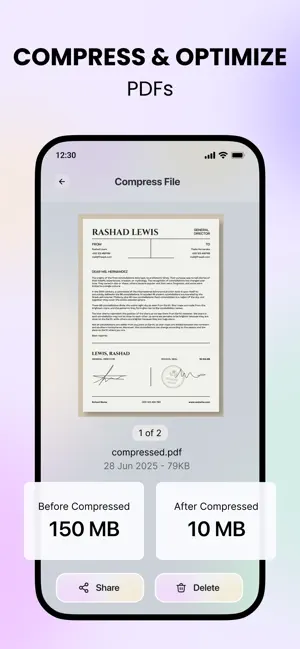
PDF Studio: PDF Converter is your complete PDF editor, scanner, and file converter for iPhone. It brings all the essential PDF tools together in one fast, simple, and powerful app. Whether you want to compress, merge, split, convert, protect, organize, or scan documents, PDF Studio makes it easy. Everything is processed entirely on your device, ensuring complete privacy with no internet required. PDF Studio includes every major tool you need: • PDF Editor – Modify and organize your PDF pages • PDF Converter – Convert PDF to Text, HTML, Excel (CSV), JPG, PNG, BMP • Compress PDF – Reduce file size while maintaining quality • Merge PDF – Combine multiple PDFs into a single file • Split PDF – Separate pages or create new documents • Image to PDF – Turn photos and scans into professional PDFs • PDF Scanner – Scan documents using your camera • PDF Reader – Fast and smooth PDF viewing • Protect PDF – Add password protection • Unlock PDF – Remove existing passwords • Sign PDF – Add your handwritten signature • Watermark PDF – Insert custom text or image watermarks • Remove Pages – Instantly delete pages • Extract Pages – Save selected pages as a new PDF • Add Page – Insert blank or image-based pages • Rearrange PDF – Easily reorder pages • Rotate PDF – Rotate one or multiple pages • Crop PDF – Trim unwanted areas • Page Numbers – Add customizable numbering • PDF to Image – Export pages to JPG, PNG, or BMP • Image Conversion – Convert images to PNG, JPG, or BMP • Create ZIP – Compress multiple files into a ZIP archive • Extract ZIP – Open and extract ZIP files Advanced conversion tools include: • PDF to Text for easy copying • PDF to HTML for web-friendly formatting • PDF to Excel (CSV) for data extraction • PDF to JPG, PNG, BMP for high-quality image export • PNG, JPG, BMP to PDF for easy document creation This makes PDF Studio ideal for business, schoolwork, office documents, scanned files, photos, receipts, and more. Why Choose PDF Studio: PDF Converter? • 100% Offline Processing – Files stay on your device • No Subscriptions – One-time purchase unlocks everything • Fast and Secure – No uploads, no servers, complete privacy • Easy to Use – Clean and intuitive design • Full Featured – Replace multiple PDF apps with one Perfect For • Students needing PDF notes, homework, and scanned pages • Professionals working with contracts, forms, and reports • Anyone who needs a fast, reliable, and private PDF editor and converter Supported Devices • iPhone
What’s new
Version 1.4 · Updated October 11, 2026
- Bug fixed
App privacy
The developer, Asha Vaghasiya, reported these privacy practices to Apple.
Data Used to Track You
The following data may be used to track you across apps and websites owned by other companies:
- Location: Precise Location
Data Not Linked to You
The following data, which may be collected but is not linked to your identity, may be used for the following purposes:
- Location: Precise Location
Used for: Third-Party Advertising
Alternatives to PDF Studio: PDF Converter
Looking for apps like PDF Studio: PDF Converter? Here are 6 similar apps on the App Store. The highest rated is PhotoSweep – Clean Photos (5.0/5), and all 6 are free to download.
-
 Contacts To XLSX, CSV, Outlook
-
 vvrl - ShortURL
-
 FongYou - AI Voice Translation
-
 PhotoSweep – Clean Photos
5.0
-
 PDF Converter: JPG, Word, Sign
-
 VoiceLinks: Voice & Reminder
| App | Rating | Price | Last updated | Compare |
|---|---|---|---|---|
| PDF Studio: PDF Converter | 5.0 / 5 (1 rating) | Free | October 11, 2026 | |
| Contacts To XLSX, CSV, Outlook | – | Free | Aug 12, 2026 | Compare |
| vvrl - ShortURL | – | Free | May 3, 2026 | Compare |
| FongYou - AI Voice Translation | – | Free | Sep 23, 2025 | Compare |
| PhotoSweep – Clean Photos | 5.0 / 5 (3) | Free | Jul 20, 2026 | Compare |
| PDF Converter: JPG, Word, Sign | – | Free | Oct 6, 2026 | Compare |
| VoiceLinks: Voice & Reminder | – | Free | Nov 1, 2025 | Compare |