

PDF Scanner App - PDF Bro
Ajay Mondal Productivity iPhoneiPadiPod touch
PDF Scanner App - PDF Bro is a free Productivity app for iPhone and iPad by Ajay Mondal. Rated 4.9/5 from 24 ratings. Requires iOS 17.6.
- Rating
- 4.9
- 24 ratings
- Price
- Free
- on the App Store
- Size
- 16 MB
- Age 4+
- Updated
- Oct 8
- 2026 · v1.4
Screenshots

About PDF Scanner App - PDF Bro
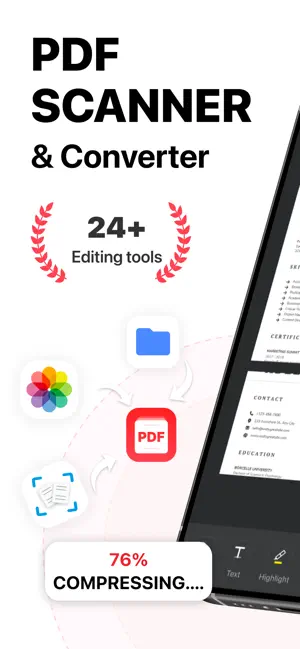
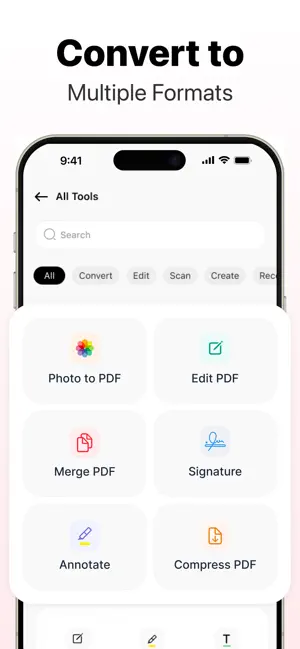
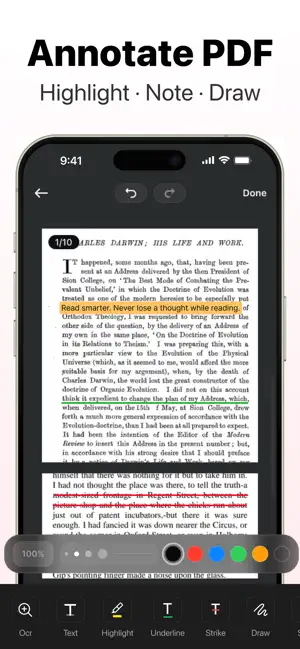
PDF Bro is a document scanner and a full PDF toolkit in one app. Point your camera at a paper document and get a PDF in a few taps, then sign it, merge it, compress it, or send it — without switching apps. SCAN TO PDF - Documents, receipts, notes, and contracts - Books, page by page - ID cards, passports, and business cards - QR codes CONVERT TO PDF - Photos from your gallery - Word to PDF - PPT to PDF - Excel to PDF SIGN DOCUMENTS - Draw your signature and place it anywhere on the page - Sign on any page, then share or print the signed file MARK UP AND REVIEW - Highlight, underline, and strikethrough - Draw freehand notes on any page - Read in a clean, full-screen viewer - Print or share straight from the app WORK WITH PAGES - Merge two or more PDFs into a single file - Split a long PDF into separate documents - Compress large files before you send them CREATE FROM A BLANK PAGE - Start a blank PDF and build a document from scratch - Draw and sign directly on the page - Print or share it when it's ready YOUR FILES, ORGANIZED - Categories for Work, IDs, Resumes, and more - Search across every file by name - Rename, share, or delete in two taps - Set a reminder on a document so a deadline doesn't slip - Recent files waiting for you on the home screen BUILT FOR EVERYDAY PAPERWORK - Students scanning notes and textbook pages - Freelancers signing contracts and sending invoices - Anyone who needs an ID or passport copy in a hurry - Office work that starts on paper and has to end as a PDF From the first scan to the final signature, every step happens in one app — and every file stays where you can find it again. SUBSCRIPTION AND AUTO-RENEWAL PDF Bro offers weekly, monthly and annual subscriptions. The price of each plan is shown in the app before you confirm. Payment will be charged to your Apple Account at confirmation of purchase. Subscriptions automatically renew unless auto-renew is turned off at least 24 hours before the end of the current billing period. Renewal charges will be applied within 24 hours before the end of the current period. You can manage your subscription and turn off auto-renewal at any time in your Apple Account settings. Privacy Policy: https://sites.google.com/view/pdfroom/privacy-policy Terms and Conditions: https://sites.google.com/view/pdfroomterms/terms-condititons Terms of Use (EULA): https://sites.google.com/view/pdf-bro-terms-of-eula/terms-of-eula
Ratings & reviews
4.9
24 ratings
What’s new
Version 1.4 · Updated October 8, 2026
- Sign documents with your own signature, then print or share without leaving the app - Scan books, ID cards, passports, business cards, and QR codes straight to PDF - Merge, split, and compress PDFs from the Tools tab - Files now has categories, search, and reminders so nothing gets lost - Bug fixes and performance improvements. If you're satisfied, we'd appreciate it if you rate us 5 stars!
App privacy
The developer, Ajay Mondal, reported these privacy practices to Apple.
Data Not Collected
The developer does not collect any data from this app.