

Next Deck
Holger Heidkamp Productivity iPhoneiPadiPod touch
Next Deck is a paid Productivity app for iPhone and iPad by Holger Heidkamp. Rated 2.6/5 from 5 ratings. Requires iOS 26.2. Updated October 2, 2026.
- Rating
- 2.6
- 5 ratings
- Price
- 3.99 USD
- on the App Store
- Size
- 28 MB
- Age 4+
- Updated
- Oct 2
- 2026 · v2.5
Screenshots



About Next Deck
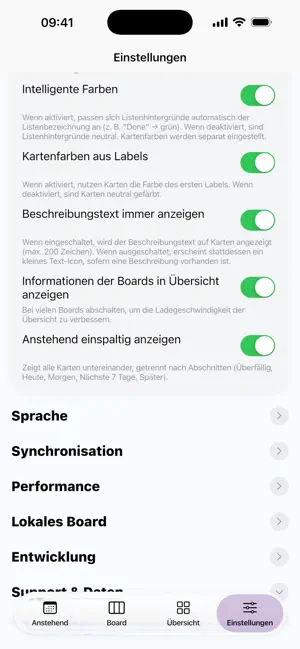
Nextdeck is the modern, lightning‑fast client for Nextcloud Deck — perfect for Kanban, tasks, and projects. Keep boards, columns, and cards under control at all times: move cards via drag and drop, edit details, and keep your overview — on iPhone and iPad, in light and dark mode. Highlights - Drag & drop: move cards within a column or across columns — precise and intuitive. - Reorder & positions: insert cards exactly before another card or move up/down. - Labels & colors: instant orientation with color coding. - Due dates: clear urgency colors for upcoming deadlines. - Assignees: assign teammates and make responsibility visible. - Markdown description: jot down details, neatly previewed on the card tile. - Comments & attachments: compact counters right on the card. - Search: find cards quickly without endless scrolling. - Optimized for iPhone & iPad: compact lists on iPhone, wide columns on iPad. - Dark mode & smart colors: pleasant contrast and great readability. - Privacy‑friendly: your data stays on your own Nextcloud server. Why Nextdeck? - Speed focus: smooth scrolling, snappy interactions, minimal waiting. - Clean, native UI: feels right from the first tap. - Reliable sync: changes persist cleanly with Nextcloud Deck. Requirement: a running Nextcloud instance with the Deck app enabled. Sign in with server URL, username, and app password — done.
Ratings & reviews
2.6
5 ratings
What’s new
Version 2.5 · Updated October 2, 2026
- Fixed: on certain servers, loading archived cards failed silently. If the "archived cards" view was also active, boards appeared permanently empty — surviving updates and resets. - The archive view is now clearly visible: an orange banner above the board indicates it — tap once to switch back to active cards. "Clear local data" now resets the view as well. - Empty boards automatically reload once when viewed — the Refresh button remains as a fallback. - Credential storage hardened: all fields are verified after saving — a rare iOS issue could otherwise cause unexplained sign-in errors after switching accounts and restarting. - Various smaller improvements to sync and throttle protection.
App privacy
The developer, Holger Heidkamp, reported these privacy practices to Apple.
Data Not Collected
The developer does not collect any data from this app.
Alternatives to Next Deck
Looking for apps like Next Deck? Here are 6 similar apps on the App Store. The highest rated is Nextcloud Calendar (4.7/5), and all 6 are free to download.
-
 Deckloud: Nextcloud Deck
4.4
-
 Pantry for Nextcloud
-
 Nextscan - Scans for Nextcloud
2.0
-
 Nextcloud Calendar
4.7
-
 Passwords for Nextcloud
4.1
-
 Nextcloud Notes
2.2
| App | Rating | Price | Last updated | Compare |
|---|---|---|---|---|
| Next Deck | 2.6 / 5 (5 ratings) | 3.99 USD | October 2, 2026 | |
| Deckloud: Nextcloud Deck | 4.4 / 5 (8) | Free | Oct 12, 2026 | Compare |
| Pantry for Nextcloud | – | Free | Oct 18, 2026 | Compare |
| Nextscan - Scans for Nextcloud | 2.0 / 5 (1) | Free | Aug 13, 2026 | Compare |
| Nextcloud Calendar | 4.7 / 5 (3) | Free | Sep 28, 2026 | Compare |
| Passwords for Nextcloud | 4.1 / 5 (21) | Free | Sep 14, 2026 | Compare |
| Nextcloud Notes | 2.2 / 5 (95) | Free | Sep 22, 2026 | Compare |
Compare Next Deck with the top alternatives: ratings, updates, ASO score and keyword gaps →