

FlooMic
Flairmesh Technologies Utilities iPhoneiPadiPod touch
FlooMic is a free Utilities app for iPhone and iPad by Flairmesh Technologies. Requires iOS 15.6. Updated September 12, 2025.
- Price
- Free
- on the App Store
- Size
- 2 MB
- Age 4+
- Updated
- Sep 12
- 2025 · v1.3
Screenshots
About FlooMic
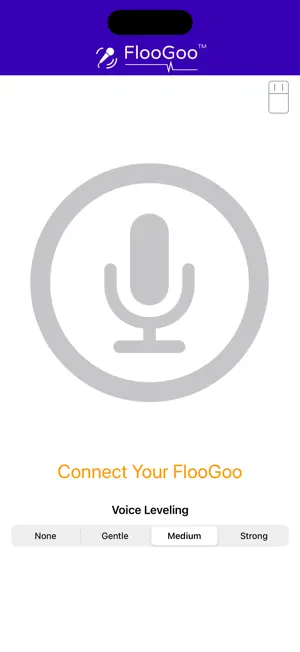
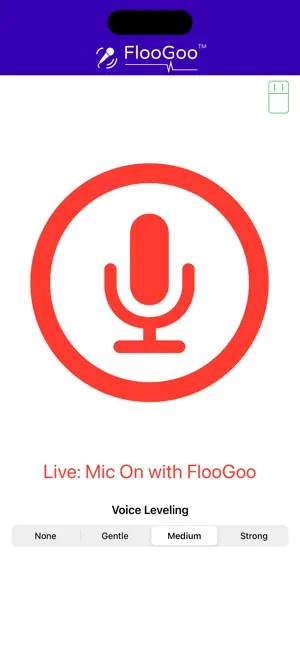
Works with the FlooGoo FMA120 to broadcast your phone’s microphone over Auracast™. Getting started On a PC, set your FMA120 to Broadcast mode. Connect it to your phone using a USB-C–to–USB-A OTG adapter (or a USB camera adapter for older phones). Open the app, allow microphone access, and start broadcasting.
What’s new
Version 1.3 · Updated September 12, 2025
Voice levelling with selectable strength: None, Gentle, Medium, Strong.
App privacy
The developer, Flairmesh Technologies, reported these privacy practices to Apple.
Data Not Collected
The developer does not collect any data from this app.
Alternatives to FlooMic
Looking for apps like FlooMic? Here are 6 similar apps on the App Store. The highest rated is Authenticator App : Keyzy (5.0/5), and all 6 are free to download.
-
 MicMan
-
 ReMic: Phone mic to speaker
-
 QK Recast
-
 Mic To Speaker : Mic Amplifier
3.5
-
 Voice Generator TTS
-
 Authenticator App : Keyzy
5.0
| App | Rating | Price | Last updated | Compare |
|---|---|---|---|---|
| FlooMic | – | Free | September 12, 2025 | |
| MicMan | – | Free | Mar 21, 2026 | Compare |
| ReMic: Phone mic to speaker | – | Free | Aug 23, 2026 | Compare |
| QK Recast | – | Free | Dec 5, 2025 | Compare |
| Mic To Speaker : Mic Amplifier | 3.5 / 5 (2) | Free | Jul 21, 2025 | Compare |
| Voice Generator TTS | – | Free | Jul 8, 2026 | Compare |
| Authenticator App : Keyzy | 5.0 / 5 (2) | Free | Aug 7, 2026 | Compare |
Compare FlooMic with the top alternatives: ratings, updates, ASO score and keyword gaps →