

Paperlock: Document Vault
John Larson Utilities iPhoneiPadiPod touch
Paperlock: Document Vault is a free Utilities app for iPhone and iPad by John Larson. Requires iOS 18.5. Updated October 11, 2026.
- Price
- Free
- on the App Store
- Size
- 1 MB
- Age 4+
- Updated
- Oct 11
- 2026 · v2.0
Screenshots
About Paperlock: Document Vault
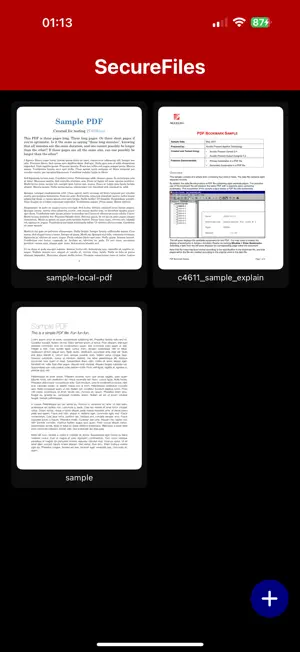
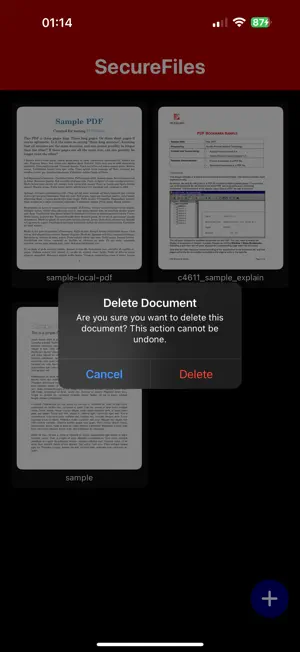
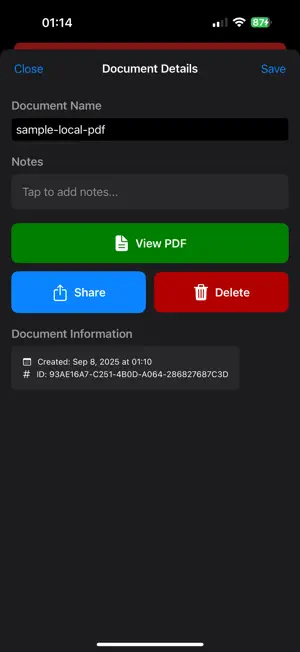
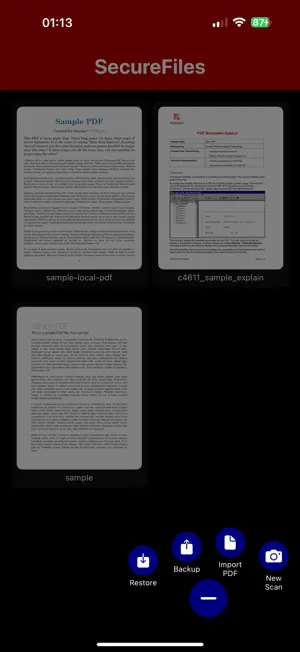
Paperlock is a locked drawer for the papers that matter. Your iPhone can already scan a page. Paperlock is where the scan goes afterwards, when it is something you would not leave lying around: a passport, a lease, a tax return, a medical record. LOCKED AND ENCRYPTED • Locks as soon as you leave it. Face ID, Touch ID or your passcode opens it again. • Every scan, PDF, name and note is encrypted with AES-256 before it is stored. • The key stays in your iPhone's Keychain, on this device only. YOUR PAPERS • Scan paper with the camera. Several pages become one PDF. • Import PDFs you already have. • Give each document a name and a note, and search through both. • Open a PDF, or share a copy when you choose. BACK UP ON YOUR TERMS • A backup is one encrypted file with its own password. • You decide where it goes. Paperlock does not upload it. • A vault password opens your documents on a new iPhone. PRIVATE BY DESIGN • No account, no cloud, no server, no analytics, no ads. • The app makes no network requests at all. GOOD TO KNOW • There is no password reset. Nobody else holds your key, so nobody can recover it for you. • There is no sync. Your documents are on one phone, and a backup file is how you move them. Paperlock was called Secure Document Vault. If you have it, this update keeps your documents and encrypts them the first time you open it.
What’s new
Version 2.0 · Updated October 11, 2026
Secure Document Vault is now Paperlock, and it is free. • Face ID lock every time you leave the app. • Every document, name and note is now encrypted on your iPhone. • A vault password to recover your documents on a new phone. • Backups are now one encrypted, password-protected file. Older backups still restore. • Search by name and notes. • A new look. The first time you open this version it asks you to choose a vault password, then encrypts the documents you already have. Nothing is uploaded.
App privacy
The developer, John Larson, reported these privacy practices to Apple.
Data Not Collected
The developer does not collect any data from this app.
Alternatives to Paperlock: Document Vault
Looking for apps like Paperlock: Document Vault? Here are 6 similar apps on the App Store. The highest rated is Shrinkr: Photo Storage Saver (4.0/5), and all 6 are free to download.
-
 Hikkoshi Moving Box Notes
-
 Shrinkr: Photo Storage Saver
4.0
Shrinkr: Photo Storage Saver
4.0
-
 Tipnook
-
 Simmerdial
3.0
Simmerdial
3.0
-
 Convert All: Units Offline
-
 Blackout — Share Safely
| App | Rating | Price | Last updated | Compare |
|---|---|---|---|---|
| Paperlock: Document Vault | – | Free | October 11, 2026 | |
| Hikkoshi Moving Box Notes | – | Free | Oct 16, 2026 | Compare |
| Shrinkr: Photo Storage Saver | 4.0 / 5 (1) | Free | Oct 10, 2026 | Compare |
| Tipnook | – | Free | Oct 5, 2026 | Compare |
| Simmerdial | 3.0 / 5 (1) | Free | Oct 6, 2026 | Compare |
| Convert All: Units Offline | – | Free | Sep 1, 2026 | Compare |
| Blackout — Share Safely | – | Free | Oct 13, 2026 | Compare |