

Minimal Expense Tracker
FUKUKAWA LAB Finance iPhoneiPadiPod touch
Minimal Expense Tracker is a free Finance app for iPhone and iPad by FUKUKAWA LAB. Requires iOS 13.0. Updated October 13, 2025.
- Price
- Free
- on the App Store
- Size
- 45 MB
- Age 4+
- Updated
- Oct 13
- 2025 · v1.3.0
Screenshots

About Minimal Expense Tracker
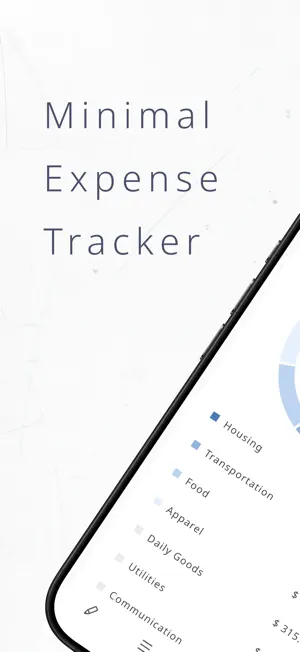
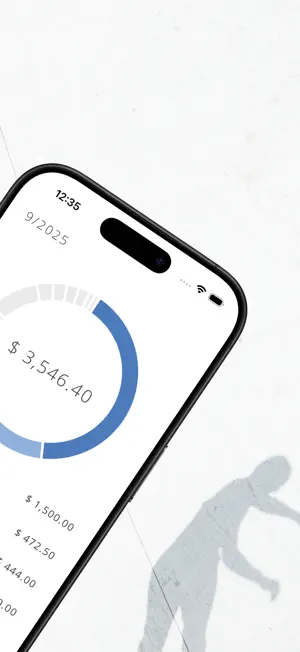
Thank you for using Minimal Expense Tracker! Here’s a quick overview of the features: ◆ Pie Chart Easily check the spending ratio by category. ◆ Line Chart Track your monthly spending trends. You can view data for the past year or by calendar year (e.g., 2025). Tap on the chart to see detailed information. ◆ Custom Categories Create as many categories as you like. Some common categories are set by default, but you can freely edit them to suit your needs. To add, edit, or delete categories, open the expense form and tap the settings (gear icon) in the top right corner → “Category Settings.” You can also manage categories directly from the category selection screen in the expense form: Tap the “+” button (top right) to open the add form. Long-press a category to open the edit/delete form. ◆ Scheduled Expenses Settings You can automatically register recurring expenses (such as rent, internet, or subscriptions) as scheduled expenses. ◆ Closing Date Settings Adjust your monthly closing date to match your payday. For example, if you set the 25th as the closing date, “September 2025” will cover expenses from Aug 26 to Sep 25, 2025. ◆ Themes Choose from 12 different theme combinations: Light/Dark appearance 6 theme colors: Blue, Red, Green, Yellow, Purple and Pink. Dark mode is recommended for the best chart display. ◆ Currency Settings Currently supports 6 currencies: JPY (¥), USD ($), EUR (€), GBP (£), TWD ($) and KRW (₩). ◆Privacy All your data is stored locally on your device, ensuring your privacy and security. Thank you.
What’s new
Version 1.3.0 · Updated October 13, 2025
◆ New Feature Added template feature! Perfect for registering "morning coffee" or "frequent train fare". ◆ Improvements - Fixed so that fixed expenses are updated even when the date changes while the app is running - Added support for Korean Won - Euro currency symbol now displays after the amount
App privacy
The developer, FUKUKAWA LAB, reported these privacy practices to Apple.
Data Used to Track You
The following data may be used to track you across apps and websites owned by other companies:
- Location: Coarse Location
- Identifiers: Device ID
- Usage Data: Product Interaction, Advertising Data
- Diagnostics: Crash Data, Performance Data
Data Linked to You
The following data, which may be collected and linked to your identity, may be used for the following purposes:
- Location: Coarse Location
- Identifiers: Device ID
- Usage Data: Product Interaction, Advertising Data
- Diagnostics: Performance Data
Used for: Third-Party Advertising
Data Not Linked to You
The following data, which may be collected but is not linked to your identity, may be used for the following purposes:
- Diagnostics: Crash Data
Used for: Third-Party Advertising, Analytics
Alternatives to Minimal Expense Tracker
Looking for apps like Minimal Expense Tracker? Here are 6 similar apps on the App Store. The highest rated is SUM+= Simple Expense Tracker (5.0/5), and all 6 are free to download.
-
 BudgetKit - Expense Tracker
-
 SUM+= Simple Expense Tracker
5.0
SUM+= Simple Expense Tracker
5.0
-
 まねめも - サクッとつけて、パッとわかる家計簿
-
 ゆる家計簿
ゆる家計簿
-
 Monestia: 家計簿
-
 Budget & Shifts ShiftPay
| App | Rating | Price | Last updated | Compare |
|---|---|---|---|---|
| Minimal Expense Tracker | – | Free | October 13, 2025 | |
| BudgetKit - Expense Tracker | – | Free | May 3, 2025 | Compare |
| SUM+= Simple Expense Tracker | 5.0 / 5 (2) | Free | Oct 9, 2026 | Compare |
| まねめも - サクッとつけて、パッとわかる家計簿 | – | Free | Aug 14, 2026 | Compare |
| ゆる家計簿 | – | Free | Mar 9, 2026 | Compare |
| Monestia: 家計簿 | – | Free | Oct 6, 2026 | Compare |
| Budget & Shifts ShiftPay | – | Free | Jun 13, 2026 | Compare |