

Business Card Scanner Contacts
Farouk Nasser Business iPhoneiPadiPod touch
Business Card Scanner Contacts is a free Business app for iPhone and iPad by Farouk Nasser. Requires iOS 26.0. Updated August 11, 2026.
- Price
- Free
- on the App Store
- Size
- 23 MB
- Age 4+
- Updated
- Aug 11
- 2026 · v3.0
Screenshots


About Business Card Scanner Contacts
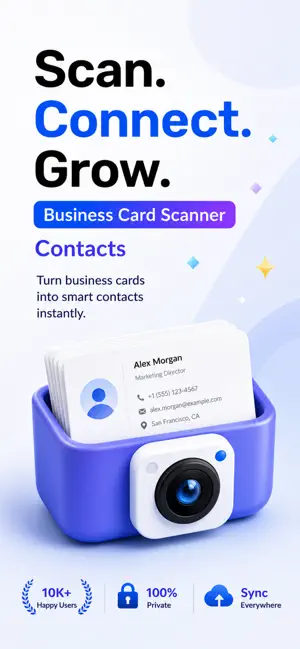
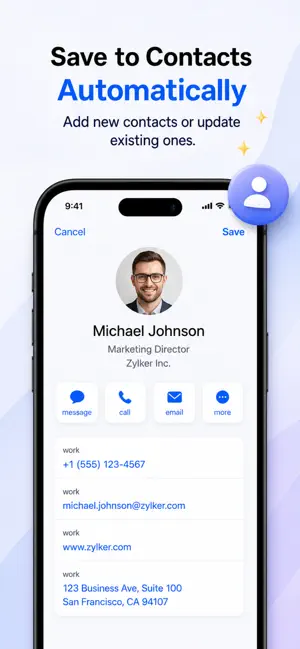
Business Card Scanner – Scan, Save & Organize Contacts with AI Turn every business card into a perfectly organized digital contact in seconds. Business Card Scanner is a powerful AI-powered business card reader designed for professionals, entrepreneurs, sales teams, recruiters, students, and anyone who wants to build a smarter contact list. Simply scan a business card with your iPhone or import a photo or PDF, and the app instantly extracts contact information using Apple's advanced on-device technologies. Your data stays private because recognition is performed on-device whenever possible using Apple Intelligence and Apple's Vision framework. No unnecessary cloud uploads. No hidden tracking. Just fast, secure, and accurate scanning. Scan Business Cards Instantly Capture business cards with a single tap using intelligent document detection. • Automatic edge detection and cropping • High-quality image enhancement • Fast camera scanning • Scan multiple cards in one session • Import from Photos • Import business cards from PDF files Whether you're at conferences, networking events, trade shows, meetings, or traveling, Business Card Scanner helps you save contacts in seconds. AI-Powered Contact Recognition Advanced AI automatically detects and organizes information from business cards. Extract: • Full Name • Company • Job Title • Phone Numbers • Mobile Numbers • Email Addresses • Websites • Social Media Profiles • Office Addresses • Notes and additional information The intelligent parser combines OCR with AI to improve accuracy, validate contact details, and organize information into the correct fields. Supports Multiple Languages Business cards come in many formats—and so does Business Card Scanner. The app recognizes cards written in multiple languages, including multilingual layouts and right-to-left languages like Arabic. Perfect for international business, travel, and global networking. Review Before Saving Always stay in control. Before saving a contact, review every detected field and make changes if needed. • Edit any information • Add missing details • Verify phone numbers and email addresses Save Directly to Contacts Create clean contacts with one tap. Business Card Scanner integrates with iOS Contacts, making it easy to build your address book without manual typing. Smart Duplicate Detection Already scanned the same person? Keep your contacts clean and organized. Powerful Search Find contacts instantly. Search by: • Name • Company • Job title • Phone number • Email • Website • Address Spend less time searching and more time connecting. Export Your Data Take your contacts anywhere. Export scans as: • vCard (.VCF) • CSV • JSON • PDF summaries Share exported files with colleagues, clients, or other apps. Contact Dashboard Track your networking activity with useful statistics. View: • Total cards scanned • Cards scanned this week • Contacts saved • Recent activity Everything you need in one place. One-Tap Actions After scanning, quickly interact with your contacts. • Call phone numbers • Send emails • Open websites • Visit social profiles Everything is just one tap away. Privacy First Your privacy matters. Business Card Scanner is designed with a privacy-first approach. • On-device AI processing whenever possible Perfect For • Business Professionals • Sales Representatives • Entrepreneurs • HR Teams • Consultants • Students • Event Attendees • Conference Visitors Why Choose Business Card Scanner? Stop typing business cards by hand. Download Business Card Scanner today and transform paper business cards into organized digital contacts in seconds. EULA: https://www.apple.com/legal/internet-services/itunes/dev/stdeula/
What’s new
Version 3.0 · Updated August 11, 2026
Welcome to Version 3.0! This update brings major improvements to make scanning business cards faster, smarter, and more accurate. • Brand-new AI-powered business card recognition • Improved scanning speed and OCR accuracy • Enhanced automatic edge detection and image processing • Support for importing business cards from PDF files • Smarter duplicate detection and contact merging • New contact review and editing experience before saving • Export contacts as VCF, CSV, JSON, and PDF • Improved multilingual recognition, including right-to-left languages • Faster search and better contact organization • Performance improvements and bug fixes for a smoother experience Thank you for using Business Card Scanner! We're continuously improving the app and appreciate your feedback.
App privacy
The developer, Farouk Nasser, reported these privacy practices to Apple.
Data Used to Track You
The following data may be used to track you across apps and websites owned by other companies:
- Identifiers: Device ID
Data Linked to You
The following data, which may be collected and linked to your identity, may be used for the following purposes:
- Identifiers: Device ID
Used for: Analytics
Alternatives to Business Card Scanner Contacts
Looking for apps like Business Card Scanner Contacts? Here are 6 similar apps on the App Store. The highest rated is Factor Feed (5.0/5), and 5 of the 6 are free to download.
-
 Factor Feed
5.0
-
 US Economic Indicators
-
 PortCall: Markets Radio
5.0
-
 Contractors Directory
-
 AtomKeys – Smart Keyboard
-
 Dreams List App
5.0
| App | Rating | Price | Last updated | Compare |
|---|---|---|---|---|
| Business Card Scanner Contacts | – | Free | August 11, 2026 | |
| Factor Feed | 5.0 / 5 (2) | Free | Nov 3, 2026 | Compare |
| US Economic Indicators | – | 4.99 USD | Oct 24, 2026 | Compare |
| PortCall: Markets Radio | 5.0 / 5 (3) | Free | Sep 9, 2026 | Compare |
| Contractors Directory | – | Free | Nov 3, 2025 | Compare |
| AtomKeys – Smart Keyboard | – | Free | Dec 8, 2025 | Compare |
| Dreams List App | 5.0 / 5 (23) | Free | Oct 28, 2026 | Compare |