

Batch Photo Editor: Batchly
Avinash Kumar Photo & Video iPhoneiPadiPod touch
Batch Photo Editor: Batchly is a free Photo & Video app for iPhone and iPad by Avinash Kumar. Rated 5.0/5 from 2 ratings. Requires iOS 17.6.
- Rating
- 5.0
- 2 ratings
- Price
- Free
- on the App Store
- Size
- 32 MB
- Age 4+
- Updated
- Oct 19
- 2026 · v1.24
Screenshots
About Batch Photo Editor: Batchly
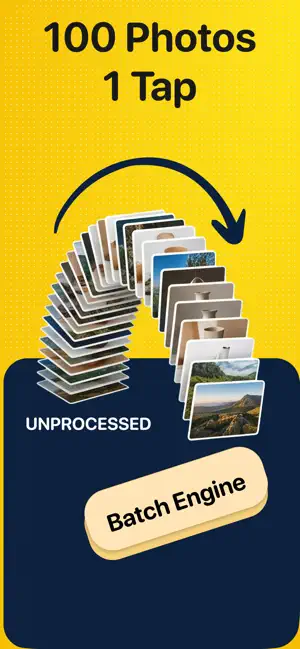
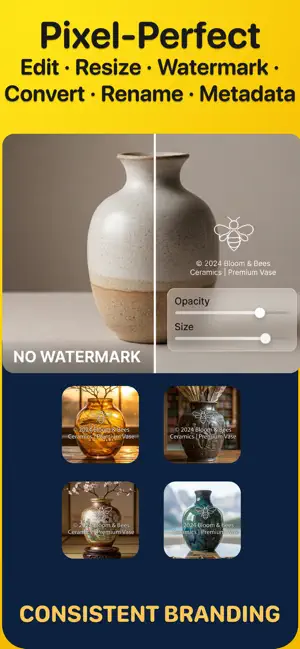
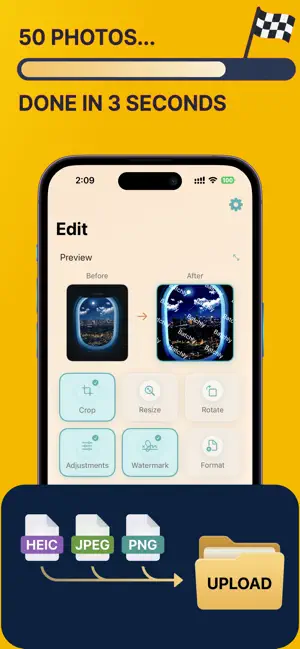
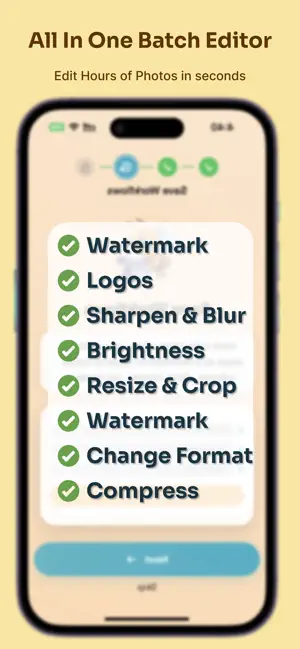
Batchly is a batch photo editor and batch photo renamer for iPhone and iPad. Select many photos from your Photos library, rename them with custom filenames, resize, compress, convert, crop, rotate, adjust and watermark them in one pass, then save to Photos or the Files app. Works offline. No account. NO PC NEEDED Do on your iPhone or iPad what used to mean a laptop and desktop software. Transfer photos from your camera with its app, then in Batchly rename, resize, compress, watermark and convert hundreds of photos in one go, and upload or share straight away. Preview the result on your photos before you apply it to the whole batch. Mix portrait and landscape and get uniform sizes. Cut 50-60MP files down for fast web uploads. Repeat the same job next week with one saved workflow instead of redoing every step. No subscription to a desktop suite, no account, no cloud upload. BUILT TO BE FLEXIBLE Use one tool or all of them. Only rename. Only resize. Or crop, rotate, adjust, watermark, convert, compress and rename in a single run. Put the steps in any order, change one without redoing the rest, and save the whole thing as a workflow for next time. Pick a few photos or hundreds. Keep new copies, or replace the originals. Save to Photos, a new album, or the Files app. Every step has its own settings, so the same app fits a product shoot, a match day gallery, a wedding, a listing, a blog or a school project. FEATURES • Batch Rename Photos: Custom filenames from your own text, the date taken or export date, and the original name, in any order, with a dash, underscore, space or no separator. Live preview. Example: Paris_2026-10-13_IMG_4821.jpg • Bulk Resize: By pixels, percentage, long edge, or presets (Instagram, Etsy, eBay), with 1:1, 3:2, 4:3, 5:4 or 16:9 shapes. Portrait and landscape photos come out uniform. • Compress & Convert: Shrink file sizes with a quality slider. Convert between HEIC, JPEG, PNG and TIFF. • Watermark: Add text, logo or signature, placed in a corner, the center or anywhere. • Crop: 1:1, 4:3, 3:2, 4:5, 16:9, 9:16 or free. • Rotate & Flip: 90°, 180°, 270°, custom angle, horizontal or vertical mirror. • Adjustments: Brightness, contrast, saturation and exposure on the whole batch. • Workflows: Chain steps in any order, save them as reusable recipes, and edit any step later. • Export: Save to Photos (optionally into a new album), export to Files, or replace originals in Photos. Replaced originals go to Recently Deleted for 30 days. • Metadata: EXIF, camera info, date, location, copyright and IPTC carry over to exported photos. • Before/After Preview: Swipe through previews of your photos with every step applied before you commit. • Private: Everything is processed on your device. Photos are never uploaded. HOW TO BATCH RENAME PHOTOS ON IPHONE 1. Pick photos from your Photos library. 2. Add a Rename step and build the name. 3. Check the preview, then export. Batchly names the new files it creates; it does not rename photos in place. WHO USES BATCHLY • Photographers: sports, events, weddings and real estate. Resize 50-60MP files, add a name and date, and deliver proofs fast from an iPad. • Online sellers on Etsy, eBay, Poshmark, Depop and Shopify: uniform listing photos to spec. • Social media managers: one shoot sized for every platform. • Bloggers, web designers and developers: smaller images for faster pages. • Real estate agents, teachers and office teams: consistent, organized photo sets. • Anyone freeing up storage or sending many photos at once. Free: up to 7 photos per batch. Pro: unlimited batches and saved workflows. EULA: https://www.apple.com/legal/internet-services/itunes/dev/stdeula/ Privacy Policy: https://harmonycrafted.com/apps/batchly/privacy.html Terms of Use: https://www.apple.com/legal/internet-services/itunes/dev/stdeula/
What’s new
Version 1.24 · Updated October 19, 2026
New: pick a shape when you resize by pixels. Turn on "Use longer side and shorter side" and choose Original, 3:2, 4:3, 16:9, 5:4, or 1:1. Original keeps each photo's own shape, so a 3:2 camera no longer gets squeezed into 4:3. Just enter the long side and Batchly works out the rest. Workflow steps and summaries now show the shape you picked, like "3000 × 2000 px, 3:2". Workflows saved before this update resize exactly as they did before.
App privacy
The developer, Avinash Kumar, reported these privacy practices to Apple.
Data Not Collected
The developer does not collect any data from this app.
Alternatives to Batch Photo Editor: Batchly
Looking for apps like Batch Photo Editor: Batchly? Here are 6 similar apps on the App Store. The highest rated is PhotoFlow: Batch Image Resizer (5.0/5), and all 6 are free to download.
-
 Watermark Batch
-
 eZy Edit: Batch Photo Editor
1.0
eZy Edit: Batch Photo Editor
1.0
-
 JW Batch Watermarker
-
 Multiple Photo Crop
4.7
Multiple Photo Crop
4.7
-
 Opacity Batch Edit Photo Album
-
 PhotoFlow: Batch Image Resizer
5.0
PhotoFlow: Batch Image Resizer
5.0
| App | Rating | Price | Last updated | Compare |
|---|---|---|---|---|
| Batch Photo Editor: Batchly | 5.0 / 5 (2 ratings) | Free | October 19, 2026 | |
| Watermark Batch | – | Free | Dec 31, 2025 | Compare |
| eZy Edit: Batch Photo Editor | 1.0 / 5 (2) | Free | Jul 29, 2024 | Compare |
| JW Batch Watermarker | – | Free | Jan 15, 2026 | Compare |
| Multiple Photo Crop | 4.7 / 5 (3) | Free | Sep 29, 2026 | Compare |
| Opacity Batch Edit Photo Album | – | Free | Nov 23, 2025 | Compare |
| PhotoFlow: Batch Image Resizer | 5.0 / 5 (3) | Free | Apr 24, 2026 | Compare |